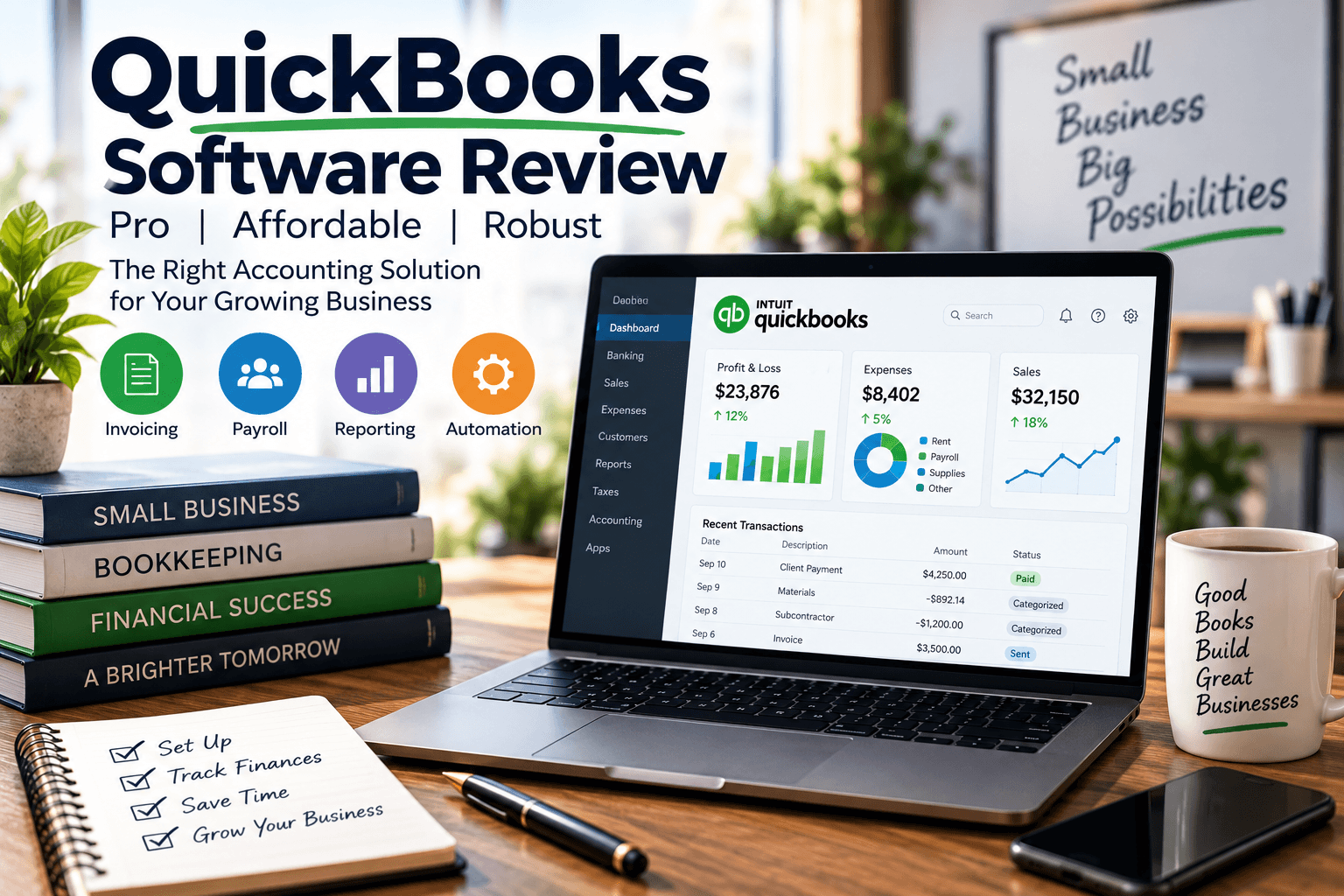
QuickBooks Software Review & Guide

QuickBooks Software Review:
Pro, Affordable, Robust

QuickBooks software review verdict: QuickBooks remains one of the strongest accounting platforms for small and midsize businesses because it blends a deep feature set, a broad app ecosystem, and accessible pricing into one system that handles invoicing, payroll, bank reconciliation, and daily bookkeeping with confidence. The right choice comes down to your size, workflow, and whether you need cloud collaboration through QuickBooks Online or the desktop-level inventory power of QuickBooks Desktop.

In over 20 years running Complete Controller, I’ve had a front-row seat to hundreds of QuickBooks rollouts across nearly every industry you can name, and I’ll tell you this straight: the software is powerful, but the magic happens when the plan matches the business, not the other way around. Here’s a data point that stops me every time I share it—QuickBooks Online holds roughly 80% market share in the small business cloud accounting space, according to DMR research. In this article, I’ll walk you through pricing, features, the Online vs. Desktop debate, a real case study, and a decision framework so you can pick the plan that actually fits your operation—and stop paying for tools you don’t use.

What is a QuickBooks software review and why does it matter?

  • QuickBooks software review means evaluating QuickBooks on features, pricing, usability, scalability, and fit for your business.
  • QuickBooks dominates the small business accounting market because it scales from solo freelancers to growing teams that need payroll, reporting, and multi-user access.
  • The most important question is not “Is QuickBooks good?” but “Is QuickBooks Online or QuickBooks Desktop the right fit?”
  • Cloud-first Online plans win on collaboration; Desktop still holds ground for advanced inventory and legacy workflows.
  • A strong review gives you real tradeoffs and a clear recommendation by business type—not marketing fluff. CorpNet. Start A New Business Now

QuickBooks Review: Is It Really Worth It for Small Businesses?

QuickBooks is worth it for most small businesses because it eliminates hours of manual bookkeeping, centralizes your financial data, and covers the core accounting workflow in one platform. But “worth it” hinges on whether you actually use what you’re paying for.

The businesses that get the most value are the ones that treat QuickBooks as an operating system for their finances, not a filing cabinet. If invoicing, reconciliation, and reporting are core to how you run the company, QuickBooks pays for itself quickly.

QuickBooks software review for small businesses

  • QuickBooks Online is usually the best fit for small businesses needing remote access, accountant collaboration, and predictable monthly pricing.
  • QuickBooks Desktop still wins for businesses with deep inventory needs or industry-specific editions.
  • The platform delivers real value only when paired with disciplined bookkeeping—see our 9 bookkeeping tips for small businesses for the habits that make it work.
  • Early-stage founders often start with spreadsheets and outgrow them fast once payroll and reporting get real.

How I evaluate QuickBooks in practice

When a client asks me if QuickBooks is right for them, I ask three questions: Who needs access? How complex is your inventory? What does your month-end close look like? Those three answers usually make the decision obvious.

I also weigh the subscription cost against the hours saved on invoicing, reconciliation, and reporting. If your accountant can work efficiently inside the system without workarounds, you’re in good shape.

QuickBooks Pricing, Plans, and What You Actually Get

QuickBooks pricing varies by product family. QuickBooks Online uses monthly subscriptions, while QuickBooks Desktop typically uses annual pricing or licensing—especially for the Enterprise tier.

The honest truth? The “cheapest” plan often isn’t the most affordable. If a lower-tier plan slows down your invoicing or forces manual workarounds, you’re losing money on labor even while saving on software.

QuickBooks pricing: what businesses should budget for

  • QuickBooks Online is more accessible upfront thanks to monthly billing and easy upgrades.
  • QuickBooks Desktop carries a higher annual commitment but delivers more power in advanced tiers.
  • Costs climb when you add payroll, payment processing, hosting, or extra user licenses.
  • Always factor in setup, data migration, training, and support—not just the sticker price.

How to choose between QuickBooks plans

Choose your plan based on users, workflow complexity, and reporting needs—not price alone. Here’s how I sort it:

  1. Simple Start — Freelancers and very small businesses with basic invoicing.
  2. Essentials or Plus — Businesses managing bills, team access, projects, or light inventory.
  3. Advanced or Enterprise — Companies needing stronger controls, higher user counts, and deep operational reporting.
  4. Payroll add-on — Include this in your cost comparison from day one if you have employees.

QuickBooks Features Review: What Makes the Platform Feel Robust

QuickBooks feels robust because it covers the full accounting workflow—invoicing, expenses, bank feeds, reconciliation, reporting, payroll, and integrations—all in one place.

For a deeper look at how the platform stacks up against competitors, Forbes Advisor’s comparison breaks down the tradeoffs nicely.

QuickBooks features that matter most in real use

  • Invoicing — One of QuickBooks’ strongest daily features. This matters because Xero’s Small Business Insights found the average small business was paid 37 days late in FY2024. Faster invoicing directly protects cash flow.
  • Payroll — Keeps employee and contractor payments inside your accounting system.
  • Bank reconciliation — A major strength; catches errors early and validates transactions fast.
  • Reporting — Only valuable if you actually review it monthly, not just at tax time.
  • Integrations — Critical for CRM, e-commerce, and payment connections.

QuickBooks bank reconciliation review

QuickBooks handles reconciliation well because bank feeds and transaction matching slash manual entry. The system works best when you categorize consistently and reconcile on a schedule—learn more about the discipline behind it in our guide to reconciling your accounting statements regularly.

Best accounting software for freelancers

Freelancers love QuickBooks for invoicing, mileage tracking, expense capture, and tax-ready categorization. QuickBooks Online is the practical pick for solo operators who work from anywhere. If you only need basic invoicing with zero reporting, simpler tools may serve you better—but the moment you add recurring retainers or multiple clients, QuickBooks starts earning its keep.

QuickBooks Desktop vs Online: Which Version Is Better?

QuickBooks Online generally wins for accessibility, collaboration, and integrations, while QuickBooks Desktop still holds ground for advanced inventory and specialized workflows.

QuickBooks Online vs QuickBooks Desktop comparison

Category QuickBooks OnlineQuickBooks Desktop
AccessCloud-based, any deviceInstalled locally or hosted
CollaborationStrong multi-userLess flexible
Pricing modelMonthly subscriptionAnnual / license-based
IntegrationsBroad app ecosystemFewer integrations
InventoryAdequate for most SMBsStronger in advanced tiers
Best forRemote teams, freelancersComplex desktop workflows

Practical decision rules

  • Choose QuickBooks Online if your team works remotely or your accountant needs access.
  • Choose QuickBooks Desktop if you need advanced inventory or legacy desktop workflows.
  • App-heavy businesses benefit from Online’s ecosystem.
  • Neither version is universally superior—it’s about use case.
QuickBooks is powerful, but the right setup makes all the difference. Complete Controller helps small businesses get more from their accounting software with accurate bookkeeping, cleaner financials, and numbers you can actually use.

Real-World Case Study: QuickBooks in Action

A powerful case study from Intuit shows how Kimberley Manufacturing Pty Ltd transformed manual, paper-heavy workflows using QuickBooks Online Advanced.

  • Outcome: A 75% reduction in finance-related workload, moving from five staff to two.
  • Impact: 25–30% more time freed for higher-value work.
  • Bonus: They allocated 60–70% of direct project costs accurately to COGS, boosting profitability visibility.

The lesson? Software value isn’t just speed—it’s cleaner visibility and smarter decisions.

How to Choose QuickBooks by Business Type

For service businesses

Best for invoicing, retainers, time tracking, and project profitability. QuickBooks Online is usually the smoother pick.

For product businesses

Best when inventory and margins need constant tracking. Consider Desktop for advanced fulfillment. A great example: EcoScraps, a fast-growing compost and soil company that used QuickBooks to scale before landing a deal on ABC’s Shark Tank (Season 5). Fast growth demands tight bookkeeping systems—see how businesses graduate from spreadsheets to CRMs when volume takes off.

For firms with payroll and multiple users

Payroll shines when integrated with accounting. Multiple users need permissions and controls—informal approvals will produce messy books no matter how strong the software is. The IRS recordkeeping guidelines are a good baseline for building those controls.

Conclusion

From where I sit, QuickBooks is powerful because it’s both broad and practical—it serves freelancers, growing service firms, and complex operations if you match the plan to the workflow. The smartest next move is comparing QuickBooks Online vs QuickBooks Desktop against your users, inventory needs, payroll requirements, and month-end close process.

Start with the workflow, not the brand name, then map the cost against the hours it will save. If you want expert help choosing the right accounting path for your company, visit Complete Controller and let my team guide you. ADP. Payroll – HR – Benefits

Frequently Asked Questions About QuickBooks Software Review

Is QuickBooks good for small businesses?

Yes, QuickBooks is a strong option because it covers invoicing, expenses, reconciliation, payroll, and reporting in one system that scales with your growth.

What is the difference between QuickBooks Online and QuickBooks Desktop?

QuickBooks Online is cloud-based and better for collaboration and remote access, while QuickBooks Desktop is installed locally and often stronger for advanced inventory and complex workflows.

How much does QuickBooks cost?

Pricing depends on the product and plan. QuickBooks Online uses monthly subscriptions starting affordably, while Desktop and Enterprise use annual pricing structures with higher upfront commitments.

Is QuickBooks easy to use?

Yes, especially QuickBooks Online, though there’s a learning curve for accounting setup and reconciliation. Most owners get comfortable within a few weeks.

Does QuickBooks handle payroll and bank reconciliation?

Yes, QuickBooks supports both, and they’re two of the biggest reasons businesses choose the platform over lighter alternatives.

Sources

Complete Controller. America’s Bookkeeping Experts About Complete Controller® – America’s Bookkeeping Experts Complete Controller is the Nation’s Leader in virtual bookkeeping, providing service to businesses and households alike. Utilizing Complete Controller’s technology, clients gain access to a cloud platform where their QuickBooks™️ file, critical financial documents, and back-office tools are hosted in an efficient SSO environment. Complete Controller’s team of certified US-based accounting professionals provide bookkeeping, record storage, performance reporting, and controller services including training, cash-flow management, budgeting and forecasting, process and controls advisement, and bill-pay. With flat-rate service plans, Complete Controller is the most cost-effective expert accounting solution for business, family-office, trusts, and households of any size or complexity.

author avatar
Jennifer Brazer Founder/CEO
Jennifer is the author of From Cubicle to Cloud and Founder/CEO of Complete Controller, a pioneering financial services firm that helps entrepreneurs break free of traditional constraints and scale their businesses to new heights.
Reviewed By: reviewer avatar Brittany McMillen
reviewer avatar Brittany McMillen
Brittany McMillen is a seasoned Marketing Manager with a sharp eye for strategy and storytelling. With a background in digital marketing, brand development, and customer engagement, she brings a results-driven mindset to every project. Brittany specializes in crafting compelling content and optimizing user experiences that convert. When she’s not reviewing content, she’s exploring the latest marketing trends or championing small business success.

Accounting Statements Predictions

Accounting Statements:
Future Predictions for Businesses

Accounting statements future predictions are shifting rapidly from purely historical reports into forward-looking, data-rich dashboards that blend traditional financials with AI-driven forecasting and evolving standards like IFRS 18 and refreshed US GAAP. Businesses that prepare now by cleaning up their data, upgrading their analytics, and tightening compliance will meet stricter disclosure rules, unlock predictive insights, and build the kind of investor trust that opens doors.

After more than 20 years leading Complete Controller and partnering with thousands of small and midsize businesses across nearly every sector imaginable, I can tell you the shift from “tax-time paperwork” to real-time performance intelligence is the biggest change I’ve seen in the accounting world. In this article, I’ll walk you through the standards reshaping your income statement, the AI tools rewriting how we forecast cash flow, and the practical steps that will put you ahead of the curve. You’ll walk away with a roadmap for turning your books into a decision engine, plus the confidence to lead your business with numbers you actually trust.

What are accounting statements future predictions and how should businesses prepare?

  • Accounting statements future predictions describe how financial reporting and forecasting are evolving under new standards, AI analytics, and tighter disclosure expectations—and how businesses can prepare by modernizing data, controls, and forecasting.
  • Financial statements will stay historical, but regulators and investors expect more integrated forward-looking information and scenario analysis.
  • New standards like IFRS 18 and evergreen GAAP updates will change presentation, comparability, and disclosures beginning in 2026–2027.
  • AI accounting forecasting will use historical statements plus external data to project revenue, expenses, and cash flow with far greater accuracy.
  • Small and midsize businesses can get ahead by cleaning up bookkeeping, strengthening internal controls, and adopting forecasting tools built for the new landscape. Complete Controller. America’s Bookkeeping Experts

How Traditional Accounting Statements Are Evolving Toward Predictive Insight

Accounting statements have always focused on the past, but market expectations are pushing them toward decision-ready, future-oriented tools that inform strategy in real time.

Why financial statements are still historical but increasingly used for prediction

Professional bodies emphasize that financial reporting itself doesn’t predict the future—it provides structured historical data so users can forecast cash flows and performance. Yet many accounting estimates (impairments, provisions, going concern) already require management to bake future assumptions into today’s numbers. As accounting analytics matures, historical statements are becoming the standardized input layer for forecasting models, not just compliance artifacts. That’s why accurate, consistent bookkeeping is non-negotiable—your history feeds every future model. Learn more about why regular reconciliation matters more than ever.

The growing role of forward-looking disclosures

Investors and lenders now expect management to disclose expectations, sensitivities, and risks—particularly around liquidity and sustainability. Integrated reporting and ESG disclosures are adding narrative and non-financial data that inform cash flow projection and long-term viability. For founders, that means moving beyond basic compliance to a holistic approach connecting financial statements, strategy, and risk.

Regulatory Shifts: IFRS 18, US GAAP Refresh, and Future Reporting Impacts

A major part of accounting statements future predictions is regulatory—new standards are reshaping how results are presented, classified, and explained.

IFRS 18 and future accounting estimates

IFRS 18 Presentation and Disclosure in Financial Statements replaces IAS 1 and will change how companies present performance. According to the IFRS Foundation, IFRS 18 is effective for annual reporting periods beginning on or after January 1, 2027, with early application permitted. Under IFRS 18, income and expenses must be classified into operating, investing, and financing categories, with new subtotals like “Operating profit or loss” that improve comparability across companies. These shifts will force accounting policy adjustments, more detailed disaggregation, and clearer performance narratives.

US GAAP’s evergreen refresh and disclosure simplification

The FASB has launched an “evergreen” refresh to simplify and clarify rules. History shows why: the SEC’s repeated enforcement actions on improper revenue recognition helped drive the joint revenue standard (ASC 606), proving that reporting rules evolve in response to real problems in practice. Businesses must monitor these changes and align internal forecasting logic with new definitions and disclosures.

Your financial statements shouldn’t just explain yesterday—they should help you plan tomorrow. Complete Controller keeps your books accurate and decision-ready, giving you clearer financial insight to forecast cash flow and plan what’s next.

AI Accounting Forecasting and Machine Learning Models for Future Statements

Beyond regulation, the biggest driver of accounting statements future predictions is AI-driven forecasting—and the research backs it up.

AI accounting forecasting 101

A significant academic study on machine learning in corporate earnings forecasts found that ML methods beat traditional approaches when forecasting corporate earnings, improving accuracy compared with standard benchmark models. Techniques like gradient-boosting regression trees capture complex relationships within financial data that older “random walk” models missed entirely. AI accounting forecasting systems ingest structured financial statement data, transaction records, market indicators, and macroeconomic variables to project revenue, margins, and cash flows.

Machine learning models for revenue and expense forecasting

Modern machine learning models for revenue and expense forecasting typically include:

  • Autoregressive models that predict future values based on past time-series data plus exogenous variables
  • Neural networks that capture non-linear relationships between pricing, cohorts, cost drivers, and outcomes
  • Ensemble methods that combine multiple models for stronger accuracy

Advanced revenue forecast modeling breaks revenue into streams (renewals, expansions, new customers), tying expenses back to projected revenue so the whole statement stays internally consistent.

Forecasting future financial statement line items and cash flows

AI-backed tools build models for the income statement, balance sheet, and cash flow statement together—training multiple models per indicator and selecting the best through backtesting. Predictive analytics for cash flow statement projections use historical operating, investing, and financing flows plus external variables to forecast liquidity and debt service capacity. Linking all three statements into one forecasting framework materially improves planning and investor communication.

Case Study: AI-Backed Financial Statement Projections in Practice

Firms like Exerica now deploy AI that extracts data from published corporate results and automatically builds models for the income statement, balance sheet, and cash flow. The approach uses autoregressive models and neural networks trained on historical statement data, with multiple models competing per indicator and the best selected via backtesting. The system then generates interval estimates (confidence ranges) and applies optimization techniques to keep the projected statements mathematically consistent.

Takeaway for business owners: Good historical accounting data is an asset—it becomes the raw material for financial statement prediction. You may not build enterprise AI, but you can adopt forecasting platforms that embed the same logic, provided your bookkeeping is timely and well-structured.

How to Predict Future Accounting Statements in Your Business

Here’s the practical roadmap I share with Complete Controller clients who want to move from compliance to insight.

Step-by-step: Building your predictive reporting foundation

  1. Clean the historical base—reconcile 24–36 months of statements so AI and analytics don’t mislead you.
  2. Restructure your chart of accounts to align with operating, investing, and financing categories under IFRS 18.
  3. Choose a forecasting framework—start with spreadsheet models tied to sales forecasts, then graduate to ML-enabled platforms.
  4. Layer in scenarios and sensitivities for pricing, demand shocks, and financing conditions—especially for cash flow.
  5. Align forecasts with reporting standards so projected and actual results are easy to compare and explain.

For deeper insight on liquidity planning, see our guide to mastering the cash conversion cycle.

Predictive auditing and governance readiness

Predictive auditing uses analytics and machine learning to flag anomalies and high-risk transactions in near real time. As regulators and auditors adopt these tools, businesses with disciplined controls will avoid painful restatements. AI in finance also demands model governance—documenting data sources, validation, backtesting, and human oversight. For more on where the profession is headed, explore our take on accounting innovation trends.

Founder’s Lens: Why Future-Ready Statements Matter for SMBs

In my work with thousands of small and midsize companies, the turning point always comes when owners stop treating financials as tax forms and start treating them as decision engines. When you can see how a pricing change or new hire ripples through your income, balance sheet, and cash flow projections, strategy conversations get grounded and less emotional. Future-oriented statements bridge founder intuition and finance-team analysis—and that’s where scale happens.

Final Thoughts

Accounting statements future predictions point to a world where your financials are a living system that tells you where you’re heading, not just where you’ve been. IFRS 18 is redesigning presentation, GAAP is refreshing disclosures, AI is sharpening forecasts, and predictive auditing is changing risk oversight. The founders I’ve watched thrive are the ones who embrace clean data, structured reporting, and disciplined forecasting—they negotiate better, plan smarter, and weather shocks with less panic.

If you’re ready to turn your financial statements into forward-looking tools instead of backward-looking paperwork, my team at Complete Controller can help you build the reporting, forecasting, and compliance foundation you need. Let’s build books that see the future. LastPass – Family or Org Password Vault

Frequently Asked Questions About Accounting Statements Future Predictions

Will future accounting statements include forecasts directly in the financials?

Most standards still treat primary statements as historical documents, but forward-looking information is increasingly expected in management commentary, notes, and supplementary reports. Forecasts will remain separate but tightly integrated with historical statements.

How will IFRS 18 change the way income statements look?

IFRS 18 requires classifying income and expenses into operating, investing, and financing categories, with new subtotals like “Operating profit or loss” that make performance easier to compare across companies. It takes effect for periods beginning on or after January 1, 2027.

What role will AI play in future accounting and financial reporting?

AI will primarily enhance forecasting, anomaly detection, and risk analysis by interpreting complex relationships in financial data, improving earnings forecast accuracy, and enabling more granular revenue and expense projections.

Are small businesses expected to adopt IFRS 18 or similar standards?

Many small businesses follow national GAAP rather than full IFRS, but IFRS 18’s emphasis on clearer categories informs best-practice presentation and makes statements more understandable to lenders and investors regardless.

How can I start using predictive analytics without a large finance team?

Begin with accurate, structured historical statements, then use accessible forecasting tools—even spreadsheets—to project revenue, margins, and cash flows. As you mature, consider AI-enabled platforms implemented with guidance from experienced bookkeeping and advisory partners.

Sources

Download A Free Financial Toolkit About Complete Controller® – America’s Bookkeeping Experts Complete Controller is the Nation’s Leader in virtual bookkeeping, providing service to businesses and households alike. Utilizing Complete Controller’s technology, clients gain access to a cloud platform where their QuickBooks™️ file, critical financial documents, and back-office tools are hosted in an efficient SSO environment. Complete Controller’s team of certified US-based accounting professionals provide bookkeeping, record storage, performance reporting, and controller services including training, cash-flow management, budgeting and forecasting, process and controls advisement, and bill-pay. With flat-rate service plans, Complete Controller is the most cost-effective expert accounting solution for business, family-office, trusts, and households of any size or complexity.
author avatar
Jennifer Brazer Founder/CEO
Jennifer is the author of From Cubicle to Cloud and Founder/CEO of Complete Controller, a pioneering financial services firm that helps entrepreneurs break free of traditional constraints and scale their businesses to new heights.
Reviewed By: reviewer avatar Brittany McMillen
reviewer avatar Brittany McMillen
Brittany McMillen is a seasoned Marketing Manager with a sharp eye for strategy and storytelling. With a background in digital marketing, brand development, and customer engagement, she brings a results-driven mindset to every project. Brittany specializes in crafting compelling content and optimizing user experiences that convert. When she’s not reviewing content, she’s exploring the latest marketing trends or championing small business success.

QuickBooks Premier for Construction

QuickBooks Premier for Construction:
Better Financial Control

QuickBooks Premier for Construction is the Contractor Edition of QuickBooks Desktop Premier, built specifically for construction companies that need to track job costs, manage estimates, handle progress billing, and run contractor-specific reports for tighter financial control on every project. It layers construction-focused workflows on top of standard accounting, giving contractors a purpose-built system for managing profitability job by job instead of guessing at the end of the year.

In my 20+ years leading Complete Controller, I’ve had a front-row seat to hundreds of construction businesses—from solo GCs to multi-crew commercial contractors—and I can tell you the difference between the ones who thrive and the ones who scramble almost always comes down to how well they use their books. In this article, I’ll walk you through exactly how QuickBooks Premier for Construction works, how to set it up properly, how progress billing and job costing turn chaos into clarity, and how to know if it’s the right fit—so you can bid smarter, protect your margins, and finally see the numbers behind every project with confidence.

What is QuickBooks Premier for construction and how do you use it for better financial control?

  • QuickBooks Premier for Construction is the Contractor Edition of QuickBooks Desktop Premier, designed to help construction businesses manage estimates, job costing, progress billing, and contractor reports for stronger project profitability.
  • It includes construction-specific tools like detailed job cost reports, cost-to-completion reporting, and AIA-style progress invoicing on top of standard accounting features.
  • Better control comes from setting up customers and jobs correctly, assigning every expense to a job, and consistently running contractor reports to monitor budget vs. actuals.
  • Compared with generic accounting software, it mirrors how contractors actually work—multiple projects, retainage, staged billing, and job-level cash flow.
  • Paired with disciplined contractor bookkeeping, it becomes a job-profitability cockpit, not just a ledger. ADP. Payroll – HR – Benefits

What Is QuickBooks Premier for Construction (Contractor Edition)?

QuickBooks Premier for Construction is essentially QuickBooks Desktop Premier: Contractor Edition, a specialized build configured for construction and contracting businesses. It keeps the core accounting features of Premier—general ledger, A/R, A/P, payroll, reporting—but layers in construction-specific workflows that a generic edition simply doesn’t offer.

QuickBooks Premier for construction as construction accounting software

QuickBooks Premier Contractor Edition is widely recognized as construction accounting software because it offers tools tailored to job-based businesses: estimating, job costing, progress billing, and cost-to-completion reporting.

  • Preconfigured contractor chart of accounts with accounts for materials, subcontractors, equipment, and retainage
  • Industry Specific → Contractor Reports menu with job cost by vendor and job profitability views
  • Construction project management support through job structures and reports that complement field tools

QuickBooks Premier vs other editions for contractors

One important context point: Intuit announced it would stop selling new subscriptions of QuickBooks Desktop, including Premier, after July 31, 2024, while continuing to support existing customers. That means current Premier users still get value, but new buyers need to weigh their long-term options carefully.

  • Versus QuickBooks Online: Online Plus and Advanced offer job costing, but Premier Contractor delivers richer contractor reports and AIA-style progress billing out of the box.
  • Versus QuickBooks Enterprise Contractor: Enterprise scales for larger firms; Premier Contractor fits small to mid-sized contractors well.
  • Versus generic Pro or Premier: Contractor Edition’s specialized reports and templates cut setup time dramatically.

Why QuickBooks Premier for Construction Gives Contractors Better Financial Control

For contractors, financial control means knowing whether each job is profitable, where costs are leaking, and whether cash flow can cover commitments. Margins in this industry are tight—NAHB reported the average net profit margin for U.S. home builders was 10.8% in 2022, meaning even small cost overruns can wipe out profits on a job.

Job cost tracking that mirrors real construction work

QuickBooks Premier for Construction job costing is built around the Customer:Job hierarchy and the discipline of assigning every cost and revenue item to a job.

  • Customer:Job hierarchy: Each client can have multiple jobs, allowing project-level tracking
  • Assign all expenses to jobs: Bills, checks, credit card charges, timesheets, and payroll all get tagged
  • Contractor-specific reports: Job Costs by Vendor, Job Profitability, and Cost to Complete keep you on budget

Progress billing and cash flow visibility

Cash-flow pressure is a constant in construction. The Federal Reserve’s 2024 Small Business Credit Survey found that 40% of employer firms reported not being able to pay operating expenses at some point in the prior 12 months. Structured progress billing is one of the most effective defenses against that squeeze.

QuickBooks Premier Contractor Edition includes progress invoice templates mirroring AIA G702/G703 without any third-party add-ons. You start with a detailed estimate, then create progress invoices billing by percentage, custom amounts per line, or remaining balance—each invoice linked back to the original estimate so billed-to-date and remaining figures update automatically.

QuickBooks can track the job, but clean books tell you whether it’s actually making money. Complete Controller helps construction businesses turn job costs, cash flow, and financial reports into clearer, more profitable decisions.

How to Set Up QuickBooks Premier for Construction the Right Way

Most contractors never see the full power of QuickBooks Premier for Construction because setup is rushed or generic. A proper, contractor-centric setup is the difference between noisy data and a trusted job-costing system.

Step 1 – Enable job costing and contractor features

When you install QuickBooks Premier Plus, select the Contractor Edition to unlock construction-specific features. Then enable job costing in Desktop Preferences (Jobs & Estimates), and confirm that Industry Specific → Contractor Reports appears in the Reports menu.

Step 2 – Build a contractor chart of accounts and items

A well-structured chart of accounts and item list drives meaningful job costing.

  1. Create separate accounts for labor, materials, subs, equipment, permits, overhead, and retainage
  2. Set up items (services, non-inventory, inventory) mirroring your estimate structure
  3. Use custom fields to capture project codes, phases, or cost categories

Step 3 – Set up customers, jobs, and classes

Create a Customer for each owner or GC, then a Job for each project underneath. Use Classes to track divisions, regions, or project types (residential vs. commercial). Align estimate item groups with your job structure so reports stay consistent from bid to closeout—and reconcile everything regularly to catch issues early.

The QuickBooks Premier Estimate-to-Invoice Workflow for Contractors

One of the biggest advantages of Contractor Edition is the QuickBooks Premier estimate to invoice workflow connecting bids, progress billing, and final invoicing.

The progress billing workflow in action

  1. Create a detailed estimate with line items reflecting scope and cost structure
  2. Use the estimate to generate progress invoices by percentage, line item, or remaining balance
  3. Revise estimates when change orders happen so QuickBooks updates remaining amounts
  4. Issue final invoices at closeout and address retainage or punch-list items

Real-world results: A contractor case study

In its guide on construction accounting with QuickBooks, Planyard profiled contractors using QuickBooks Premier Contractor Edition to manage multiple projects. Established contractors upgrading from spreadsheets or basic editions were able to track profitability by job, implement progress invoicing aligned to milestones, and use cost-to-completion reporting to spot overruns early.

From my own experience at Complete Controller, contractors who win with this system share a few habits: they treat job costing as non-negotiable, run contractor reports weekly (not annually), and keep their estimate-to-invoice workflow clean with every change order reflected in the system. The ones who struggle skip the setup, use generic invoices, and manage project financials in side spreadsheets—which is a fast track to missed costs and version-control nightmares.

Is QuickBooks Premier for Construction Worth the Investment?

For contractors managing multiple projects with tight margins, the answer is usually yes. The gains—reduced bid errors, fewer surprises, improved cash flow, and stronger lender relationships—typically outweigh the software cost. But if you’re a very small contractor with occasional jobs, or a large multi-entity firm needing full ERP capability, other paths may fit better. Either way, the economics of investing in the right accounting infrastructure tend to pay off quickly.

Working with a QuickBooks ProAdvisor or leveraging Intuit’s construction industry resources can shorten the learning curve dramatically. And when you need ongoing support, a specialized bookkeeping partner keeps the system clean so your reports actually mean something.

Turning QuickBooks Premier for Construction Into Your Financial Control Center

QuickBooks Premier for Construction gives contractors a purpose-built framework for job cost tracking, progress billing, and contractor-specific reporting—but it only becomes a true financial control center when it’s set up correctly and used consistently. The tool is only as sharp as the hands using it.

I’ve seen countless construction businesses transform once they stop treating QuickBooks as a checkbook and start using it as a project profitability engine—connecting estimates to invoices, capturing every job cost, and reading contractor reports like a dashboard, not a chore. If you’re ready to move from gut feel to data-driven decisions on every job, visit Complete Controller and let our team help you configure, maintain, and interpret your construction books with the expertise your business deserves. Download A Free Financial Toolkit

Frequently Asked Questions About QuickBooks Premier for Construction

What is QuickBooks Premier Contractor Edition?

It’s the construction-focused version of QuickBooks Desktop Premier, preconfigured for contractors with features like job costing, estimating, progress billing, and contractor-specific reports out of the box.

Is QuickBooks Premier good for construction companies?

Yes. Multiple industry sources identify QuickBooks Premier Contractor Edition as one of the best fits for established contractors handling multiple projects who need detailed job costing and reporting.

Can QuickBooks Premier track job costs accurately?

Yes. By setting up Customer:Job structures, assigning all expenses to jobs, entering estimates, and running contractor reports, QuickBooks Premier delivers robust job cost tracking and job profitability reporting.

Does QuickBooks Premier support progress billing for construction?

Yes. Contractor Edition includes progress invoicing templates that mirror AIA G702/G703 formats, allowing you to bill by percentage, custom line amounts, or remaining balance—all tied back to the original estimate.

Can I still buy QuickBooks Premier for Construction in 2024 and beyond?

Intuit stopped selling new QuickBooks Desktop subscriptions after July 31, 2024, but continues to support existing customers. New contractors may need to consider QuickBooks Enterprise Contractor Edition or cloud alternatives while existing Premier users can keep operating.

Sources

Complete Controller. America’s Bookkeeping Experts About Complete Controller® – America’s Bookkeeping Experts Complete Controller is the Nation’s Leader in virtual bookkeeping, providing service to businesses and households alike. Utilizing Complete Controller’s technology, clients gain access to a cloud platform where their QuickBooks™️ file, critical financial documents, and back-office tools are hosted in an efficient SSO environment. Complete Controller’s team of certified US-based accounting professionals provide bookkeeping, record storage, performance reporting, and controller services including training, cash-flow management, budgeting and forecasting, process and controls advisement, and bill-pay. With flat-rate service plans, Complete Controller is the most cost-effective expert accounting solution for business, family-office, trusts, and households of any size or complexity.
author avatar
Jennifer Brazer Founder/CEO
Jennifer is the author of From Cubicle to Cloud and Founder/CEO of Complete Controller, a pioneering financial services firm that helps entrepreneurs break free of traditional constraints and scale their businesses to new heights.
Reviewed By: reviewer avatar Brittany McMillen
reviewer avatar Brittany McMillen
Brittany McMillen is a seasoned Marketing Manager with a sharp eye for strategy and storytelling. With a background in digital marketing, brand development, and customer engagement, she brings a results-driven mindset to every project. Brittany specializes in crafting compelling content and optimizing user experiences that convert. When she’s not reviewing content, she’s exploring the latest marketing trends or championing small business success.

Guided Help Boxes Accounting Guide

Guided Help Boxes Accounting:
Make Small Business Easier

Guided help boxes accounting refers to the built-in guidance features inside modern accounting software—like on-screen prompts, tooltips, step-by-step overlays, and interactive onboarding flows—that walk small business owners through tasks, flag errors before they happen, and make bookkeeping dramatically easier. These features highlight the right buttons, explain what data belongs in each field, and open targeted dialog boxes when something looks off, so even non-accountants can confidently manage invoicing, reconciliations, payroll, and reporting.

Over my 20+ years leading Complete Controller, I’ve had the privilege of guiding thousands of small business owners across nearly every industry you can imagine—from solo consultants to multi-location manufacturers—through the leap from shoeboxes of receipts to cloud-based accounting. What I’ve learned is this: the software with the best guided help features consistently turns “I’m terrified of the books” owners into confident number-crunchers. In this article, I’ll show you exactly how guided help boxes work, where they save you the most time, how they reduce costly errors, and how to pick a platform that actually coaches you—so you can spend less time worrying about your books and more time growing your business.

What is guided help boxes accounting and how does it make small business bookkeeping easier?

  • Guided help boxes accounting uses in-software prompts, overlays, and tooltips to walk owners through accounting tasks, reduce errors, and simplify daily bookkeeping.
  • Help boxes visually highlight the correct fields and buttons, so users know exactly what to click and in what order.
  • Tooltip prompts and contextual assistance explain accounting concepts in plain language, right where you’re working.
  • Inline guidance detects mismatched entries and opens dialog boxes pointing to likely error locations before they become real problems.
  • Interactive onboarding shortens the learning curve, letting small businesses get value from their software in days—not months. Cubicle to Cloud virtual business

What Are Guided Help Boxes in Accounting and Why Do They Matter?

Guided help boxes are the on-screen assistance elements inside accounting software—pop-ups, side panels, banners, and dialog windows—that act like a friendly built-in coach. They explain what a screen does, what a field expects, and what to do next, often linking to deeper resources when you want more detail.

Why do they matter? Because friction kills follow-through. A Gartner study found that guided buying and in-product step-by-step guidance can raise task completion rates by 10% or more in complex B2B workflows. Apply that to accounting, and you have owners actually finishing reconciliations instead of abandoning them mid-task.

Guided help boxes and tooltip prompts

Tooltip prompts appear when you hover over an icon or field label, offering a quick, jargon-free explanation (think: “Enter gross sales, excluding sales tax”). Contextual assistance goes a step further—when you pick a complex transaction type, a guided help box pops up explaining the next moves. Together, they act like a whisper in your ear from someone who knows accounting well.

Help overlays and UX guidance

Help overlays dim the interface and walk you through key controls with numbered steps and arrows. Solid UX guidance uses color coding, plain-English messages, and inline nudges (“You’re almost done—review and submit”) to keep you oriented. It’s the difference between staring at a dashboard and knowing exactly what your next click should be.

How Guided Help Boxes Simplify Everyday Accounting Tasks

Guided help boxes shine in the repetitive, high-value workflows that eat up small business owners’ time: invoicing, expense entry, bank reconciliations, payroll runs, and tax prep. Instead of hunting through menus or Googling how to categorize a transaction, you’re coached in real time.

Inline guidance for invoicing and sales

Inline guidance walks users through invoice creation—customer selection, item codes, tax settings, due dates—the first time and every time, if needed. Guided tutorials can demo the full workflow with “Next” prompts, so a new user creates a clean, professional invoice on day one.

Contextual assistance for expenses and cash flow

Smart contextual assistance suggests the right expense category based on the vendor or transaction description, cutting down on misclassifications. Tooltips can also explain the difference between COGS and operating expenses right on the entry screen—no textbook required.

Help overlays for bank reconciliation

A well-designed help overlay walks you through connecting bank feeds, matching transactions, and handling exceptions with visual callouts at every step. For a deeper dive into why this matters, see our guide on the importance of reconciling your accounting statements regularly.

How Guided Help Boxes Accounting Reduces Errors and Boosts Accuracy

Error prevention is where guided help boxes quietly earn their keep. When a balance sheet doesn’t tie to your income statement, guided help boxes flag the discrepancy and open a small dialog pointing to the accounts or periods most likely at fault—saving hours of detective work.

Guided tutorials for safe data entry

Guided tutorials reinforce best practices for dates, customer names, and tax fields, while inline validation flags anomalies (“This amount is 300% higher than last month—continue?”). That second-look prompt has saved my clients from more than a few embarrassing corrections.

Tooltip prompts that prevent misclassification

Chart-of-accounts tooltips explain each category with plain examples, so a marketing expense doesn’t end up under office supplies. Combined with smart suggestions, tooltip prompts dramatically reduce miscoding. For more tactical wins, check out our small business bookkeeping tips and tricks.

Real-World Case Study: Guided Features Saving Time and Cutting Errors

Nothing sells the value of guided help features like actual results. I’ve watched clients cut hours out of their weeks by moving to platforms with strong in-product guidance—and the published case studies back it up.

From three systems to one guided platform

Kirsch CPA helped a small business consolidate three separate accounting packages into one integrated platform with strong interactive onboarding. The office manager was walked through customer setup, payroll, and inventory using in-product guidance—saving roughly 8 hours per month and dramatically reducing duplicate-entry errors.

Automation and error reduction at a manufacturer

A food manufacturer working with CLA replaced its manual, paper-based rebate process with an automated, guided workflow—saving 60 hours per month and slashing errors. Similarly, Sage’s Duquenne Group case study showed a 50% cut in invoice processing time after moving from manual AP to automated capture and approval. The pattern is clear: guided workflows plus automation equals reclaimed time.

Guided accounting tools can make bookkeeping easier, but the right financial support makes the numbers more useful. Complete Controller helps small businesses keep accurate books, understand their finances, and make smarter decisions with confidence.

How Guided Help Boxes Support Non-Accountants and Solo Owners

Most small business owners didn’t launch a company because they love debits and credits. Guided help boxes are a lifeline for founders wearing every hat, translating accounting into approachable, doable steps.

UX guidance for solo business owners

UX guidance simplifies navigation for owners handling everything from sales to bookkeeping. Guided tutorials can auto-trigger for first-time tasks—”Your first payroll run” or “First sales tax filing”—with clear milestones that build confidence one click at a time.

Help overlays that lower anxiety

The emotional lift is real. Research from NBER on behavioral prompts shows that simple, step-by-step action cues significantly boost follow-through compared to no guidance at all. Translate that to accounting: help overlays that say “Don’t worry, we’ll fix this together” reduce the fear of doing it wrong and get owners to actually finish the task. For broader UX principles, Nielsen Norman Group’s research on helping users is worth a read.

Guided help boxes as team training

For growing teams, guided help boxes double as continuous training. Interactive onboarding and tooltip prompts ensure every new hire follows the same standards without a week of shoulder-surfing.

How to Choose Accounting Software with Strong Guided Help Boxes

Not all guidance is created equal. When evaluating platforms, look beyond feature checklists and test the in-product coaching yourself.

Key features to look for

  1. Clear help boxes on every major module (income, expenses, payroll, inventory, tax)
  2. Jargon-free tooltip prompts on form fields
  3. Interactive onboarding flows for first-time setup
  4. Contextual assistance during reconciliations and closes
  5. Help overlays for month-end and year-end workflows

Planning interactive onboarding for your team

Here’s a simple 90-day rollout I recommend to clients:

  1. Weeks 1–2: Use guided tutorials to set up your chart of accounts and opening balances.
  2. Weeks 3–6: Run the new system in parallel with the old, leaning on help overlays.
  3. Weeks 7–12: Fully migrate, using contextual assistance to refine workflows.

When to bring in expert support

Even the best guided software benefits from expert configuration. Complete Controller helps clients tune workflows, customize guidance, and make sure the accounting underneath is sound. See our approach to managing business accounting for more.

Final Thoughts: Why Guided Help Boxes Accounting Is a Game-Changer

After two decades helping small businesses modernize their books, I can tell you with confidence: guided help boxes accounting is often the difference between software that gathers dust and a system that becomes your daily ally. The right mix of guided help boxes, tooltip prompts, contextual assistance, help overlays, and UX guidance transforms non-accountants into capable operators—and reclaims hours you can pour back into your business.

If you’re ready to make bookkeeping easier, more accurate, and a whole lot less stressful, visit Complete Controller to talk with our team about choosing and implementing the right guided accounting solution for your business. You built the business—we’ll help you master the books. Complete Controller. America’s Bookkeeping Experts

Frequently Asked Questions About Guided Help Boxes Accounting

What are guided help boxes in accounting software?

Guided help boxes are on-screen assistance elements—pop-ups, panels, and dialogs—inside accounting software that explain fields, highlight the correct controls, and walk users through tasks like invoicing, reconciliations, and reporting.

How do guided help boxes reduce bookkeeping errors?

They detect mismatches between financial statements, flag suspicious entries, and open targeted dialog boxes pointing to likely error locations—preventing typos, miscoding, and posting mistakes before they cause bigger problems.

Are guided help features useful for non-accountants?

Absolutely. Tooltips, contextual assistance, and help overlays translate accounting jargon into plain language and provide visual roadmaps through complex tasks, making bookkeeping accessible to founders with zero finance background.

Do guided help boxes replace the need for a bookkeeper?

No. Guided software handles routine tasks beautifully, but you still need expert oversight for tax strategy, compliance, and interpreting financial reports. The best results combine strong guided software with professional bookkeeping support.

How do I know if an accounting platform has strong guided help features?

Look for visible help boxes on key screens, clear tooltip prompts on form fields, interactive onboarding for new users, and contextual assistance during tasks like reconciliation or payroll. Most leading platforms demo these UX features on their websites.

Sources

LastPass – Family or Org Password Vault About Complete Controller® – America’s Bookkeeping Experts Complete Controller is the Nation’s Leader in virtual bookkeeping, providing service to businesses and households alike. Utilizing Complete Controller’s technology, clients gain access to a cloud platform where their QuickBooks™️ file, critical financial documents, and back-office tools are hosted in an efficient SSO environment. Complete Controller’s team of certified US-based accounting professionals provide bookkeeping, record storage, performance reporting, and controller services including training, cash-flow management, budgeting and forecasting, process and controls advisement, and bill-pay. With flat-rate service plans, Complete Controller is the most cost-effective expert accounting solution for business, family-office, trusts, and households of any size or complexity.
author avatar
Jennifer Brazer Founder/CEO
Jennifer is the author of From Cubicle to Cloud and Founder/CEO of Complete Controller, a pioneering financial services firm that helps entrepreneurs break free of traditional constraints and scale their businesses to new heights.
Reviewed By: reviewer avatar Brittany McMillen
reviewer avatar Brittany McMillen
Brittany McMillen is a seasoned Marketing Manager with a sharp eye for strategy and storytelling. With a background in digital marketing, brand development, and customer engagement, she brings a results-driven mindset to every project. Brittany specializes in crafting compelling content and optimizing user experiences that convert. When she’s not reviewing content, she’s exploring the latest marketing trends or championing small business success.

Business Critical Decisions Startup

Business-Critical Startup Decisions:
Small Steps, Big Wins

Business critical decisions startup founders face—around product, people, funding, and market focus—are the handful of choices that determine whether your company survives its first three years or joins the 90% that don’t. The good news? You don’t have to get them all right on the first try. You just need a framework to break each one into smaller, testable steps, measure the outcomes, and course-correct fast enough to protect your runway and your sanity.

Here’s a stat that stopped me cold when I first read it: CB Insights found that 38% of failed startups ran out of cash, and 35% built something nobody wanted. Both are decision problems, not luck problems. Over 20 years of running Complete Controller, I’ve had a front-row seat to thousands of small-business journeys—from scrappy SaaS founders to established service firms—and the pattern is remarkably consistent. Founders who win aren’t bolder; they’re better at sequencing. In this article, I’ll walk you through the four decision domains you can’t afford to guess on, a lean decision-making framework you’ll actually use, and the financial guardrails that turn gut calls into confident moves.

What are business-critical startup decisions and how do you turn small steps into big wins?

  • Business-critical startup decisions are the hard-to-reverse choices about product, people, funding, and market that shape your trajectory and you win by breaking them into small, testable steps.
  • In SaaS especially, product definition, core team, funding strategy, and market segment drive every downstream choice about pricing and scaling.
  • Treating each decision as an experiment—via MVPs, pilot hires, staged funding, and controlled scaling—shrinks downside without capping upside.
  • Clean bookkeeping and decision analytics for startups give you the visibility to revisit assumptions before they become expensive mistakes.
  • The compounding advantage comes from documenting your decision logic and normalizing small course corrections instead of treating pivots as failures. Complete Controller. America’s Bookkeeping Experts

The 4 Business-Critical Decision Domains Every Startup Must Get Right

Before diving into frameworks, know where the landmines are. CB Insights reports that 38% of failed startups cite running out of cash and 35% cite no market need as the top reasons they folded. Both map directly to the four domains below—which is why getting them even directionally right beats perfect execution on the wrong ones.

Product definition and product-market fit decision making

Product-market fit decision making starts with brutal clarity on the problem you solve and who feels that pain most. Skip the vision deck; write the customer sentence.

  • Translate customer pain into a one-line value proposition you can test in a cold email.
  • Run small experiments—MVPs, betas, concierge tests—before you write a full roadmap.
  • Measure retention and willingness to pay, not vanity signups, as your true PMF signals.

Core team and startup risk assessment

Your first ten hires are your startup risk assessment. Harvard Business Review found that 46% of new hires fail within 18 months, largely due to fit and coachability. That’s why staged hiring beats big-bang team-building every time.

  • Hire for ownership, not titles, in the earliest roles.
  • Align equity with contribution as part of long-term planning for startups.
  • Document decision rights early so accountability doesn’t blur.

Funding strategy and investor decision support

Great investor decision support starts with books that don’t require translation. Investors fund clarity, not chaos.

  • Clean bookkeeping and a clear business strategy roadmap for startups are the price of admission—start with the essentials.
  • Build simple dashboards that convert metrics into an investor narrative.
  • Model upside, base, and downside scenarios before you pitch, and explore SBA funding programs as part of your capital stack.

Market focus and customer retention decision making

Narrow beats broad, every single time. Customer retention decision making should drive your acquisition spend, not the other way around.

  1. Pick one segment and one problem.
  2. Measure churn and cohort health before scaling ads.
  3. Design onboarding and support as retention levers from day one.

A Practical Critical Decision Making Framework for Founders

A critical decision making framework doesn’t need to be complicated—it needs to be used. Here’s the five-step version my team and I have refined with hundreds of clients:

  1. Clarify the decision and time horizon—reversible or not?
  2. Gather minimum viable information from financials and customers.
  3. Define success metrics and failure thresholds up front.
  4. Choose the smallest reversible step to test the assumption.
  5. Review, codify, and share the learning with your team.

Decision analytics for startups: Turn your books into a navigation system

Decision analytics for startups transforms bookkeeping from a compliance chore into a steering wheel. When your numbers are current, decisions stop being emotional.

  • Build a lean metrics stack: MRR/ARR, CAC, LTV, churn, and runway.
  • Run “what-if” scenarios before hiring or fundraising.
  • Tie every major decision to 2–3 KPIs reviewed weekly.

Business continuity planning and contingency planning for startups

Business continuity planning isn’t just for enterprises. Losing a key hire, a top customer, or a funding round can gut a young company overnight. Solid contingency planning for startups—guided by frameworks like those at Ready.gov—buys you time to respond instead of react.

  • Document critical processes: who does what if someone disappears?
  • Draft a simple “If X, then Y in 30 days” playbook.
  • Keep two to three backup vendors, tools, and funding sources warm.
Critical startup decisions are easier when you trust your numbers. Complete Controller gives you the bookkeeping clarity to protect cash, plan confidently, and make smarter moves as you grow.

SaaS-Specific Decisions: Architecture, Pricing, and Scaling

Operational resilience startup principles for SaaS infrastructure

Operational resilience startup thinking means designing today for tomorrow’s load—without over-engineering.

  • Build for 10x growth on the parts that are hardest to change later.
  • Invest early in monitoring and error tracking.
  • Keep the stack lean but avoid brittle one-off tools.

Strategic investment decisions for startups: Build vs. Buy

Strategic investment decisions for startups almost always come down to build-versus-buy. Calculate total cost of ownership—development, maintenance, and opportunity cost—then favor tools that integrate cleanly with your books and analytics. Run a 30-day pilot before you commit.

Pricing models and long-term planning for startups

Pricing sits at the intersection of product, finance, and psychology. Align pricing with your value metric, model how changes ripple through runway and churn, and revisit annually—not monthly.

Hiring, Culture, and Governance: Small People Decisions With Massive Impact

Hiring in small steps: Avoiding big-team regret

Given HBR’s finding that nearly half of new hires stumble in 18 months, treat each hire as an experiment. Start with fractional or contract roles, hire against clear outcomes, and build 90-day review checkpoints with real exit criteria. Small hiring steps prevent big-team regret.

Startup governance and compliance from day one

Startup governance and compliance protect every future round and exit. Set up board cadence, cap-table hygiene, and spending policies early. Cloud bookkeeping keeps you audit-ready—here are seven tools worth knowing.

Business strategy roadmap for startups: Turn vision into sequenced decisions

A business strategy roadmap for startups converts a big vision into a prioritized sequence: product → market → team → funding → scaling. Review it quarterly against real financial and customer data.

Funding and Scaling in Stages: A Real-World Playbook

Basecamp is my favorite case study on conservative scaling. In 2011, founder Jason Fried reported roughly $6.5 million in annual revenue with just 16 employees—proof that focus and disciplined hiring produce outsized wins without outsized burn. That same discipline shows up in every SaaS founder I’ve watched succeed: they scale in waves, not sprints.

  1. Validate—MVP, 10–20 customers, clear PMF metrics.
  2. Systematize—document processes, tighten books, add light governance.
  3. Scale—hire the core team, optimize infrastructure, expand channels (a smart marketing foundation matters here).
  4. Protect—deepen analytics, refine continuity plans, prep the next round.

The Human Side: Founder Mindset and Trust

Making tough calls without burning out means separating reversible from irreversible decisions and time-boxing the ones that don’t deserve a week of agonizing. Limit voices per decision, but keep them diverse. Adopt the mindset that most calls are experiments, not verdicts.

Trust is built in transparency. Share the why behind big decisions with your team, tell customers when pricing or roadmap shifts, and give investors consistent, data-grounded updates. That’s how customer retention decision making and investor decision support compound into reputation.

Final Thoughts: Small Decisions, Big Wins

Looking back on building Complete Controller, the decisions that shaped us weren’t the loud ones—they were the quiet, disciplined choices: saying no to misaligned clients, insisting on clean books before we scaled, and hiring only when the numbers earned it. Every founder I admire has a similar story.

Recognize the few business critical decisions startup founders must get right. Use a real framework and real analytics. Treat hiring, funding, and scaling as staged experiments. Lock in governance and continuity early. And when you’re ready to build the financial infrastructure that makes all of this possible, the team at Complete Controller is here to help you make—and document—every critical call with confidence. Download A Free Financial Toolkit

Frequently Asked Questions About Business Critical Decisions Startup

What are the most important business-critical decisions for a startup?

Focus on product definition, core team, funding strategy, and target market. These four domains shape nearly every downstream decision and account for the majority of startup failures when misjudged.

How can a founder reduce risk when making big decisions?

Use a simple five-step framework—clarify the decision, gather minimal data, choose the smallest reversible test, define success metrics, and review outcomes quickly. Reversibility is your best friend.

What metrics should I track before hiring or scaling?

Monitor cash runway, MRR/ARR, churn, CAC, LTV, and cohort retention. Tie every major decision to two or three of these so you can measure impact clearly instead of guessing.

How does good bookkeeping support critical startup decisions?

Clean, timely financials power decision analytics, simplify investor conversations, and form the backbone of business continuity and contingency planning. Without them, you’re flying blind.

When should a startup invest in governance and compliance?

From day one, even in lightweight form—board cadence, cap-table hygiene, spending policies, and documented decision rights. Early governance protects future funding rounds and exits.

Sources

ADP. Payroll – HR – Benefits About Complete Controller® – America’s Bookkeeping Experts Complete Controller is the Nation’s Leader in virtual bookkeeping, providing service to businesses and households alike. Utilizing Complete Controller’s technology, clients gain access to a cloud platform where their QuickBooks™️ file, critical financial documents, and back-office tools are hosted in an efficient SSO environment. Complete Controller’s team of certified US-based accounting professionals provide bookkeeping, record storage, performance reporting, and controller services including training, cash-flow management, budgeting and forecasting, process and controls advisement, and bill-pay. With flat-rate service plans, Complete Controller is the most cost-effective expert accounting solution for business, family-office, trusts, and households of any size or complexity.
author avatar
Jennifer Brazer Founder/CEO
Jennifer is the author of From Cubicle to Cloud and Founder/CEO of Complete Controller, a pioneering financial services firm that helps entrepreneurs break free of traditional constraints and scale their businesses to new heights.
Reviewed By: reviewer avatar Brittany McMillen
reviewer avatar Brittany McMillen
Brittany McMillen is a seasoned Marketing Manager with a sharp eye for strategy and storytelling. With a background in digital marketing, brand development, and customer engagement, she brings a results-driven mindset to every project. Brittany specializes in crafting compelling content and optimizing user experiences that convert. When she’s not reviewing content, she’s exploring the latest marketing trends or championing small business success.

Bookkeeping Trends 2025 for SMBs

Bookkeeping Trends 2025:
6 Key Changes to Expect

Bookkeeping trends 2025 are being shaped by six major shifts: AI-driven automation, real-time cloud reporting, deeper software integrations, stronger compliance expectations, faster payment cycles, and a clear move from transaction entry to advisory insight. For small businesses and bookkeeping firms, the biggest change is not just faster software—it’s a new operating model where routine work runs on autopilot and human expertise focuses on review, judgment, and smart decision support.

After more than 20 years building Complete Controller into a cloud-based bookkeeping and accounting firm, I’ve had a front-row seat to just about every shift the industry has thrown at small businesses—and 2025 is one of the most exciting yet. In this article, I’ll walk you through the six trends reshaping bookkeeping this year, share a practical 90-day rollout plan, and give you a year-end checklist you can actually use. My goal is simple: help you save time, sharpen your numbers, and make confident decisions from cleaner books.

What are the bookkeeping trends 2025 businesses should expect?

  • Answer: AI automation, cloud bookkeeping, real-time reporting, advisory-led services, tighter compliance, and deeper software integration.
  • AI is now standard for categorizing transactions, reconciling accounts, and drafting reports.
  • Cloud-first workflows give owners live visibility instead of month-end surprises.
  • Advisory bookkeeping is replacing pure data entry as the industry’s real value.
  • Over-automating without oversight is the biggest risk, especially around compliance. LastPass – Family or Org Password Vault

Why AI Bookkeeping Tools 2025 Are Now Standard

AI has moved from experimental add-on to everyday finance operations. Industry reports show rapid AI adoption across firms for email drafting, workflow automation, meeting summaries, and financial analysis. The shift is happening fast because the payoff is immediate: less busywork, cleaner books, and faster answers for clients.

AI bookkeeping tools 2025 in real practice

At Complete Controller, the biggest wins come from starting small—usually with receipt capture or bank feed cleanup—before layering in more automation. AI bookkeeping tools 2025 now handle transaction coding, invoice matching, exception detection, and first-pass reconciliation with impressive accuracy.

  • Best used for repetitive, rule-based tasks
  • Strong at surfacing anomalies and drafting commentary
  • Weak on context-heavy items like owner draws or seasonal revenue swings

How Automation in Accounting Is Reshaping Daily Work

Automation in accounting is expanding beyond data entry into accounts payable, receivable, reconciliations, and reporting. The 2025 story is not just speed—it’s consistency, control, and real-time cash flow visibility. And timing matters more than ever: according to Nacha’s 2024 ACH Network statistics, the average ACH transfer took about 0.2 banking days in 2024, down from 1.5 days in 2017. Faster money movement makes daily reconciliation a must, not a nice-to-have.

Automated data entry for bookkeeping is the new baseline

OCR and machine learning now extract data from receipts and invoices, route it into your accounting system, and flag exceptions for review. This is a game-changer for high-volume businesses and distributed teams submitting expenses from anywhere.

Which bookkeeping software updates matter most

Bookkeeping software updates in 2025 focus on AI classification, exception handling, live dashboards, and workflow integrations. The updates worth adopting are the ones that shorten close time and reduce review friction—not the ones with the flashiest interface.

Why Cloud Bookkeeping Is Accelerating in 2025

Cloud bookkeeping keeps growing because it enables real-time collaboration between owners, bookkeepers, and accountants. Work patterns back this up: research from NBER shows about 1 in 5 U.S. workdays happened at home in 2023–2024, and the share has stayed stable. Hybrid teams need shared, live access to financial data—period.

Cloud accounting migration for small business 2025

Cloud accounting migration for small business 2025 works best when you clean up your chart of accounts, fix duplicate vendors, and document approval workflows before the switch. Migration is a process redesign, not just a software swap. Businesses that prep their data adopt faster and have fewer reconciliation headaches on the other side. For a deeper look at streamlining the transition, our team at Complete Controller works with clients on migration prep every day.

QuickBooks Online, Xero, FreshBooks, and Zoho Books: Platform Trends

The major platforms shape the market direction because they’re embedding AI, automation, and collaboration into everyday bookkeeping. For most small businesses, the real question is which ecosystem fits your workflow—not whether to go cloud.

Comparing the major bookkeeping platforms

  • QuickBooks Online — broad adoption, deep integrations, familiar workflow
  • Xero — cloud-native collaboration, clean usability
  • FreshBooks — great for service businesses and invoicing-first operations
  • Zoho Books — strong pick if you’re already inside the Zoho ecosystem

The best platform is the one your team will actually use consistently. AI features only create value when they fit your existing review process.

Where AI Still Needs Human Expertise

One of the most important themes in accounting research is the human-in-the-loop model. AI can speed up repetitive tasks, but it cannot replace judgment, context, or accountability. This matters even more with compliance pressure rising—the IRS is expanding its Direct File program to more states for the 2025 filing season, which puts fresh attention on clean records, accurate categorization, and solid documentation.

Human review remains essential

AI can misclassify unusual transactions, split expenses, and items with incomplete documentation. Compliance-sensitive areas—especially tax treatment and reporting judgments—still need expert eyes. Strong bookkeeping practices in 2025 use AI to reduce workload, not remove responsibility.

The human side of letting AI touch your books

Business owners often worry about losing control when AI joins the finance stack. In practice, the best setup is hybrid: software handles the first pass, humans review exceptions and trends. That balance builds trust and protects the integrity of your books.

Is AI Bookkeeping Worth the Investment? The Small Business Accounting Math

Business owners want to know if these tools pay for themselves—and the numbers say yes. Small business accounting benefits most when automation shrinks manual entry, speeds reconciliation, and shortens month-end close. Reports suggest time savings around 10 hours per month for small businesses using AI bookkeeping features, with even bigger wins at higher transaction volumes.

The real-world economics of automation

The return isn’t just labor savings. It’s faster decisions, cleaner cash flow, fewer tax-season surprises, and less owner stress. A good implementation tracks before-and-after metrics: close time, exception rate, DSO, and cleanup hours.

Case Study: How Forvis Mazars Cut Manual Bookkeeping Work

Forvis Mazars replaced manual invoice tagging in Excel with an AI-powered data intelligence platform and reported 99.5% data extraction accuracy while saving clients 90% of bookkeeping time. The takeaway: AI works best when it removes repetitive, low-value tasks and leaves review, judgment, and client communication in human hands.

Your 90-Day Rollout Plan for Bookkeeping Trends 2025

Most articles list tools but skip implementation. Here’s a real path forward.

  1. Days 1–30 — Clean the foundation. Audit your chart of accounts, bank feeds, and receipt capture. Pick one repetitive task to automate. Set rules for when human review is required.
  2. Days 31–60 — Test automation. Pilot one or two software updates in a controlled workflow. Compare time spent before and after. Train the team on exceptions and approvals.
  3. Days 61–90 — Expand across the business. Add invoicing, AP, or reporting. Document the process. Measure impact on close time, accuracy, and responsiveness.

Year-End Bookkeeping Checklist 2025

A year-end bookkeeping checklist 2025 should include bank reconciliation review, receipt matching, vendor cleanup, and outstanding invoice review. Confirm AI-generated classifications align with tax treatment. Sync all cloud systems before year-end reporting begins.

Final Thoughts

The bookkeeping trends 2025 are giving small businesses more speed, more clarity, and more strategic firepower than ever before. My advice after two decades in this space: start small, automate the obvious repeatable work, and keep a human review layer for anything touching compliance or cash flow. The businesses that modernize thoughtfully this year will make better decisions all year long. If you want help modernizing your books without losing control, visit Complete Controller and let’s talk. ADP. Payroll – HR – Benefits

Frequently Asked Questions About Bookkeeping Trends 2025

What are the biggest bookkeeping trends 2025?

AI automation, cloud bookkeeping, real-time reporting, advisory bookkeeping, stronger compliance controls, and deeper software integration are leading the way.

Will AI replace bookkeepers in 2025?

No. AI is reshaping the bookkeeper’s role by reducing manual tasks and increasing demand for review, advisory insight, and judgment.

Which bookkeeping software updates matter most in 2025?

AI categorization, workflow automation, bank feed accuracy, live reporting, and integrations with payroll and payment systems.

Is cloud bookkeeping worth it for small businesses?

Yes. Cloud bookkeeping delivers real-time visibility, easier collaboration, and access from anywhere—especially valuable for lean teams.

How do I start using AI bookkeeping tools 2025 safely?

Start with one workflow, define review rules, train your staff, and measure outcomes before expanding automation across your books.

Sources 

Complete Controller. America’s Bookkeeping Experts About Complete Controller® – America’s Bookkeeping Experts Complete Controller is the Nation’s Leader in virtual bookkeeping, providing service to businesses and households alike. Utilizing Complete Controller’s technology, clients gain access to a cloud platform where their QuickBooks™️ file, critical financial documents, and back-office tools are hosted in an efficient SSO environment. Complete Controller’s team of certified US-based accounting professionals provide bookkeeping, record storage, performance reporting, and controller services including training, cash-flow management, budgeting and forecasting, process and controls advisement, and bill-pay. With flat-rate service plans, Complete Controller is the most cost-effective expert accounting solution for business, family-office, trusts, and households of any size or complexity.
author avatar
Jennifer Brazer Founder/CEO
Jennifer is the author of From Cubicle to Cloud and Founder/CEO of Complete Controller, a pioneering financial services firm that helps entrepreneurs break free of traditional constraints and scale their businesses to new heights.
Reviewed By: reviewer avatar Brittany McMillen
reviewer avatar Brittany McMillen
Brittany McMillen is a seasoned Marketing Manager with a sharp eye for strategy and storytelling. With a background in digital marketing, brand development, and customer engagement, she brings a results-driven mindset to every project. Brittany specializes in crafting compelling content and optimizing user experiences that convert. When she’s not reviewing content, she’s exploring the latest marketing trends or championing small business success.

Effective Budgeting Strategy Guide

Effective Budgeting Strategy:
Inject Efficiency Into Every Dollar You Spend

An effective budgeting strategy is a simple, repeatable system that matches your income pattern, tracks every major expense, and assigns each dollar a purpose so you can cut waste, protect cash flow, and hit your goals with confidence. The strongest approach is usually a hybrid: zero-based budgeting for control, the 50/30/20 budget rule for simplicity, plus dedicated buckets for sinking funds, emergency fund planning, and debt payoff.

After 20+ years building Complete Controller from a bold idea into a nationwide bookkeeping and accounting service, I’ve had a front-row seat to how thousands of business owners and households actually handle money. The pattern is clear: the best budgets aren’t the fanciest—they’re the ones people follow. In this article, I’ll walk you through the budgeting methods that work, how to pick one that fits your life, how to attack debt without burning out, and the small guardrails that make a budget nearly bulletproof. You’ll leave with a plan you can start tonight and stick with next month.

What is an effective budgeting strategy and how do you use it?

  • An effective budgeting strategy is a money plan that gives every dollar a job, aligns spending with goals, and is simple enough to maintain month after month.
  • It starts with real spending data, not assumptions or wishful thinking.
  • It should reduce waste, create visibility, and improve decisions through regular reviews.
  • Most people do best with a mix of expense tracking, goal-based categories, and a monthly reset.
  • The right budget fits your lifestyle, income variability, and financial priorities—not someone else’s. Complete Controller. America’s Bookkeeping Experts

What Makes an Effective Budgeting Strategy Work in Real Life

A budget only works when it reflects the way you actually live. If your plan says $300 for groceries but your family spends $700, that’s not a budget—it’s a wish. Real strategies begin with honest data and evolve as your life does.

Personal finance budgeting starts with honest spending data

Pull 60 to 90 days of bank and card statements before you build a single category. You’ll almost always find surprises—usually in food, subscriptions, and one-off “small” purchases that quietly stack up.

Household budgeting needs shared rules

When two or more people share expenses, the plan needs shared fixed bills, household essentials, discretionary limits, and a monthly review together. Silent budgets get sabotaged fast.

Budgeting methods should fit your personality

Detail lovers thrive with zero-based budgeting. Simplicity seekers do better with the 50/30/20 budget rule. Both work—only if they match how your brain actually operates.

How to Build an Effective Budgeting Strategy That Cuts Waste Fast

Start by tracking every expense for 30 days, then separate spending into needs, wants, debt, and savings. From there, kill duplicate subscriptions, plug recurring “small leaks,” and cut low-value purchases that don’t move you toward your goals.

Those leaks are bigger than most people think. In J.D. Power’s 2025 U.S. Subscription Satisfaction Study, the average subscriber reported paying for 4.5 subscriptions and roughly $55 per month for subscriptions they didn’t use. That’s over $650 a year quietly evaporating.

How to set a realistic budget without underestimating expenses

Use average spending, seasonal costs (holidays, back-to-school, insurance premiums), and a small buffer so one surprise doesn’t blow the whole plan.

Expense tracking turns guesswork into control

Weekly tracking beats monthly reviews because you catch drift before it becomes damage—especially in food delivery and impulse buys.

Cash flow management keeps your budget from breaking

Budgeting isn’t only about totals; timing matters. Line up bills, transfers, and savings so they don’t collide during a lean week. For business owners, this is where solid bookkeeping services become non-negotiable.

Which Budgeting Method Is Best for Your Situation?

The best method depends on your complexity, discipline, and goals. Beginners usually do best with a simple percentage framework, while detail-oriented households and founders often need something more precise.

Zero-based budgeting for complete control

In zero-based budgeting, every dollar gets a job before the month starts—income minus assignments equals zero. It’s ideal for maximum visibility and minimum waste.

50/30/20 budget rule for easy structure

The 50/30/20 budget rule splits after-tax income into 50% needs, 30% wants, and 20% savings/debt. This simple rule has staying power—Senator Elizabeth Warren and Amelia Warren Tyagi popularized the split in their book All Your Worth: The Ultimate Lifetime Money Plan, and it still holds up 20 years later.

Budgeting for beginners should prioritize consistency over perfection

New budgeters should focus on tracking, categorizing, and reviewing first. Optimization can wait a few months.

Budgeting spreadsheet templates make execution easier

A basic spreadsheet lets you compare planned vs. actual spending, and adjust monthly without wrestling an app. Simple wins.

A better budget starts with better numbers. Complete Controller helps keep your books accurate and your cash flow clear, so you can spend smarter, plan ahead, and make every dollar work harder for your business.

How to Use an Effective Budgeting Strategy for Debt Repayment

If debt is your priority, your budget should route extra cash toward the payoff method that matches your motivation and interest goals—while still protecting essentials. Aggressive repayment plans fail when they leave zero breathing room.

  1. Cover the essentials first—housing, food, utilities, transportation.
  2. Pay all minimums—protect your credit while you attack balances.
  3. Choose your payoff path—snowball or avalanche.
  4. Automate the extra payment so you don’t rely on willpower.

Debt snowball method for motivation

The debt snowball method pays smallest balances first, creating fast wins that keep momentum alive.

Debt avalanche method for saving interest

The debt avalanche method targets the highest-interest debt first, usually saving the most money over time.

Financial goal setting keeps debt repayment sustainable

Tie repayment to a real outcome—freedom from stress, lower monthly obligations, a home down payment. Purposeful budgets outlast rigid ones. For a deeper look, see our take on smart debt management strategies.

How to Add Guardrails That Keep Your Budget Efficient

Efficiency isn’t only about cutting spending—it’s about preparing for irregular costs so they don’t become emergencies.

Cash envelope system for overspending categories

The cash envelope system caps spending by category—perfect for groceries, dining out, and personal spending where cards make it too easy to overshoot.

Sinking funds prevent surprise expenses

A sinking fund is a planned savings bucket for predictable but irregular costs: car repairs, gifts, insurance, annual software renewals. Predictable ≠ occasional.

Emergency fund planning protects your progress

An emergency fund keeps a setback from becoming debt. And the need is very real—the Federal Reserve found that 37% of U.S. adults couldn’t cover a $400 emergency expense using cash, savings, or a credit card paid off at the next statement, according to the 2024 Economic Well-Being of U.S. Households report. Start small, build steadily.

Household budgeting improves with monthly category reviews

Compare actual vs. planned monthly, then adjust based on seasonality and real behavior. Budgets are living documents.

Where Most Budgets Fail and How Complete Controller Would Fix It

Most budgets fail for two reasons: they’re built once and ignored, or they’re too rigid to survive real life. The fix is to treat the budget like a management system—weekly touchpoints, monthly resets, and decisions made from data, not emotion.

Guardian Life’s breakdown of the 50/30/20 method reinforces this: the process starts with tracking spending, categorizing expenses, identifying cuts, and reviewing at least monthly. That rhythm—not the math—is what makes budgets stick.

What I’ve seen work inside founder-led businesses

In founder-led firms, the strongest budgets separate operating reality from optimism. Owners who fund payroll, taxes, tools, and reserves first avoid the cash stress that comes from treating spending as leftovers. If that sounds familiar, our small business bookkeeping team can help you build that structure.

The human side of staying disciplined

People stick with budgets that feel like progress, not punishment. Clarity, simplicity, and a visible review process beat “perfect” plans every time.

Final Thoughts: Confidence Is the Real Payoff

An effective budgeting strategy doesn’t just cut waste—it hands you the confidence to make decisions because you know exactly what’s committed and what’s available. Track your spending, pick a method that fits your personality, fund the essentials first, build sinking funds and an emergency reserve, then review the plan monthly.

Budget for reality, not perfection, and your money will start working with you instead of against you. When you’re ready for expert support making it happen, connect with our team at Complete Controller and let’s build a system you’ll actually stick with. ADP. Payroll – HR – Benefits

Frequently Asked Questions About Effective Budgeting Strategy

What is the most effective budgeting strategy for beginners?

The 50/30/20 budget rule is usually best for beginners because it’s easy to understand and easier to sustain than more detailed systems. Start there, then add complexity only if you need more control.

Is zero-based budgeting better than 50/30/20?

Zero-based budgeting offers maximum control and precision, while 50/30/20 offers simplicity and flexibility. Choose based on how much detail you’ll actually maintain—not on which sounds more impressive.

How do I stop wasting money in my budget?

Track spending weekly, cancel unused subscriptions, cap discretionary categories, and set up sinking funds so irregular costs don’t become new debt. Small, consistent cuts beat dramatic overhauls.

Should I use a spreadsheet or a budgeting app?

Use whichever one you’ll review consistently. Spreadsheet templates are great for customization; apps are better for automation, alerts, and mobile tracking.

How much should I put into an emergency fund?

Start with a reachable goal like $500 or $1,000, then build toward 3–6 months of essential expenses. Consistency matters more than speed—even $25 a week adds up.

Sources

LastPass – Family or Org Password Vault About Complete Controller® – America’s Bookkeeping Experts Complete Controller is the Nation’s Leader in virtual bookkeeping, providing service to businesses and households alike. Utilizing Complete Controller’s technology, clients gain access to a cloud platform where their QuickBooks™️ file, critical financial documents, and back-office tools are hosted in an efficient SSO environment. Complete Controller’s team of certified US-based accounting professionals provide bookkeeping, record storage, performance reporting, and controller services including training, cash-flow management, budgeting and forecasting, process and controls advisement, and bill-pay. With flat-rate service plans, Complete Controller is the most cost-effective expert accounting solution for business, family-office, trusts, and households of any size or complexity.
author avatar
Jennifer Brazer Founder/CEO
Jennifer is the author of From Cubicle to Cloud and Founder/CEO of Complete Controller, a pioneering financial services firm that helps entrepreneurs break free of traditional constraints and scale their businesses to new heights.
Reviewed By: reviewer avatar Brittany McMillen
reviewer avatar Brittany McMillen
Brittany McMillen is a seasoned Marketing Manager with a sharp eye for strategy and storytelling. With a background in digital marketing, brand development, and customer engagement, she brings a results-driven mindset to every project. Brittany specializes in crafting compelling content and optimizing user experiences that convert. When she’s not reviewing content, she’s exploring the latest marketing trends or championing small business success.

Common Budgeting Mistakes to Fix

Common Budgeting Mistakes New Business Owners Make
(and How to Fix Them Fast)

Common budgeting mistakes new business owners make include guessing at costs instead of measuring them, ignoring irregular expenses like quarterly taxes and annual renewals, failing to track spending consistently, using unrealistic categories built on optimism, and disconnecting the budget from actual cash flow. Each of these errors quietly drains liquidity and can put an otherwise promising business on shaky ground within the first year. The good news? Every one of them is fixable with a simple framework, weekly review habits, and a budget that mirrors how cash actually moves through your business.

Here’s a statistic that stopped me in my tracks years ago: according to a U.S. Bank study, roughly 82% of small business failures are tied to poor cash flow management or a weak understanding of cash flow—not lack of profit. Over the past 20+ years leading Complete Controller, I’ve had the privilege of sitting across the table (virtually and in person) from thousands of founders across nearly every industry imaginable. I’ve watched brilliant entrepreneurs stumble on the same handful of budgeting missteps, and I’ve helped just as many rebuild systems that actually work. In this article, I’ll walk you through the exact mistakes to sidestep, share a case study you’ll recognize, and hand you a 90-day reset plan you can start using this week.

What are the common budgeting mistakes new business owners make and how do you avoid them?

  • The five biggest errors: guessing at costs, ignoring irregular expenses, failing to track spending, using unrealistic categories, and not tying the budget to cash flow.
  • Guessing at costs happens when founders plug in round numbers instead of pulling real historical or industry data.
  • Ignoring irregular expenses like payroll taxes, annual software renewals, and insurance premiums creates surprise cash crunches.
  • Poor tracking means you only discover overspending after the damage is done, often at tax time.
  • The fix: adopt a cash-linked framework like zero-based or envelope budgeting, track weekly, and review actuals against your plan every month. ADP. Payroll – HR – Benefits

The Most Common Budgeting Mistakes New Business Owners Make

New owners repeat a recognizable set of budgeting errors: they guess numbers, skip tracking, forget irregular costs, overestimate revenue, and blur personal and business spending. These aren’t character flaws—they’re patterns that show up when there’s no system in place to catch them.

The upside is that once you can name the mistake, you can build a guardrail around it. Let’s break down what to watch for.

Common budgeting mistakes when setting a monthly budget

  • Guessing instead of measuring: Many founders build their first budget on gut feel, plugging in $500 for marketing or $2,000 for software without checking real invoices or industry benchmarks.
  • Unrealistic categories: When you assume you’ll spend half of what you actually do on ads or inventory, your budget looks profitable while your bank account tells a different story.
  • Ignoring irregular expenses: Annual SaaS renewals, quarterly estimated taxes, and seasonal inventory purchases blow up any budget that only thinks in monthly terms.
  • Confusing wants with needs: Aspirational spending on branded merchandise, premium office space, or high-end travel eats capital that should go toward growth drivers.

Overspending categories that quietly kill cash flow

Early-stage businesses tend to overspend in a predictable handful of categories: marketing experiments, software subscriptions, professional services, and owner draws. These creep upward month over month when nobody’s watching, and they rarely trigger alarms until cash gets tight.

The fix is straightforward. Set percentage-of-revenue caps for flexible categories, review them weekly, and pause any tool or service that isn’t clearly driving sales or delivery. If you need help auditing where your money is actually going, our team’s bookkeeping and accounting services can surface those leaks fast.

When Your Budget Is “Profitable” But Cash Flow Still Fails

Here’s the mistake I see most often: a founder shows me a beautiful profit-and-loss statement, then admits they can’t make payroll. That gap between “profitable on paper” and “solvent in the bank” is where the U.S. Bank statistic I mentioned earlier comes to life—82% of small business failures trace back to cash flow issues, not profitability.

Static budgets ignore timing. And in business, timing is everything.

Cash flow management vs. Static budgeting

A monthly budget tells you what you plan to spend. A cash flow forecast tells you when money will land in and leave your account. Both matter, but only one keeps the lights on. Founders who master cash flow management build rolling 13-week forecasts, reconcile weekly, and never confuse a paper profit with real liquidity.

Another underestimated cost? Employer payroll taxes. The IRS requires employers to withhold 6.2% Social Security and 1.45% Medicare from wages, then match those amounts—a combined 15.3% before unemployment taxes even enter the picture. New founders often forget this line item entirely until the deposit is due.

Case study: When a growing business ran out of cash

The classic cautionary tale is Pets.com, which collapsed in November 2000 despite massive brand awareness. Heavy shipping subsidies and aggressive marketing outpaced revenue, and cash burn made the model unsustainable even when the top line was growing.

The takeaways scale down to any small business:

  1. Stress-test your budget against a 20–30% revenue drop.
  2. Tie inventory and lease commitments to conservative sales forecasts.
  3. Monitor daily cash position so problems surface 60–90 days early, when solutions are cheaper.

Your budget should help you make decisions, not create more questions. Complete Controller keeps your books accurate and your numbers clear, so you can plan ahead with confidence. See how we can help.

Budget Tracking Mistakes: Great Plan, Zero Follow-Through

Even a solid budget fails without follow-through. Budget tracking mistakes—not reviewing performance, letting subscriptions pile up, recording expenses only at tax time—are where most plans quietly die.

I’ve watched founders build elegant spreadsheets they never open again. The budget planner that lives in a forgotten file is worth exactly zero.

How to track expenses and avoid budgeting errors

Build a rhythm, not just a document:

  • Daily (10–15 minutes): categorize new transactions.
  • Weekly: compare actual spend to budget by category.
  • Monthly: reconcile against the bank, adjust forecasts, and flag categories trending over.

Two frameworks make this dramatically easier. Envelope budgeting assigns fixed amounts (or separate sub-accounts) to categories like payroll, taxes, and reserves—so you physically can’t overspend one without noticing. Zero-based budgeting gives every dollar of projected revenue a job, leaving no floating cash to casually burn.

Choosing the Right Budgeting Framework for a New Business

Most budgeting advice online is written for households. Business owners need to pick a framework built for revenue volatility, growth investments, and tax obligations.

Envelope budgeting for small business owners

Envelope budgeting works beautifully when you use separate bank accounts for payroll, taxes, operating expenses, and reserves. When the tax account is untouchable, you stop “borrowing” from it during slow months—a habit that wrecks countless businesses come April.

Zero-based budgeting for founder-led companies

Zero-based budgeting forces realism. Start with conservative revenue, assign every dollar to a category (including reserves and debt service), and leave nothing unallocated. This method makes overspending visible the moment it happens and builds emergency funds as a line item instead of an afterthought.

The Human Side of Budgeting: Mindset and Habits

Numbers don’t fail budgets—people do. Founders identify so closely with their businesses that optimism creeps into every projection, and emotional spending on things that “signal success” quietly crowds out what actually drives growth.

In my first year running Complete Controller, I underestimated our own software and staffing costs. Weekly reviews saved us. The habit of looking, not just the budget itself, is what kept us solvent.

Build these non-negotiables:

  1. A weekly money meeting with a clear agenda.
  2. Personal rules for owner draws and discretionary spend.
  3. Accountability from a bookkeeper, CFO, or partner who reviews the numbers with you.

From Mistakes to Mastery: A 90-Day Budget Reset

  • Days 1–30 — Diagnose: Pull 3–6 months of statements, categorize every transaction, and identify overspending categories and forgotten irregular expenses.
  • Days 31–60 — Design: Build a zero-based budget with conservative revenue, aligned to a rolling cash flow forecast. Reference the SBA’s finance guidance for benchmarks.
  • Days 61–90 — Implement: Choose a bookkeeping platform, set up envelope-style sub-accounts for payroll and taxes, and lock in weekly and monthly review routines.

Final Thoughts: Budget Smarter From Day One

Budgets don’t fail because founders don’t care about numbers. They fail because the numbers aren’t grounded in reality, tied to cash flow, or reviewed often enough. The common budgeting mistakes we’ve covered—guessing, ignoring irregular costs, weak tracking, unrealistic categories, and cash-blind planning—are all avoidable with the right framework and the discipline to look at your numbers every single week.

You built your business to create freedom and impact, not to be blindsided by a cash crunch you could have seen coming. If you’re ready to turn your budget into a strategic tool instead of a monthly headache, my team and I at Complete Controller would love to help you design a cash-flow-focused system built around your business. Reach out anytime—we’ve helped thousands of founders get this right, and we’d be honored to help you too. Download A Free Financial Toolkit

Frequently Asked Questions About Common Budgeting Mistakes

What are the most common budgeting mistakes new business owners make?

The top five are guessing at costs instead of measuring them, ignoring irregular expenses like taxes and annual renewals, failing to track spending consistently, using unrealistic categories, and disconnecting the budget from actual cash flow timing.

Why do budgets fail even when a business looks profitable?

Because profit on paper ignores when cash actually arrives and leaves. A U.S. Bank study found 82% of small business failures tie back to cash flow issues, not profitability—which is why timing-based forecasts matter more than static monthly budgets.

How can I track expenses and avoid budgeting errors in my business?

Categorize transactions daily, compare actuals to budget weekly, and reconcile against the bank monthly. Use a dedicated bookkeeping platform rather than relying on memory or end-of-month statements.

What budgeting mistakes lead to the most overspending?

Uncapped software subscriptions, marketing experiments without ROI thresholds, aspirational branding spend, and undisciplined owner draws. These categories creep upward month over month when nobody’s monitoring them.

How do envelope budgeting and zero-based budgeting help new business owners?

Envelope budgeting uses separate accounts to physically limit spending in categories like payroll, taxes, and reserves. Zero-based budgeting assigns every dollar a specific job, making overspending visible immediately and building reserves as an explicit priority.

Sources

Complete Controller. America’s Bookkeeping Experts About Complete Controller® – America’s Bookkeeping Experts Complete Controller is the Nation’s Leader in virtual bookkeeping, providing service to businesses and households alike. Utilizing Complete Controller’s technology, clients gain access to a cloud platform where their QuickBooks™️ file, critical financial documents, and back-office tools are hosted in an efficient SSO environment. Complete Controller’s team of certified US-based accounting professionals provide bookkeeping, record storage, performance reporting, and controller services including training, cash-flow management, budgeting and forecasting, process and controls advisement, and bill-pay. With flat-rate service plans, Complete Controller is the most cost-effective expert accounting solution for business, family-office, trusts, and households of any size or complexity.
author avatar
Jennifer Brazer Founder/CEO
Jennifer is the author of From Cubicle to Cloud and Founder/CEO of Complete Controller, a pioneering financial services firm that helps entrepreneurs break free of traditional constraints and scale their businesses to new heights.
Reviewed By: reviewer avatar Brittany McMillen
reviewer avatar Brittany McMillen
Brittany McMillen is a seasoned Marketing Manager with a sharp eye for strategy and storytelling. With a background in digital marketing, brand development, and customer engagement, she brings a results-driven mindset to every project. Brittany specializes in crafting compelling content and optimizing user experiences that convert. When she’s not reviewing content, she’s exploring the latest marketing trends or championing small business success.

Recessionary Thinking Tips to Thrive

Recessionary Thinking Tips:
12 Smart Ways to Thrive

Recessionary Thinking Tips are practical mindset and money strategies that help you stay calm, cut costs wisely, protect your cash flow, and spot opportunities to thrive when the economy gets shaky. Instead of freezing up or reacting out of fear, you focus on what you actually control—your spending, savings, skills, and daily decisions—so you come out of tough times stronger, not just barely standing. The 12 smart ways below cover mindset, budgeting strategies, cash flow management, job security planning, and long term financial planning during economic downturn so you can recession-proof your finances from every angle.

In my 20+ years building Complete Controller through multiple downturns—dot-com fallout, the 2008 crisis, and the 2020 shock—I’ve had a front-row seat to what actually works for small businesses and families. I’ve watched clients panic-slash every expense and stall their growth, and I’ve watched others stay grounded, make targeted cuts, upgrade their skills, and walk out of a recession with more market share than they went in with. This article shows you exactly how to think, budget, invest, and lead like that second group—so you build resilience you’ll use for decades.

What are recessionary thinking tips and how do you use them to thrive?

  • Recessionary Thinking Tips are mindset and money strategies to stay calm, cut costs, protect cash flow, and seek opportunities during economic uncertainty.
  • They begin with a recession mindset focused on what you control—spending, savings, skills, and career choices—not headlines or market swings.
  • They include personal finance during recession habits like emergency savings, debt reduction, and smarter budgeting strategies built for volatility.
  • They build recession readiness through diversified income, job security planning, and stress-tested long term financial planning during economic downturn.
  • They help you recession-proof your finances by aligning today’s actions with realistic scenarios: unemployment rising, inflation control challenges, and shifting household or business cash flow. Complete Controller. America’s Bookkeeping Experts

Start With a Calm, Strategic Recession Mindset

Recessionary Thinking Tips begin with your mindset, because how you think during a recession shapes every financial decision that follows. Productive worry turns into action; paralyzing anxiety turns into poor choices.

Recession mindset – How to think during a recession without panicking

Try the “control vs. concern” exercise: on one side, list what’s in your control—spending, job search, skill-building, savings rate. On the other, list what isn’t—interest rates, global markets, headlines. Then act only on the first list.

Set boundaries on news consumption. One study found that people who limited social media to 30 minutes a day for three weeks reported significant drops in loneliness and depression compared to a control group (Hunt et al., Journal of Social and Clinical Psychology). Doom-scrolling isn’t research; it’s a stress loop.

Economic uncertainty and emotional resilience

Anxiety, catastrophizing, and comparison are normal reactions to economic uncertainty—but they’re terrible advisors. Challenge worst-case thinking by getting specific: what’s the actual concern, and what’s one small step you can take today?

“I’ve sat with business owners convinced a single bad month meant the end of their company. Once we broke it down from ‘everything is collapsing’ to ‘we’re short on cash for the next 60 days,’ the solutions became obvious—renegotiate terms, cut non-essentials, accelerate collections.”

Recessionary Thinking Tips for Personal Finance During a Recession

Staying calm is a lot easier when your personal finance during recession is structured. This is where mindset becomes money.

Budgeting strategies that work when income is uncertain

Build a “must-pay” budget: essential expenses (housing, utilities, food, minimum debt) on one list, discretionary spending (subscriptions, dining out, travel) on another. Rank financial problems by urgency and tackle them in order.

  • Start with a bare-bones spending plan
  • Layer discretionary items back in only if income stabilizes
  • Do a 30-minute monthly review to adjust
  • Automate savings and minimum debt payments

For more household-level tactics, see Complete Controller’s guide on money management tips to help avoid a deficit.

Recession-proof your finances with emergency buffers and debt control

Aim for 3–6 months of essential expenses in emergency savings, but start smaller—your first $500 buffer changes everything. According to the Federal Reserve’s 2023 report, 37% of U.S. adults said they couldn’t cover a $400 emergency using cash or a credit card paid off at the next statement. Don’t be part of that statistic.

High-interest debt becomes dangerous when unemployment rising and interest rates climb. Triage it: pay down high-interest revolving debt first, avoid new unsecured borrowing, and refinance strategically when inflation control efforts change the rate environment.

Long term financial planning during economic downturn

Short-term survival and long-term investing are different sports. For retirement accounts and diversified portfolios, time in the market beats timing the market. After the 2008 crisis low, the S&P 500 hit a new record high by March 2013—meaning investors who sold near the bottom missed the entire recovery (Levisohn, Barron’s).

Stress-test your plan: What happens if income drops 20%? If markets fall 30%? If a major expense hits? Adjust risk thoughtfully—don’t liquidate in a panic.

Protecting Job Security and Income Streams

Thriving through a recession means protecting current income while creating options.

Job security planning in a volatile market

Get visible and valuable before layoffs are announced. Take ownership of strategic projects, improve communication with your manager, and cross-train in revenue-related skills. Update your resume, portfolio, and LinkedIn before you need them.

Diversifying income – Side gigs that survive recessions

Multiple income streams create genuine security. Look for recession-resilient work: essential services, problem-solving skills, remote-friendly roles. Fields like bookkeeping, compliance, data analysis, healthcare support, and digital marketing tend to stay in demand through cycles. Complete Controller has a helpful primer on gaining your freedom with freelancing.

“I’ve watched clients who added just $300–$800 per month in side income feel dramatically more secure. That buffer often meant they didn’t have to raid savings or panic-sell investments at the worst possible time.”

Smart Cost Cutting That Protects Your Future

Recessionary Thinking Tips aren’t about slashing everything—they’re about cutting strategically so you protect both today’s cash flow and tomorrow’s opportunity.

Cash flow management for households and small businesses

Map monthly inflows and outflows, then build a 90-day cash flow calendar highlighting due dates, expected income, and possible shortfalls. Negotiate payment terms, adjust billing cycles, automate minimums, and set alerts. See more tactics in Complete Controller’s guide to efficient business finance management.

Avoid false economies

Some cuts cost more than they save. Cancelling insurance, skipping maintenance, or dropping tools that generate revenue are classic false economies. Use this framework:

  1. Cut the nice-to-haves
  2. Renegotiate the must-haves
  3. Preserve the growth drivers
Build a more recession-ready business with clearer cash flow, smarter financial decisions, and expert bookkeeping support from Complete Controller.

Turning a Recession Into Opportunity

The strongest businesses and household finances I’ve seen weren’t just defensive—they had a growth-oriented recession mindset for investors and entrepreneurs.

Recession mindset for investors

Stay positive but realistic. Acknowledge volatility, trust diversified strategies, and consider gradual, disciplined investing during downturns. Some of my most financially stable clients kept contributing small amounts to retirement accounts through 2008 and 2020. They didn’t have perfect timing—they had consistent behavior.

Entrepreneurial recession readiness

Recessions create unmet needs: financial education, cost-saving services, repair and maintenance, remote work solutions, budget-friendly bookkeeping. Build contingency plans, emphasize value, and fail fast on ideas that don’t gain traction. Bain & Company’s research on strategic thinking in downturns backs this up—the companies that scenario-plan outperform the ones that just react.

Conclusion – How I Use These Tips in My Own Life and Business

Recessionary Thinking Tips aren’t abstract theory—they’re the habits I lean on personally and professionally every time economic uncertainty rises. I calm my own recession mindset first (limit news, focus on control), then work the same steps I’ve shared: clarify the must-pay budget, stress-test cash flow, protect job and business resilience, and keep investing in long-term goals.

When you combine emotional resilience, disciplined personal finance during recession, smart cash flow management, job security planning, and a growth-oriented recession mindset for investors and entrepreneurs, you don’t just survive a downturn—you build systems that serve you for decades.

Ready to put these 12 smart ways into action? Visit Complete Controller to learn how our team can help you navigate economic uncertainty with clarity, confidence, and the cash flow visibility to make bold decisions. Download A Free Financial Toolkit

Frequently Asked Questions About Recessionary Thinking Tips

What are the best Recessionary Thinking Tips to follow first?

Start with mindset and essentials—limit panic-inducing news, create a must-pay budget, begin building an emergency buffer, and identify one skill to upgrade this month. These foundational moves calm your thinking and give you immediate traction.

How should I manage my personal finance during a recession?

Focus on essentials, emergency savings, and high-interest debt. Build a lean budget, aim for a starter savings buffer (even $500), reduce or refinance expensive credit, and avoid impulsive investment moves driven by headlines.

How do I protect my job security in an economic downturn?

Increase your visibility and value. Take ownership of key projects, communicate proactively with managers, update your resume and LinkedIn, and build skills that support revenue, efficiency, or compliance.

Should I keep investing when unemployment is rising and markets are volatile?

For long term financial planning during economic downturn, evidence favors staying invested in diversified portfolios over trying to time the market. Adjust risk thoughtfully, keep contributing what you can, and prioritize time in the market.

How can I stay calm when economic uncertainty feels overwhelming?

Set boundaries on news consumption, use grounding and breathing exercises, schedule structured “worry time” instead of all-day rumination, and lean on supportive relationships or professional help when needed.

Sources

  • Bain & Company. “How to Think Strategically in a Recession.” Bain Insights, 19 June 2024. https://www.bain.com
  • Board of Governors of the Federal Reserve System. “Report on the Economic Well-Being of U.S. Households in 2023.” Federal Reserve, May 2024. https://www.federalreserve.gov/publications/2024-economic-well-being-of-us-households-in-2023.htm
  • Courage To Be Therapy Services. “Dealing with Recession Anxiety.” Courage To Be Therapy, 9 Apr. 2025.
  • Fidelity Investments. “6 Ways to Recession-Proof Your Life.” Fidelity Learning Center, 17 Oct. 2025.
  • Hunt, Melissa G., Rachel Marx, Courtney Lipson, and Jordyn Young. “No More FOMO: Limiting Social Media Decreases Loneliness and Depression.” Journal of Social and Clinical Psychology, 2018. https://guilfordjournals.com/doi/10.1521/jscp.2018.37.10.751
  • Levisohn, Ben. “The S&P 500 Finally Tops Its 2007 High.” Barron’s, 28 Mar. 2013. https://www.barrons.com/articles/BL-MB-15647
  • Principal Financial Group. “Recessions: Understanding (and Staying Ahead of) Economic Downturns.” Principal Learn, 9 Dec. 2024.
  • Schwab, Charles. “How to Prepare for a Recession: 7 Smart Tips.” Schwab Insights, 3 Mar. 2026.
Cubicle to Cloud virtual business About Complete Controller® – America’s Bookkeeping Experts Complete Controller is the Nation’s Leader in virtual bookkeeping, providing service to businesses and households alike. Utilizing Complete Controller’s technology, clients gain access to a cloud platform where their QuickBooks™️ file, critical financial documents, and back-office tools are hosted in an efficient SSO environment. Complete Controller’s team of certified US-based accounting professionals provide bookkeeping, record storage, performance reporting, and controller services including training, cash-flow management, budgeting and forecasting, process and controls advisement, and bill-pay. With flat-rate service plans, Complete Controller is the most cost-effective expert accounting solution for business, family-office, trusts, and households of any size or complexity.
author avatar
Jennifer Brazer Founder/CEO
Jennifer is the author of From Cubicle to Cloud and Founder/CEO of Complete Controller, a pioneering financial services firm that helps entrepreneurs break free of traditional constraints and scale their businesses to new heights.
Reviewed By: reviewer avatar Brittany McMillen
reviewer avatar Brittany McMillen
Brittany McMillen is a seasoned Marketing Manager with a sharp eye for strategy and storytelling. With a background in digital marketing, brand development, and customer engagement, she brings a results-driven mindset to every project. Brittany specializes in crafting compelling content and optimizing user experiences that convert. When she’s not reviewing content, she’s exploring the latest marketing trends or championing small business success.

Uberizing the Small Biz Economy

How Uberizing the Small Business Economy Drives Growth

Uberizing the small business economy means using tech-enabled, on-demand platforms to connect customers with local businesses in real time, letting small firms scale faster, reach farther, and grow revenue without the traditional overhead of brick-and-mortar expansion or heavy marketing spend. When small businesses plug into marketplace platforms and gig-style service networks, they unlock new demand, modern customer acquisition tools, and streamlined operations that together fuel sustainable growth.

Here’s a stat that reframes the whole conversation: the U.S. Small Business Administration reports 33.3 million small businesses making up 99.9% of all U.S. firms—which means even small platform shifts ripple through the entire economy. Over my 20+ years leading Complete Controller, I’ve had the privilege of guiding thousands of small businesses across nearly every sector through their back-office modernization, and I can tell you that Uberization has moved from a novelty to a survival strategy. In this article, I’ll walk you through what Uberizing really means for your business, how it drives growth, what it costs you when done poorly, the smartest strategies for adopting platform models, real case studies, and a 90-day plan you can put to work tomorrow.

What is Uberizing the small business economy and how does it drive growth?

  • Uberizing the small business economy is the adoption of on-demand, platform-based business models that connect small firms directly with customers to unlock new revenue and streamline operations.
  • It relies on marketplace platforms matching local supply with local demand through apps and websites, often in real time.
  • Growth comes from expanded customer acquisition, wider geographic reach, and the ability to sell without heavy upfront infrastructure.
  • The underlying platform business model uses ratings, dynamic pricing, mobile payments, and automation to reduce friction and build trust.
  • Small businesses win biggest when they treat platforms as growth channels—not as owners of the customer relationship. Complete Controller. America’s Bookkeeping Experts

Uberizing the Small Business Economy: What It Really Means for SMBs

Uberizing the small business economy isn’t about copying Uber’s exact playbook. It’s about using digital transformation and platform business models to strip friction out of the buyer-seller connection so small firms can compete with much bigger players.

Defining Uberization in plain terms

Uberization is the shift toward on-demand services delivered via apps where customers can book, pay, and review in real time. It typically leverages the gig economy, where independent contractors or micro-businesses fulfill services matched by a central platform.

Key elements include:

  • Real-time booking with visible ETAs
  • Seamless mobile experience with cashless payments
  • Transparent rating systems that shape trust and repeat business
  • Algorithmic matching of supply and demand at transaction sizes traditional providers ignore

From linear to platform business models

Traditional SMBs operate linearly: find customers, sell, fulfill, collect. In an Uberized world, growth comes from plugging into marketplace platforms that orchestrate many buyers and sellers automatically. In my work with Complete Controller clients, the most successful transitions I’ve seen happen when owners stop thinking like solo operators and start thinking like platform participants—treating platforms as distribution partners, not just another monthly bill.

Why Uberizing the Small Business Economy Accelerates Growth

Uberization drives growth by multiplying three levers small businesses rarely control on their own: reach, frequency, and efficiency.

New demand and customer acquisition at scale

On-demand platforms aggregate local demand in ways individual shops cannot. Uber Eats generated an estimated $9.4 billion in incremental U.S. economic activity in 2024 by connecting SMBs with customers they wouldn’t have reached otherwise. Meanwhile, e-commerce platforms for MSMEs in Indonesia drove an average 45% revenue increase within the first year of participation.

Growth mechanisms include app-based discovery, algorithmic recommendations, built-in promotions that mimic sophisticated digital marketing, and repeat-purchase features baked into every transaction.

Operational efficiency and business automation

Uberization runs on business automation—automated ordering, routing, notifications, payments, and reconciliation. When my clients connect their bookkeeping directly to marketplace and payment platforms, they save hours of manual entry and, often for the first time, see clearly which channels drive profitable growth versus vanity metrics. Regular reconciliation of your accounting statements becomes the truth-teller for every platform decision you make.

How Uberizing the Small Business Economy Impacts Local Jobs and Communities

Uberization reshapes local labor markets, creating fresh opportunities alongside real risks for workers and small business ecosystems.

Job creation, flexibility, and the gig economy

On-demand platforms create gig economy jobs—drivers, couriers, home service providers, micro-retailers—often lowering barriers for people locked out of traditional employment. Uber Eats alone supports millions of couriers globally, feeding income back into local economies that then support other SMBs. For business owners, gig platforms enable flexible staffing: adding capacity during peaks without long-term payroll commitments.

Quality, wages, and platform dependency

The other side of the story is real. Venture-backed platforms often “own” the client relationship, setting pay rates that squeeze skilled providers. During COVID, San Francisco restaurant owner Chad Duckworth told Reuters that delivery platforms took “roughly 30%” of each order—a margin most SMBs simply can’t sustain long-term.

Best Strategies for Small Businesses to Adopt Platform Models Wisely

Growth from Uberization isn’t automatic. You need deliberate strategy to avoid becoming an interchangeable vendor on someone else’s turf.

Choosing the right marketplace platforms

  1. Identify platforms aligned with your category (Uber Eats for food, niche B2B marketplaces for industrial supplies).
  2. Evaluate fee structures, data access, and branding controls before signing on.
  3. Prioritize vertical marketplaces that reward expertise over commodity price wars.

My most successful clients diversify across two or three platforms while maintaining a strong direct channel—website, mailing list, direct booking—so no single marketplace can dictate their survival.

Retaining brand and data ownership

Use platform visibility to funnel customers toward channels you control. Delivery inserts, loyalty programs, QR codes, and standout service experiences all encourage direct re-booking. Pair that with the essential marketing strategies that grow your business and you turn platform buyers into your buyers.

Real-World Case Studies: Uberization in Action

Concrete examples show how platform models can rapidly scale small enterprises when implemented thoughtfully.

Uber Eats and local SMB revenue growth

Uber Eats partners with over 1.5 million merchants across 11,000+ municipalities worldwide. In the U.S., the platform supported hundreds of thousands of restaurants, grocers, and retailers in 2024, generating billions in incremental economic activity that “may not have been possible otherwise.” The takeaway: joining an established on-demand platform can unlock net-new demand quickly for SMBs with limited digital reach.

SMEs and E-commerce platforms in Indonesia

A study of MSMEs in East Java tracked five small businesses that joined Tokopedia, Shopee, Bukalapak, and Lazada. Each experienced significant revenue growth—averaging 45% in year one, with some reaching 67%. Even micro businesses achieved export-level sales when powered by marketplace exposure, proving that platform onboarding can extend market reach far beyond local boundaries.

Turn platform growth into profitable growth with expert bookkeeping and clear financial insights from Complete Controller.

What Are the Risks and Benefits of Gig-Based Marketplaces for SMBs?

You have to weigh the upside of demand access against the strategic risks of playing in someone else’s sandbox.

Benefits – Demand, data, and diversified channels

  • Rapid access to diverse customer segments with minimal marketing spend
  • Continuous data on customer behavior, basket size, and peak times
  • Ability to test new products in real market conditions with low risk

Risks – Margin compression and platform power

A City of Chicago analysis found third-party delivery platforms commonly charged restaurants commissions up to 30% before temporary COVID-era caps—a stark illustration of the margin-pressure risk built into platform dependency. Policy or algorithm changes can also cause sudden revenue shocks for businesses over-reliant on one platform. Protecting your net profit margin means diversifying channels, monitoring effective margins after fees, and investing in brand equity that transcends the platform.

Your 90-Day Plan to Uberize Your Small Business

  1. First 30 Days – Assess and Align: Map current revenue channels and profitability, identify platforms relevant to your category, and define non-negotiables such as brand standards, minimum margins, and service levels.
  2. Next 30 Days – Build and Integrate: Get established on selected platforms, strengthen listings with quality visuals, and connect payment and sales data to your bookkeeping stack.
  3. By Day 90 – Measure and Grow: Use platform analytics to refine pricing, turn platform customers into loyal direct customers, and explore strategic partnerships within your industry.

Final Thoughts: Embrace Uberization Without Losing Yourself

As a founder, I’ve watched Uberizing the small business economy turn struggling shops into thriving multi-channel businesses—and I’ve also watched owners get squeezed when they hand too much power to platforms too quickly. My advice: use platforms to amplify your strengths, never to replace your strategy. Treat them as accelerators for customer acquisition, logistics, and automation while investing heavily in your brand, your data, and your financial visibility.

When you pair platform sales with disciplined bookkeeping, you can finally see which channels drive profitable growth, adjust intelligently, and plan sustainable expansion instead of chasing every shiny app. If you’re ready to Uberize your business the smart way, visit Complete Controller and let my team build the back-office foundation that makes platform-driven growth actually work. Cubicle to Cloud virtual business

Frequently Asked Questions About Uberizing the Small Business Economy

What does “Uberizing the small business economy” actually mean?

It refers to small businesses adopting on-demand, platform-based models—either by joining existing marketplaces or building their own—to connect with customers through apps in real time, enabling faster, more scalable growth.

How does Uberization help small businesses grow?

It expands market reach, increases customer acquisition through discovery algorithms, and automates operations like ordering, payments, and logistics—collectively increasing revenue and efficiency without heavy upfront investment.

What are the main risks of relying on gig platforms and marketplaces?

The biggest risks are margin compression from platform fees (often 20–30%), loss of direct customer relationships, dependency on shifting platform policies and algorithms, and commoditization of skilled services.

Can a small business build its own Uber-style platform?

Yes. Larger or specialized SMBs can build niche vertical marketplaces. Case studies show regional distributors launching platforms that generated millions in GMV within their first year by aggregating local suppliers and buyers.

How do I protect my margins when selling through delivery apps or marketplaces?

Price platform offerings separately to account for commissions, use platform data to identify your most profitable products, reconcile fees against sales monthly, and consistently drive repeat customers to direct channels where you keep 100% of the revenue.

Sources

Download A Free Financial Toolkit About Complete Controller® – America’s Bookkeeping Experts Complete Controller is the Nation’s Leader in virtual bookkeeping, providing service to businesses and households alike. Utilizing Complete Controller’s technology, clients gain access to a cloud platform where their QuickBooks™️ file, critical financial documents, and back-office tools are hosted in an efficient SSO environment. Complete Controller’s team of certified US-based accounting professionals provide bookkeeping, record storage, performance reporting, and controller services including training, cash-flow management, budgeting and forecasting, process and controls advisement, and bill-pay. With flat-rate service plans, Complete Controller is the most cost-effective expert accounting solution for business, family-office, trusts, and households of any size or complexity.
author avatar
Jennifer Brazer Founder/CEO
Jennifer is the author of From Cubicle to Cloud and Founder/CEO of Complete Controller, a pioneering financial services firm that helps entrepreneurs break free of traditional constraints and scale their businesses to new heights.
Reviewed By: reviewer avatar Brittany McMillen
reviewer avatar Brittany McMillen
Brittany McMillen is a seasoned Marketing Manager with a sharp eye for strategy and storytelling. With a background in digital marketing, brand development, and customer engagement, she brings a results-driven mindset to every project. Brittany specializes in crafting compelling content and optimizing user experiences that convert. When she’s not reviewing content, she’s exploring the latest marketing trends or championing small business success.