


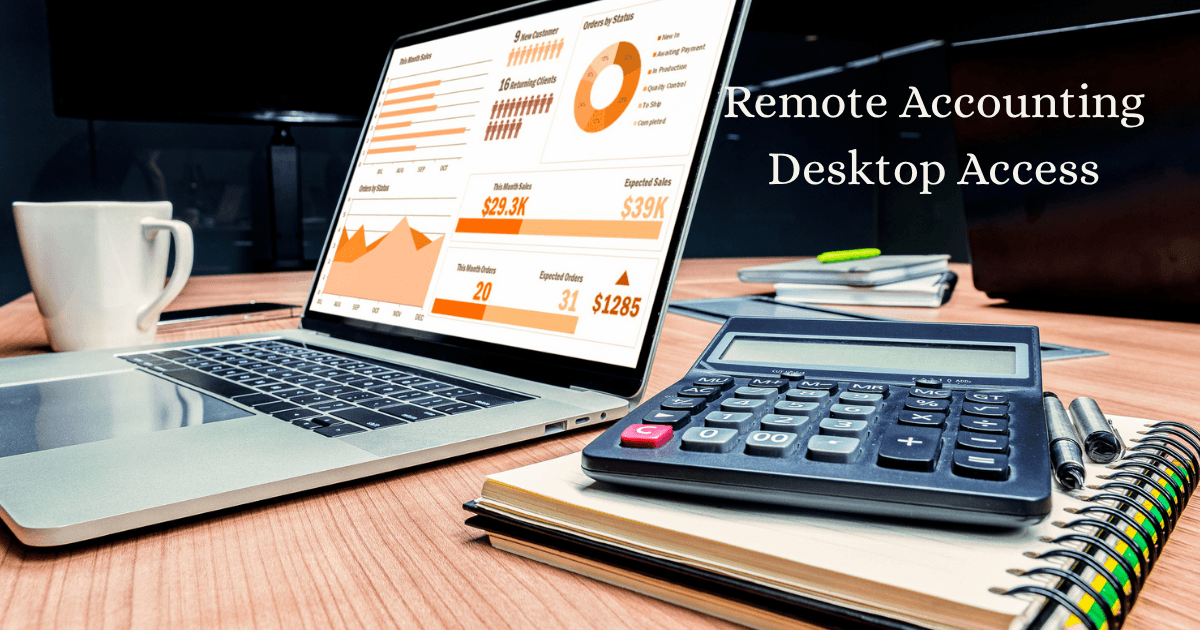
Remote Accounting Desktop Access:
How to Run Your Books Securely from Anywhere
Remote accounting desktop access lets you securely log into your accounting software, financial records, and reporting tools from any location—using cloud hosting, remote desktop technology, and encrypted connections to work exactly as if you were sitting in the office.
Here’s what most business owners don’t realize until it’s too late: your books shouldn’t be trapped on one computer in one office. I founded Complete Controller over 15 years ago on this exact belief—long before remote work was fashionable—and I’ve watched thousands of businesses transform once they cut the cord. If your financial data is chained to a desk, so is your business. Let’s fix that.
What is remote accounting desktop access and how do you set it up securely?
- Remote accounting desktop access is the ability to log into your desktop accounting software and financial data from anywhere, set up through cloud hosting or remote desktop tools, secured with encryption and multi-factor authentication, and managed with clear access controls.
- Cloud hosting places your accounting software on secure servers so any authorized device can reach it.
- Secure logins with multi-factor authentication protect sensitive financial records from unauthorized users.
- Access controls determine who sees what—your bookkeeper, CPA, and staff each get appropriate permissions.
- Consistent workflows keep bookkeeping, payroll, and reporting running smoothly no matter where your team sits.

Why Remote Accounting Desktop Access Changed Everything
When I launched Complete Controller in 2007, hosting desktop accounting software in the cloud was practically heresy. Accountants told me clients would never trust their books to remote access. They were wrong—and the data proves it.
According to industry research, over 90% of accountants say cloud accounting has improved their workflow, and businesses using cloud-based financial tools report saving an average of 8+ hours per month on bookkeeping tasks. The National Institute of Standards and Technology formally defines cloud accounting infrastructure as on-demand, scalable computing—which is exactly why it works. You get enterprise-grade power without enterprise-grade cost.
The real-world payoff
Remote access isn’t just convenience—it’s continuity. When wildfires, hurricanes, or a global pandemic hit, businesses with remote accounting desktop access kept invoicing, paying employees, and closing their books. Businesses without it? They scrambled. Your financial operations should never depend on physical access to a single machine.
How Secure Remote Accounting Access Actually Works
Security is the number one question I get, and rightly so. Your accounting file holds bank credentials, payroll data, and tax IDs. Protecting it isn’t optional—it’s foundational.
NIST’s secure accounting login guidance for enterprise telework recommends layered defenses: encrypted connections, multi-factor authentication, and strict device policies. At Complete Controller, we built our platform on those same principles, and I’d challenge any business owner to demand the same from their setup:
- Multi-factor authentication (MFA) — a password alone is not protection; MFA blocks over 99% of automated account attacks according to Microsoft security research
- End-to-end encryption — your data should be scrambled in transit and at rest
- Role-based permissions — your AP clerk doesn’t need payroll access, and your CPA doesn’t need vendor logins
- Automatic backups — daily, off-site, and tested
If your team went remote in a hurry and never revisited security, review your secure remote accounting access practices now—not after a breach.
Keeping Your Bookkeeping Accurate When Everyone Works Remotely
Here’s a truth I tell every client: remote access doesn’t fix messy books—it just makes messy books visible from anywhere. The workflow matters as much as the technology.
Strong remote accounting bookkeeping and reporting starts with rhythm. Your remote setup should support a consistent cadence:
- Daily: Transactions sync from bank feeds and get categorized.
- Weekly: Accounts receivable and payable get reviewed and actioned.
- Monthly: Bank reconciliations close out and financial reports go to decision-makers.
- Quarterly: You review trends, tax positions, and cash flow projections.
The order matters. You can’t reconcile what isn’t categorized, and you can’t trust reports built on unreconciled accounts. Remote desktop access makes this rhythm easier—your bookkeeper, controller, and CPA can all work in the same live file without emailing backup copies back and forth. (If you’re still emailing QuickBooks files, we need to talk.)
Running Payroll and Tax Prep Through Remote Access
Payroll waits for no one. Employees expect accurate paychecks whether your office is open, closed, or nonexistent—and the IRS expects your employment tax deposits on time, every time. The IRS provides clear guidance on employer obligations for payroll processing remote teams, including withholding, deposits, and filing requirements.
Tax season without the shoebox
Remote desktop access transforms tax preparation, too. Instead of hauling folders to your CPA, you grant secure, read-only access to your accounting file. Your tax professional pulls what they need, asks questions inside a shared workspace, and files faster. Our clients routinely shave weeks off tax prep simply because their records are organized, current, and accessible.
Get secure remote accounting access, expert bookkeeping, and real-time financial clarity with Complete Controller. Manage your books confidently from anywhere.
Choosing the Right Technology for Remote Accounting Work
Not all remote setups are created equal. You have three main paths, and choosing the right desktop accounting software for remote work depends on your needs:
- Hosted desktop software — your familiar desktop application (like QuickBooks Desktop) running on a secure cloud server, accessible from anywhere
- Native cloud applications — browser-based tools built for the internet from day one
- Hybrid setups — desktop software plus cloud add-ons for payments, payroll, or reporting
My take? Hosted desktop access gives you the best of both worlds: the robust features of desktop software with the freedom of the cloud. That’s the model we pioneered, and it still wins for businesses with complex inventory, job costing, or industry-specific needs.
Common Mistakes to Avoid with Remote Accounting Desktop Access
Experience has taught me where businesses stumble. Watch for these traps: sharing one login among multiple users (an audit trail nightmare), skipping MFA because it’s “annoying,” letting employees use personal devices with no security policy, and choosing the cheapest hosting provider without verifying their backup and uptime guarantees. Each shortcut feels harmless—until the day it isn’t. Build it right the first time, and remote access becomes a competitive advantage instead of a liability.
Conclusion
Remote accounting desktop access isn’t a trend—it’s the new baseline for running a resilient business. With cloud hosting, secure logins, disciplined bookkeeping rhythms, and compliant payroll workflows, you can manage your finances from anywhere with more control, not less. I’ve spent my career proving that businesses thrive when their books are accessible, accurate, and secure—no office required.
Ready to untether your financials? Visit Complete Controller for expert guidance from the team that pioneered cloud-based bookkeeping and controller services. Your books should work as hard—and as flexibly—as you do.

Frequently Asked Questions About Remote Accounting Desktop Access
What is remote accounting desktop access?
It’s the ability to securely log into your desktop accounting software and financial data from any location, typically through cloud hosting or remote desktop technology, so you can work exactly as you would in the office.
Is remote access to accounting software safe?
Yes—when configured properly. Use multi-factor authentication, encrypted connections, role-based permissions, and a reputable hosting provider that follows NIST security guidelines.
Can I run QuickBooks Desktop remotely?
Absolutely. Hosted cloud servers let you run QuickBooks Desktop and other software from any device, keeping full desktop functionality while adding anywhere-access.
Can payroll and taxes be processed through remote access?
Yes. Remote setups support payroll runs, employment tax deposits, and tax preparation, and they make collaboration with your CPA faster since everyone works in the same live file.
What’s the difference between cloud accounting and remote desktop access?
Cloud accounting uses browser-based apps built for the internet, while remote desktop access hosts your traditional desktop software on a secure server. Both provide anywhere-access; the right choice depends on your feature needs.
Sources
- Complete Controller. Remote Work Security Post-COVID. https://www.completecontroller.com/remote-work-security-post-covid/
- Complete Controller. Business Bookkeeping Essentials. https://www.completecontroller.com/business-bookkeeping-essentials/
- Complete Controller. Accounting Innovations and Trends. https://www.completecontroller.com/accounting-innovations-trends/
- National Institute of Standards and Technology. Guide to Enterprise Telework, Remote Access, and Bring Your Own Device (BYOD) Security (SP 800-46 Rev. 2). https://csrc.nist.gov/pubs/sp/800/46/r2/final
- National Institute of Standards and Technology. The NIST Definition of Cloud Computing (SP 800-145). https://csrc.nist.gov/pubs/sp/800/145/final
- Internal Revenue Service. Employment Taxes. https://www.irs.gov/businesses/small-businesses-self-employed/employment-taxes
 About Complete Controller® – America’s Bookkeeping Experts Complete Controller is the Nation’s Leader in virtual bookkeeping, providing service to businesses and households alike. Utilizing Complete Controller’s technology, clients gain access to a cloud platform where their QuickBooks™️ file, critical financial documents, and back-office tools are hosted in an efficient SSO environment. Complete Controller’s team of certified US-based accounting professionals provide bookkeeping, record storage, performance reporting, and controller services including training, cash-flow management, budgeting and forecasting, process and controls advisement, and bill-pay. With flat-rate service plans, Complete Controller is the most cost-effective expert accounting solution for business, family-office, trusts, and households of any size or complexity.



 Brittany McMillen
Brittany McMillen
Brittany McMillen