


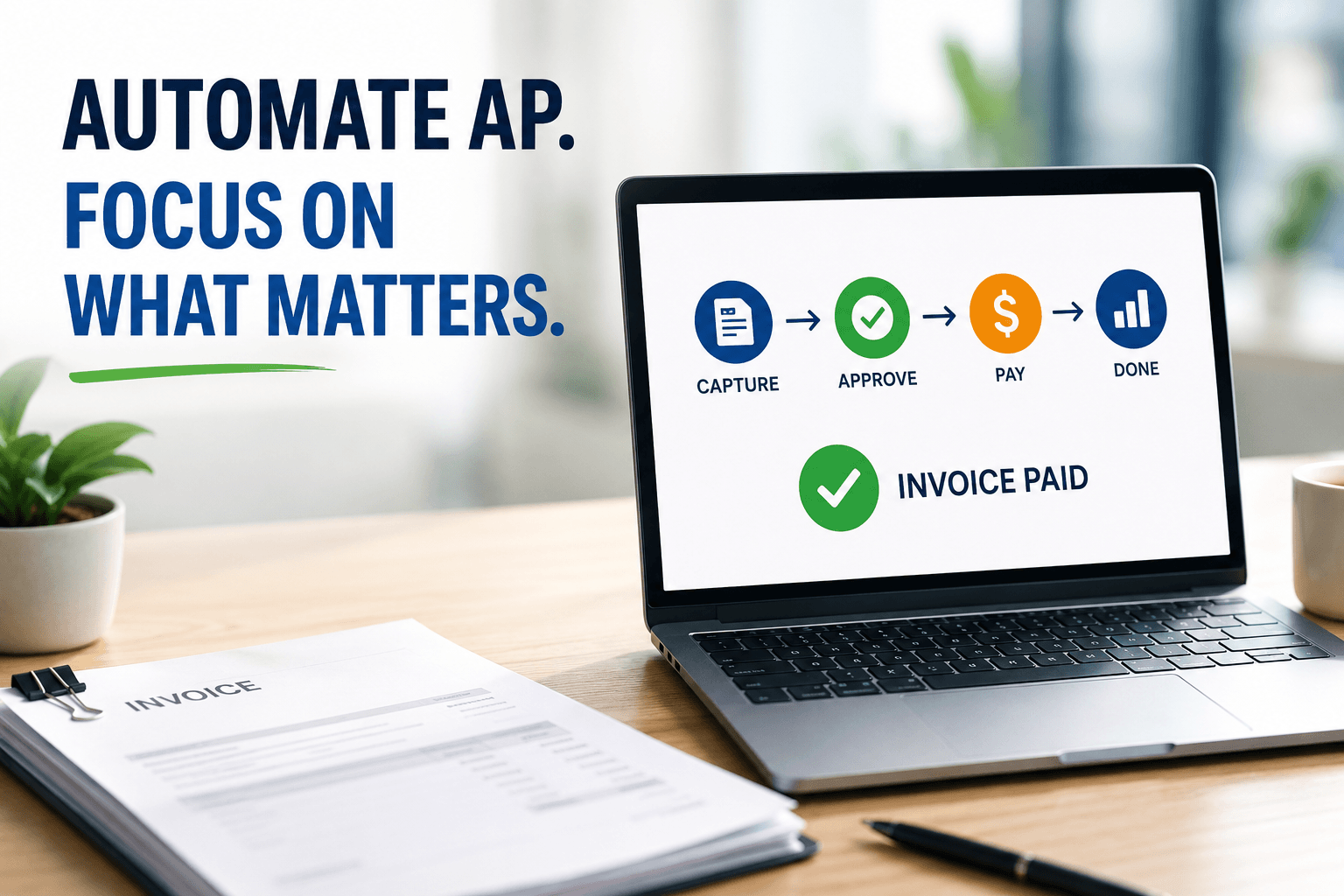
Automated Accounts Payable Systems:
How to Stop Drowning in Invoices and Start Running Your Business
Automated accounts payable systems use software to capture invoices, match them to purchase orders, route approvals, and pay vendors—cutting processing costs by up to 80% and eliminating the manual data entry that eats your team’s time. That’s the short answer, and it’s a game changer for small and midsize businesses.
Here’s what nobody tells you: the invoice sitting in someone’s inbox right now—the one waiting for a signature from a manager who’s on vacation—is costing you money twice. Once in labor, and again in the early-payment discount you just missed. After more than two decades helping thousands of businesses modernize their books at Complete Controller, I can tell you the companies that thrive aren’t the ones working harder on paperwork. They’re the ones who stopped doing paperwork altogether.
What are automated accounts payable systems and how do they work?
- Automated accounts payable systems digitize invoice intake, extract data with OCR, match invoices to purchase orders, route approvals electronically, and execute vendor payments automatically.
- Invoice capture replaces manual data entry by pulling vendor, amount, and line-item details straight from digital or scanned invoices.
- PO matching compares invoices against purchase orders and receiving records so you only pay for what you actually ordered and received.
- Approval workflows route invoices to the right people automatically, with full audit trails for every touch.
- Payment automation schedules and sends electronic payments, capturing discounts and avoiding late fees.

Why Manual Accounts Payable Is Quietly Draining Your Business
Manual AP feels free because you’re not writing a check for it—but you absolutely are. Industry research consistently shows manual invoice processing costs $12–$15 per invoice, while automated processing drops that to $3 or less. Multiply that by hundreds of invoices a month, and the math gets uncomfortable fast.
And cost is only half the story. Manual AP invites errors: duplicate payments, fat-fingered amounts, invoices lost in email threads. Every error is a phone call, a correction, and a small dent in a vendor relationship you worked hard to build.
The hidden costs nobody puts on a spreadsheet
Late fees. Missed early-payment discounts (often 2% for paying within 10 days—that’s real money). Staff hours spent chasing signatures. Fraud exposure from weak controls. Your team’s morale, because nobody went into finance to be a human copy machine.
How Invoice Data Extraction and OCR Actually Work
The magic starts at intake. Modern invoice processing automation uses OCR invoice processing—optical character recognition—to read invoices the way a human would, but in seconds instead of minutes. The software identifies the vendor, invoice number, date, amounts, and line items, then pushes that data directly into your accounting system.
Going digital at the front door matters most. When you adopt electronic invoice processing for accounts payable, paper never enters the building. Invoices arrive by email or portal, get captured instantly, and become searchable records—not stacks on a desk. I’ve watched clients reclaim entire filing rooms and entire workweeks with this one shift.
Building an AP Invoice Approval Workflow That Prevents Fraud
Here’s where automation earns its trust badge. A strong AP invoice approval workflow follows internal control principles like those outlined by the U.S. Government Accountability Office: segregation of duties, documented approvals, and clear accountability at every step.
With automation, an invoice can’t skip the line. The system routes it to the right approver based on amount, department, or vendor—and it keeps a timestamped record of every action. According to the Association of Certified Fraud Examiners, businesses lose an estimated 5% of revenue annually to fraud, and small businesses are hit hardest because they often lack formal controls. Automation builds those controls in by default.
Three-way matching made simple
Automated AP PO matching and reconciliation compares three documents before a dime leaves your account:
- The purchase order (what you agreed to buy)
- The receiving report (what actually showed up)
- The invoice (what the vendor is charging)
If all three agree, payment proceeds automatically. If not, the system flags the exception for a human. Order matters here—no receipt, no payment.
Vendor Payment Automation: Paying Smarter, Not Just Faster
Once approvals clear, the final step is getting money out the door efficiently. Electronic payments are now the norm—the vendor payment automation trend is well documented in the Federal Reserve Payments Study, which tracks the steady migration from checks to ACH and card payments across the U.S. economy.
Paying electronically means predictable timing, lower per-payment costs, and stronger vendor relationships. You can schedule payments to capture discounts, hold cash as long as strategically sensible, and stop paying for stamps, checks, and stop-payment fees.
Ready to spend less time chasing invoices? Complete Controller helps businesses streamline accounts payable, strengthen financial controls, and gain clearer cash flow visibility.
Keeping Your Books Accurate with Automated Reconciliation
Automation doesn’t stop at payment—it closes the loop. Automated invoice reconciliation keeps your AP ledger, bank activity, and vendor statements in agreement continuously, not just at month-end. That means fewer surprises, faster closes, and financial reports you can actually trust when making decisions.
This is where automation becomes strategy. Real-time, reconciled data tells you exactly what you owe, when it’s due, and how your cash position looks next month. That visibility is the difference between reacting to your finances and directing them.
Choosing Accounts Payable Automation Software for Your SMB
You don’t need enterprise budgets to get enterprise results. The market for accounts payable automation software for SMB has matured beautifully—cloud-based tools now integrate directly with QuickBooks, Xero, and other small-business platforms.
What to look for before you buy
Evaluate candidates on integration with your existing accounting software, OCR accuracy, customizable approval routing, payment options, audit trail depth, and pricing that scales with your invoice volume. Start with your biggest pain point—usually invoice capture or approvals—and expand from there. You don’t have to automate everything on day one. You just have to start.
Conclusion: Your AP Department Shouldn’t Run on Paper and Hope
Automated accounts payable systems replace manual entry, chase-the-signature approvals, and check-writing with digital capture, built-in controls, and electronic payments—saving money, preventing fraud, and giving you real-time visibility into your cash. I’ve seen this transformation play out across thousands of client businesses, and the result is always the same: less busywork, better decisions, happier teams.
You built your business to grow, not to shuffle invoices. If you’re ready to modernize your AP process with guidance from the team that pioneered cloud-based bookkeeping and controller services, visit Complete Controller and let’s build a financial system that works as hard as you do.

Frequently Asked Questions About Automated Accounts Payable Systems
How do I automate accounts payable in a small business?
Start by digitizing invoice intake (email or portal submission), then add software with OCR capture, approval routing, and electronic payments that integrates with your accounting platform. Automate one stage at a time.
How much do automated accounts payable systems cost?
SMB-focused tools typically run from about $50 to a few hundred dollars monthly, often priced per user or invoice volume. Most businesses recoup that cost quickly through lower processing costs and captured discounts.
Is AP automation safe from fraud?
It’s typically safer than manual processing. Automated systems enforce segregation of duties, approval limits, and complete audit trails—controls aligned with GAO internal control standards.
What is three-way matching in accounts payable?
It’s the process of comparing the purchase order, receiving report, and invoice before payment. Automation performs this instantly and flags mismatches for review.
Will AP automation replace my bookkeeper?
No—it upgrades them. Automation handles repetitive data entry so your finance team can focus on analysis, cash flow strategy, and vendor management.
Sources
- Complete Controller. Efficient Paperless Office Solutions. https://www.completecontroller.com/efficient-paperless-office-solutions/
- Complete Controller. Importance of Reconciling Your Accounting Statements Regularly. https://www.completecontroller.com/importance-of-reconciling-your-accounting-statements-regularly/
- Complete Controller. Accounting Innovations and Trends. https://www.completecontroller.com/accounting-innovations-trends/
- Wikipedia. Optical Character Recognition. https://en.wikipedia.org/wiki/Opticalcharacterrecognition
- U.S. Government Accountability Office. GAO-14-704G: Standards for Internal Control in the Federal Government. https://www.gao.gov/products/gao-14-704g
- Federal Reserve. Federal Reserve Payments Study. https://www.federalreserve.gov/paymentsystems/fr-payments-study.htm
 About Complete Controller® – America’s Bookkeeping Experts Complete Controller is the Nation’s Leader in virtual bookkeeping, providing service to businesses and households alike. Utilizing Complete Controller’s technology, clients gain access to a cloud platform where their QuickBooks™️ file, critical financial documents, and back-office tools are hosted in an efficient SSO environment. Complete Controller’s team of certified US-based accounting professionals provide bookkeeping, record storage, performance reporting, and controller services including training, cash-flow management, budgeting and forecasting, process and controls advisement, and bill-pay. With flat-rate service plans, Complete Controller is the most cost-effective expert accounting solution for business, family-office, trusts, and households of any size or complexity.



 Brittany McMillen
Brittany McMillen
Brittany McMillen