Cloud Document Management Benefits

Cloud Document Management Benefits for Paperless Accounting

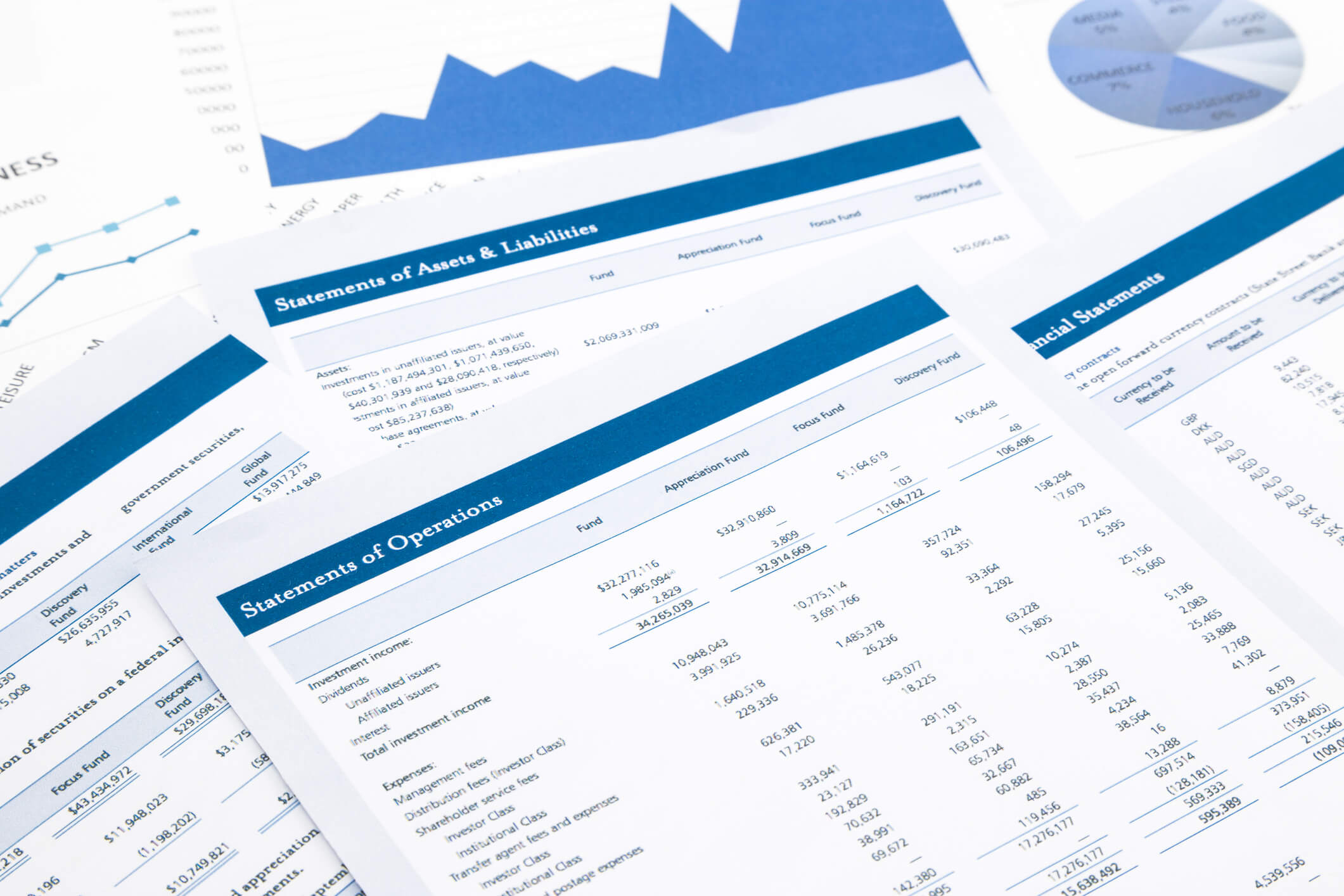
Cloud document management benefits for paperless accounting include secure anytime-anywhere access, faster automated workflows, lower total cost of ownership, reduced paper and storage costs, and tighter compliance and audit readiness—all of which help accounting teams cut clutter and operating expenses while improving accuracy and client service. In short, moving your documents to the cloud turns your back office from a paper-shuffling bottleneck into a searchable, secure, and scalable operation your whole team can access from anywhere.

In my 20+ years leading Complete Controller, I’ve helped thousands of businesses—across construction, healthcare, professional services, retail, and beyond—make the leap to paperless accounting. What I’ve seen is remarkable: document-related costs drop by 25–40% once workflows and retrieval are digitized, and employees stop losing an average of 1.8 hours a day just searching for files. In this article, I’ll walk you through the real financial, operational, and compliance benefits of cloud document management, share a proven roadmap for making the switch without chaos, and give you the exact framework I use with clients so you can reclaim time, tighten controls, and turn your document system into a strategic advantage.

What are the cloud document management benefits for paperless accounting?

  • Cloud document management benefits include secure access, faster workflows, reduced paper and storage costs, improved compliance, and better collaboration for remote and in-office teams.
  • Secure cloud-based file storage and access permissions protect financial documents while allowing accountants and clients to work from anywhere.
  • Automated workflows, OCR document scanning, and version control eliminate manual routing, lost paperwork, and duplicate effort.
  • Centralized document collaboration, audit trails, and document retention policies help firms stay audit-ready with less chaos.
  • Shifting to a cloud DMS reduces hardware, IT, and physical storage costs while enabling long-term archiving and remote teamwork enablement. CorpNet. Start A New Business Now

The Core Cloud Document Management Benefits for Accounting Teams

Cloud document management benefits are most obvious in day-to-day accounting work: less time hunting for files, fewer errors, and more time for analysis and client conversations. According to the McKinsey Global Institute, employees spend about 1.8 hours per day searching for information—roughly 9.3 hours a week per employee. That’s a full workday lost every week, and it’s exactly where searchable cloud files and OCR pay for themselves.

Cloud document management: What it is and why it matters

Cloud document management is the use of a hosted platform to store, organize, route, and secure documents—invoices, bank statements, payroll records, tax files—accessible through the internet instead of local servers or paper files. Modern systems go far beyond digital file cabinets by adding workflow automation, collaboration tools, data capture, and integrations with ERP and accounting platforms.

Secure file storage and access permissions for financial records

Financial data needs more than a lockable cabinet. Cloud DMS platforms bake in enterprise-grade protections that most small firms can’t replicate on-premises.

  • Secure file storage typically includes encryption, role-based access permissions, multi-factor authentication, and automatic backups across multiple data centers.
  • Role-based access lets you restrict who sees payroll, tax, or sensitive client data while still enabling collaboration on less sensitive files.
  • Cloud providers invest more in security staff, continuous patching, and redundant infrastructure than most SMBs can afford in-house.

Anytime-anywhere access and remote teamwork enablement

With cloud DMS, your staff, clients, and auditors can pull documents from anywhere with an internet connection and the right permissions. That supports remote teamwork enablement across offices, home workers, and client locations—critical for the hybrid workforce that’s now the norm in modern bookkeeping and accounting services.

Cutting Costs and Clutter: The Financial Case for Paperless Accounting

Moving from paper files and on-prem servers to cloud document management delivers a powerful return on investment across the accounting function.

Lower total cost of ownership and operational savings

  1. Cloud DMS is 25–40% less expensive to own and operate than on-premises alternatives once hardware, IT support, and maintenance are factored in.
  2. Subscription pricing replaces capital expenditures on servers and storage rooms, with elastic scaling as document volumes grow.
  3. Automation savings can reduce document-related costs by up to 40% by eliminating manual processes and physical storage.

Reduced paper use, office space, and supply costs

When firms go paperless, they no longer need large file rooms, off-site storage, or constant replenishment of paper, toner, and folders. Cabinets become workstations or collaboration space, and remote staff work without needing local archives—a win for both the P&L and the planet.

Long-term archiving and document retention policies

Cloud platforms support long-term archiving and configurable document retention policies, letting firms keep records for required legal periods and then dispose of them securely. Per IRS Revenue Procedure 97-22, businesses may maintain tax records on electronic storage systems as long as the system preserves, indexes, and reproduces records accurately—so a properly configured cloud DMS keeps you fully compliant with federal recordkeeping rules.

Speed, Accuracy, and Collaboration: Workflow Benefits

Accounting is heavily document-centric, which makes cloud document management benefits especially potent for speed and quality. This is where I’ve seen the biggest “wow” moments with clients—closes that took two weeks now wrap in three days.

Automated workflows for accounting processes

Cloud DMS platforms route invoices for approval, send reminders, escalate overdue items, and trigger postings once supporting documents are approved. That means fewer email chains, faster period-end closes, and more transactions processed per staff member without the late-payment penalties.

OCR document scanning and data capture

OCR document scanning extracts key fields—vendor, date, amount, invoice number—from scanned documents and feeds them straight into your financial systems. The result: less manual keying, faster retrieval (search by vendor or amount), and cleaner data for reporting and audits.

Document collaboration, version control, and audit trails

  • Document collaboration: Multiple users can review, comment, and approve in real time.
  • Version control: No more “finalv7REAL.pdf” confusion—rollback is one click away.
  • Audit trails: Every access, edit, and approval is logged for audit defense and internal control.

Compliance, Risk Management, and Enterprise Content Management

Cloud document management benefits extend beyond convenience—they build stronger governance into your firm’s DNA.

Cloud-based compliance and governance controls

Leading systems provide cloud-based compliance features like encryption, secure transmission, retention rules, and granular access permissions aligned to regulatory requirements. Centralizing content in an enterprise content management framework enforces consistent policies across finance, HR, and legal—reducing shadow IT and ad hoc storage risks. Learn more about protecting sensitive records in our guide to financial data security best practices.

Audit trails, retention policies, and risk reduction

Firms switching to cloud-based DMS report up to a 70% decrease in data loss risks thanks to automated backups and multi-region storage. Combined with retention rules and secure deletion tools, you get a governance layer that satisfies regulators and CFOs alike.

Ready to spend less time chasing documents and more time running your business? Complete Controller makes cloud bookkeeping organized, secure, and simple.

Real-World Results: Case Studies and Founder Insights

Case study: Hillier Hopkins goes cloud

Hillier Hopkins, a multi-office accountancy firm, replaced legacy paper-intensive processes with a cloud-supported DMS. Results included reduced paper and storage costs, improved access across offices, faster document turnaround, and stronger disaster recovery—with adoption easier than expected.

Case study: KPMG’s paperless audit transformation

KPMG cut paper use by roughly 90% after rolling out electronic working papers in audit engagements, and reported faster audit cycles and easier file sharing across teams. If a Big Four firm can transform its most document-heavy process, so can yours.

Founder’s perspective

From guiding Complete Controller and our clients through countless paperless transitions, four patterns hold true:

  1. Start with your heaviest paper processes—payables, payroll, tax files.
  2. Invest in access permissions and training—security is only as strong as your roles and behaviors.
  3. Integrate everything—connect your DMS to accounting, CRM, and project tools.
  4. Measure the impact—track retrieval time, error rates, and closing speed.

How to Transition Without Chaos

A benefit list is nice; a roadmap is better. Here’s the five-step approach I use with clients:

  1. Audit your document landscape — Identify every document type, where it lives, and who touches it.
  2. Define security and compliance requirements — Map access permissions, retention periods, and regulatory obligations.
  3. Select and configure your platform — Choose a cloud DMS with secure storage, workflows, version control, OCR, audit trails, and e-signature integration.
  4. Digitize, migrate, and train — Prioritize active files; use OCR for legacy archives; train on real examples.
  5. Monitor, iterate, and scale — Track cycle times and audit findings; extend the system beyond finance.

Conclusion: Turning Paperless Accounting into a Strategic Advantage

Cloud document management benefits for paperless accounting combine secure file storage, automated workflows, remote teamwork enablement, audit-ready governance, and real cost savings into one framework that reshapes how your firm works. In my experience, hesitant firms become confident, data-driven organizations once they stop wrestling paper and start managing documents strategically—and they reinvest those savings into deeper client relationships.

If you’re ready to cut costs, reduce clutter, and modernize your back office, visit Complete Controller. to talk with our team about designing a paperless, cloud-powered accounting environment tailored to your firm. Complete Controller. America’s Bookkeeping Experts

Frequently Asked Questions About Cloud Document Management Benefits

What is a cloud document management system?

It’s an online platform that stores, organizes, and secures documents on remote servers, providing anytime-anywhere access, collaboration, and workflow tools through the internet instead of local hardware.

Are cloud document management systems secure enough for financial data?

Yes. Leading solutions use encryption, role-based access controls, multi-factor authentication, automatic backups, and continuous security updates—often exceeding what small and mid-sized firms can implement on-premises.

How do cloud document management benefits compare to on-prem systems?

Cloud systems typically offer 25–40% lower total cost of ownership, easier scalability, faster deployment, stronger resilience, and better remote access, while shifting costs to a predictable subscription model.

How does cloud document management support paperless accounting?

It provides secure digital storage, OCR document scanning, automated workflows, version control, and centralized collaboration—letting accounting teams operate without physical files while staying compliant and audit-ready.

What industries benefit most from cloud document management?

Any document-heavy industry—especially accounting, legal, healthcare, construction, and manufacturing—where teams need secure access, fast approvals, and reliable audit trails across multiple locations.

Sources

Cubicle to Cloud virtual business About Complete Controller® – America’s Bookkeeping Experts Complete Controller is the Nation’s Leader in virtual bookkeeping, providing service to businesses and households alike. Utilizing Complete Controller’s technology, clients gain access to a cloud platform where their QuickBooks™️ file, critical financial documents, and back-office tools are hosted in an efficient SSO environment. Complete Controller’s team of certified US-based accounting professionals provide bookkeeping, record storage, performance reporting, and controller services including training, cash-flow management, budgeting and forecasting, process and controls advisement, and bill-pay. With flat-rate service plans, Complete Controller is the most cost-effective expert accounting solution for business, family-office, trusts, and households of any size or complexity.

author avatar
Jennifer Brazer Founder/CEO
Jennifer is the author of From Cubicle to Cloud and Founder/CEO of Complete Controller, a pioneering financial services firm that helps entrepreneurs break free of traditional constraints and scale their businesses to new heights.
Reviewed By: reviewer avatar Brittany McMillen
reviewer avatar Brittany McMillen
Brittany McMillen is a seasoned Marketing Manager with a sharp eye for strategy and storytelling. With a background in digital marketing, brand development, and customer engagement, she brings a results-driven mindset to every project. Brittany specializes in crafting compelling content and optimizing user experiences that convert. When she’s not reviewing content, she’s exploring the latest marketing trends or championing small business success.

Balance Sheet Essentials Guide

Balance Sheet Essentials:
What You Need to Know

Balance sheet essentials are the core building blocks—assets, liabilities, and equity, along with key ratios and trends—that reveal what your business owns, what it owes, and what’s left over for the owners at a specific point in time. Together, these components paint a clear picture of your company’s liquidity, solvency, and overall financial health, giving you the intelligence you need to manage cash flow, control debt, and grow with confidence.

Here’s something that might surprise you: according to a 2024 Intuit QuickBooks survey, 66% of small businesses say late invoice payments hurt their cash flow—yet most owners never look at their balance sheet to catch these warning signs early. In more than 20 years leading Complete Controller, I’ve had the privilege of reviewing thousands of balance sheets across nearly every industry you can imagine, and I can tell you the founders who thrive are the ones who treat this document as a decision-making tool, not a tax formality. In this guide, I’ll walk you through how to read, prepare, and interpret balance sheet essentials so you can spot risk early, make smarter investments, and stop guessing about the health of your business.

What are balance sheet essentials and how do you read them correctly?

  • Balance sheet essentials are the key components—assets, liabilities, equity—plus the formats and ratios that show your business’s financial position at a specific date.
  • A balance sheet is built on the equation Assets = Liabilities + Equity, and it must balance to be accurate.
  • Read it by confirming the totals, separating current from non-current items, then analyzing liquidity, leverage, and working capital.
  • For small businesses, the most useful insights come from tracking cash, short-term debt, owner withdrawals, and year-over-year equity changes.
  • Reviewed consistently, balance sheets reveal early warning signs long before your income statement does. Complete Controller. America’s Bookkeeping Experts

Balance Sheet Essentials 101: The Core Components That Matter Most

Before you can use a balance sheet strategically, you need to understand the three pillars that hold it up. The U.S. Securities and Exchange Commission describes a balance sheet as a “snapshot” of what a company owns and owes at a specific point in time, anchored by the equation Assets = Liabilities + Shareholders’ Equity. That’s the entire foundation of accounting fundamentals in one clean sentence.

What are the essential components of a balance sheet?

Think of a balance sheet as three interconnected sections working together to tell your business story.

  • Assets – economic resources expected to provide future benefit (cash, inventory, equipment, receivables).
  • Liabilities – obligations owed to creditors, vendors, and tax authorities (loans, accounts payable, accrued expenses).
  • Equity – the residual owner’s stake after liabilities are subtracted from assets (capital contributions, retained earnings).

Unlike your income statement, which shows performance over a period, the balance sheet freezes a single moment. That distinction matters when you’re making decisions—one tells you how you’re doing, the other tells you where you stand.

Current assets and liabilities: The short-term picture

Current assets convert to cash within 12 months—cash itself, accounts receivable, inventory, and prepayments. Liabilities are what you owe within that same window—accounts payable, short-term loans, and accrued expenses. Subtract one from the other and you get working capital, one of the fastest health checks in business.

That 66% cash-flow statistic I mentioned earlier lives right here on the balance sheet. When accounts receivable balloon while cash shrinks, you’re funding your customers’ businesses instead of your own. This is exactly why reconciling your accounting statements regularly is non-negotiable—reconciliation is what makes these numbers trustworthy in the first place.

The equity section: Understanding owners’ stake

Equity is your scorecard. It reflects every dollar you’ve put in, every profit you’ve kept, and every dollar you’ve taken out. For corporations, that includes capital stock and retained earnings. For LLCs and sole proprietors, it’s owner’s capital minus drawings, plus accumulated profit.

When equity grows year over year, you’re building real wealth. When it shrinks—or worse, turns negative—you have a solvency problem that demands immediate attention.

How to Prepare a Balance Sheet and Read It Step by Step

Preparing a GAAP-compliant balance sheet isn’t complicated, but it does require discipline. Skip a step and the whole thing misleads you.

How to prepare a balance sheet

Follow this sequence every time:

  1. Gather your trial balance and supporting schedules from your general ledger.
  2. Classify each account as an asset, liability, or equity item.
  3. Reconcile bank, credit card, and loan accounts—this is where most errors hide.
  4. Post adjusting entries for depreciation, accruals, and inventory changes.
  5. Verify that assets equal liabilities plus equity. If it doesn’t balance, don’t publish it.

A clean balance sheet template separates current from non-current items on both sides, making working capital analysis instant.

How to read a balance sheet like a founder

When a client sends me their balance sheet, here’s my five-minute scan:

  • Confirm the date and that totals balance.
  • Scan the big three—is equity growing or shrinking versus last period?
  • Check cash and short-term debt side by side.
  • Read receivables and inventory—are they aging?
  • Compare year-over-year to spot the trend line.

Trends matter more than any single snapshot. One weak month is noise; three weak months is a pattern.

Balance Sheet Ratios and What They Reveal About Financial Health

Ratios turn raw numbers into intelligence. You don’t need a finance degree—just four or five ratios reviewed consistently.

Liquidity ratios: Can you pay your bills on time?

  • Current Ratio = Current Assets ÷ Current Liabilities. A ratio above 1.5 is generally comfortable; below 1.0 signals trouble.
  • Quick Ratio = (Current Assets − Inventory) ÷ Current Liabilities. This is the acid test for businesses carrying slow-moving stock.

Strong sales can mask weak liquidity. I’ve seen profitable companies run out of cash because receivables piled up faster than collections. That’s why liquidity is the key to SME success—profit on paper doesn’t pay payroll.

Balance sheet ratios for leverage and stability

  • Debt-to-Equity shows how much of your business is financed by creditors versus owners.
  • Debt Ratio (Total Liabilities ÷ Total Assets) reveals overall leverage.

Remember Toys “R” Us? After filing bankruptcy in 2017, its CEO admitted the company was “consumed by debt” and couldn’t invest in the business. That’s leverage risk written plainly on a balance sheet. High debt can be strategic when growth justifies it—but when it strangles your ability to reinvest, it becomes fatal.

Understand what your balance sheet is really telling you. Complete Controller provides expert bookkeeping and accurate financial reporting to help you make smarter business decisions.

Balance Sheet Essentials for Small Business Owners

The balance sheet answers the questions you actually lose sleep over: Can I afford to hire? Should I lease that new space? How much can I safely draw this year?

Turning numbers into decisions

Set a minimum cash threshold based on your monthly operating expenses—many advisors recommend three months of runway. Watch your current ratio quarterly. Review owner draws against retained earnings so you never distribute what the business needs to survive.

Real-world turnaround example

The U.S. Small Business Administration documents cases where owners caught liquidity crises early by reviewing balance sheets monthly. In one common pattern, a service business with rising payables and shrinking cash tightens billing cadence, renegotiates vendor terms, and cuts discretionary spend. Twelve months later, the current ratio climbs, short-term debt drops, and equity rebuilds—all visible on the balance sheet before the income statement ever caught up.

Building a Founder’s Framework for Ongoing Balance Sheet Review

Reliable balance sheets require reliable habits. Here’s the monthly rhythm I recommend to every Complete Controller client.

30-minute monthly review routine

  1. Confirm the statement date and that it balances.
  2. Scan cash, receivables, payables, and short-term debt.
  3. Calculate current ratio and debt-to-equity.
  4. Compare to prior month and prior year.
  5. Document one decision or follow-up action.

Red flags you’ll only see on the balance sheet

  • Short-term debt climbing while cash stays flat
  • Inventory growing faster than sales
  • Negative or shrinking equity across multiple periods
  • Receivables aging past 60 days

These patterns don’t show up on your P&L—but they’ll bankrupt you if you miss them. Practicing smart money management habits alongside monthly reviews keeps your business in the clear.

Final Thoughts: From Numbers to Confidence

Your balance sheet is the most honest document your business produces. Master the three pillars, run the ratios, watch the trends, and you’ll spot opportunities and problems long before your competitors do. After decades working with small and midsize businesses, I can tell you with certainty: the owners who understand their balance sheet are the ones who survive downturns and seize opportunities when others hesitate.

Ready to build clean, GAAP-compliant balance sheets and monthly reviews you can actually trust? The team at Complete Controller is here to help you turn your numbers into confidence—and your confidence into growth. Cubicle to Cloud virtual business

Frequently Asked Questions About Balance Sheet Essentials

What is a balance sheet and why is it important?

A balance sheet is a financial statement showing what your business owns, owes, and the owners’ stake at a specific date. It’s essential because it reveals liquidity, solvency, and long-term stability in ways the income statement can’t.

What are the main components of a balance sheet?

Assets, liabilities, and equity. Assets are typically listed in order of liquidity, liabilities in order of payment priority, and equity reflects the residual value belonging to the owners.

How do you read a balance sheet for a small business?

Confirm the equation balances, review current assets and liabilities for short-term health, calculate ratios like current ratio and debt-to-equity, and compare year-over-year to identify trends.

What balance sheet ratios should business owners track?

The essentials are current ratio, quick ratio, debt-to-equity, and working capital. Together they reveal liquidity, leverage, and short-term flexibility.

How often should a small business review its balance sheet?

Monthly at minimum, with a deeper quarterly analysis and full year-over-year trend review annually. Consistency is what makes the insights actionable.

Sources

ADP. Payroll – HR – Benefits About Complete Controller® – America’s Bookkeeping Experts Complete Controller is the Nation’s Leader in virtual bookkeeping, providing service to businesses and households alike. Utilizing Complete Controller’s technology, clients gain access to a cloud platform where their QuickBooks™️ file, critical financial documents, and back-office tools are hosted in an efficient SSO environment. Complete Controller’s team of certified US-based accounting professionals provide bookkeeping, record storage, performance reporting, and controller services including training, cash-flow management, budgeting and forecasting, process and controls advisement, and bill-pay. With flat-rate service plans, Complete Controller is the most cost-effective expert accounting solution for business, family-office, trusts, and households of any size or complexity.
author avatar
Jennifer Brazer Founder/CEO
Jennifer is the author of From Cubicle to Cloud and Founder/CEO of Complete Controller, a pioneering financial services firm that helps entrepreneurs break free of traditional constraints and scale their businesses to new heights.
Reviewed By: reviewer avatar Brittany McMillen
reviewer avatar Brittany McMillen
Brittany McMillen is a seasoned Marketing Manager with a sharp eye for strategy and storytelling. With a background in digital marketing, brand development, and customer engagement, she brings a results-driven mindset to every project. Brittany specializes in crafting compelling content and optimizing user experiences that convert. When she’s not reviewing content, she’s exploring the latest marketing trends or championing small business success.

Profit and Loss Statement Guide

Profit & Loss Statement:
Income Statement Explained

A profit and loss statement (also called an income statement or statement of earnings) is a financial report that shows your business’s revenue, expenses, and resulting profit or loss over a specific accounting period—typically a month, quarter, or year. In plain terms, it answers one question: Did your business earn more than it spent? You read it from the top down—starting with revenue, subtracting the cost of goods sold to reveal gross profit, then subtracting operating expenses, interest, and taxes until you arrive at net income, the “bottom line” that tells you whether you made money or lost it.

After more than 20 years building Complete Controller into a cloud-based bookkeeping firm serving thousands of small and midsize businesses across nearly every industry imaginable, I can tell you this: the P&L is the single most transformative document a founder can learn to read. I’ve watched owners go from “flying blind” to running their businesses with precision the moment the P&L clicks. In this guide, I’ll walk you through what each line means, how to interpret the numbers, and how to turn your income statement into a decision-making tool—not just a tax document collecting dust.

What is a profit and loss statement and how do you read it correctly?

  • A profit and loss statement shows revenue, expenses, and net profit or loss over a defined accounting period, helping you see if the business is profitable, where money is made, and where it leaks.
  • It starts with revenue at the top, subtracts direct costs to get gross profit, then subtracts operating expenses, interest, and taxes to arrive at net income—the bottom line.
  • You read it top to bottom, tracking how each category affects profit so you can spot trends, problems, and opportunities.
  • Most P&Ls are prepared using accrual basis accounting under GAAP or IFRS standards, so they must be read alongside a cash flow statement and balance sheet for the full picture.
  • Used correctly, your P&L becomes a practical tool for setting margin targets, managing operating profit and EBITDA, and aligning daily decisions with long-term financial reporting goals. Download A Free Financial Toolkit

Understanding the Profit and Loss Statement: Core Concepts for Business Owners

The profit and loss statement goes by many names—income statement, statement of earnings, statement of operations—but they all refer to the same report. Unlike the balance sheet, which is a snapshot in time, the P&L reflects performance over an accounting period. Public companies are required to publish income statements quarterly and annually as part of their financial reporting obligations.

How the P&L fits into your financial statement toolkit

Your P&L works in concert with two other core financial statements. The P&L answers “How profitable were we?” The balance sheet answers “What do we own and owe right now?” And the cash flow statement answers “What actually happened to our cash?”

When I advise clients, I insist they read all three together. Big profits on the P&L can absolutely coexist with cash shortages if receivables are slow or inventory is piling up. For more on syncing these reports, see our guide on reconciling your accounting statements regularly.

Inside the Profit and Loss Statement: Line Items You Must Understand

Every P&L follows a similar structure, and understanding each line is the difference between reading a report and making decisions from it.

Revenue: The top line that sets the stage

Revenue (or sales) is the total value of goods or services sold during the period before any expenses. Under GAAP and accrual basis accounting, revenue is recognized when it’s earned—not necessarily when cash arrives.

Cost of goods sold and gross profit

Cost of goods sold (COGS) represents the direct costs of producing your products or delivering your services. The formula is simple:

  • Gross profit = Revenue − COGS

Gross profit shows how much is left to cover operating costs and generate profit. Many small businesses underprice their offerings because they don’t fully load direct costs into COGS—a problem I routinely fix in clean-up engagements.

Operating expenses and operating profit

Operating expenses include salaries, rent, marketing, technology, and utilities—the costs of running the core business. Subtracting them from gross profit gives you operating profit, which reveals how profitable your core operations are before financing and taxes.

This line matters enormously. In the Federal Reserve’s 2024 Small Business Credit Survey, roughly half of employer firms reported financial challenges covering operating expenses like payroll, rent, and utilities. That’s exactly why watching these numbers monthly isn’t optional.

A real-world example: Starbucks’ Fiscal 2023 Annual Report disclosed that U.S. company-operated store labor as a percentage of sales increased year over year. Even a giant with strong revenue feels pressure when operating costs outpace sales growth.

EBITDA, interest, taxes, and the bottom line

EBITDA (earnings before interest, taxes, depreciation, and amortization) strips out non-cash and financing items to reveal underlying operational performance. After subtracting interest expense and taxes, you arrive at net income—the figure lenders, investors, and owners rely on to assess profitability.

Know what your numbers are really telling you. Complete Controller delivers expert bookkeeping and clear financial reporting so you can understand profitability and make smarter business decisions.

How Profit and Loss Statements Are Prepared: Methods, Standards, and Timing

The way your P&L is built matters as much as the numbers themselves.

Accrual basis accounting vs. cash basis

On an accrual basis, revenue and expenses are recorded when earned or incurred—not when cash moves. This is why a healthy net income can coincide with tight cash flow. According to the U.S. Small Business Administration, running out of cash and not understanding cash flow are among the top reasons small businesses fail. Your P&L tells a performance story; your cash flow statement tells the cash story. You need both.

GAAP reporting, IFRS reporting, and common P&L formats

Under GAAP and IFRS, income statements follow structured formats so stakeholders can compare performance across companies. Most small businesses benefit from a multi-step income statement, which shows gross profit, operating profit, and pre-tax income separately—making margin analysis far easier than a single-step format.

How to Read a Profit and Loss Statement Step by Step

Here’s the sequence I use with every client:

  1. Confirm the accounting period. Know exactly what date range you’re analyzing.
  2. Scan the top line. Compare revenue to prior periods.
  3. Evaluate gross profit and gross margin percentage.
  4. Review operating expenses by category—payroll, rent, marketing, admin.
  5. Analyze operating profit and EBITDA to gauge core profitability.
  6. Focus on net income and compare it to budget.

Jennifer’s practical reading checklist from Complete Controller engagements

When I review a client’s P&L, I always:

  • Compare period-over-period revenue and gross profit to catch pricing or demand shifts.
  • Look at expense ratios (like payroll as a percentage of revenue) rather than dollar amounts alone.
  • Check for miscoded items—for example, loan principal recorded as an expense instead of on the balance sheet.
  • Reconcile owner intuition with actual numbers. If they disagree, there’s either a data issue or a business model problem.

For more tactical support, our small business bookkeeping tips walk through the fundamentals.

Using Your Profit and Loss Statement to Make Better Decisions

Most articles explain what a P&L is but stop short of decision-making. That’s where the real value lives.

Use trend analysis across multiple periods to spot margin compression, expense creep, or product lines quietly draining profit. Tie operating profit and EBITDA to staffing, pricing, and vendor decisions. If EBITDA stays thin quarter after quarter, revisit your offer, pricing, or overhead.

Case study: A retailer that turned around its margins

One mid-sized retailer we worked with saw revenue growing—but noticed gross profit margin was slowly shrinking while operating expenses climbed faster than sales. By renegotiating supplier contracts, tightening discounts, and trimming non-essential overhead, they improved gross margin and boosted operating profit and net income without needing a single additional sale. Reading the P&L line by line exposed what raw sales figures had hidden. For a deeper look at monthly close routines, see our accounting cycle closure guide.

Your 90-Day Plan to Make P&Ls a Habit

Here’s the roadmap I recommend to every founder ready to get serious:

  • Days 1–30: Clean up your chart of accounts, commit to accrual basis accounting, and generate accurate P&Ls for the last 6–12 months.
  • Days 31–60: Establish a monthly close (by the 10th of each month), review each P&L with your bookkeeper, and build a simple dashboard of revenue growth, gross margin, operating margin, and net income.
  • Days 61–90: Tie P&L metrics to hiring, marketing spend, and pricing decisions. Share summaries with your team so everyone connects their actions to the numbers. For more, review the SBA’s guidance on tracking your finances and CFI’s overview of financial statements.

Conclusion: How I Use Profit and Loss Statements With Clients

As a founder, I rely on the profit and loss statement as the primary lens for understanding whether a business model actually works. When my team at Complete Controller builds or cleans up books, our goal is simple: produce P&Ls that owners can read without a translator and act on with confidence. Once you understand revenue, expenses, gross profit, operating profit, EBITDA, and net income, the income statement stops being an abstract report and becomes a practical roadmap.

Your next steps are clear: commit to a regular accounting period, use sound accrual basis accounting, generate clean P&Ls, and review them monthly with a checklist. If you’d like expert help setting up or interpreting your profit and loss statements, visit Complete Controller to see how our cloud-based bookkeeping team can support you. CorpNet. Start A New Business Now

Frequently Asked Questions About Profit and Loss Statements

Is there a difference between a profit and loss statement and an income statement?

No. In most business contexts, a profit and loss statement, income statement, statement of earnings, and statement of operations are all names for the same financial report.

How often should I prepare a profit and loss statement?

Most businesses prepare a P&L monthly, quarterly, and annually to track performance, meet tax and reporting requirements, and make timely decisions.

What is the basic profit and loss formula?

The core formula is Revenue − Expenses = Net income (profit or loss). Expanded, it becomes: Net income = (total revenue + gains) − (total expenses + losses).

Can a profit and loss statement show cash problems?

Not directly. A P&L shows profitability on an accrual basis and doesn’t reveal timing issues like late payments or excess inventory. Always pair it with a cash flow statement.

Why do lenders and investors care so much about my profit and loss statement?

Because it summarizes whether your business earns more than it spends, how well you manage costs, and whether profits are consistent and sustainable—key indicators of risk and return.

Sources

Complete Controller. America’s Bookkeeping Experts About Complete Controller® – America’s Bookkeeping Experts Complete Controller is the Nation’s Leader in virtual bookkeeping, providing service to businesses and households alike. Utilizing Complete Controller’s technology, clients gain access to a cloud platform where their QuickBooks™️ file, critical financial documents, and back-office tools are hosted in an efficient SSO environment. Complete Controller’s team of certified US-based accounting professionals provide bookkeeping, record storage, performance reporting, and controller services including training, cash-flow management, budgeting and forecasting, process and controls advisement, and bill-pay. With flat-rate service plans, Complete Controller is the most cost-effective expert accounting solution for business, family-office, trusts, and households of any size or complexity.
author avatar
Jennifer Brazer Founder/CEO
Jennifer is the author of From Cubicle to Cloud and Founder/CEO of Complete Controller, a pioneering financial services firm that helps entrepreneurs break free of traditional constraints and scale their businesses to new heights.
Reviewed By: reviewer avatar Brittany McMillen
reviewer avatar Brittany McMillen
Brittany McMillen is a seasoned Marketing Manager with a sharp eye for strategy and storytelling. With a background in digital marketing, brand development, and customer engagement, she brings a results-driven mindset to every project. Brittany specializes in crafting compelling content and optimizing user experiences that convert. When she’s not reviewing content, she’s exploring the latest marketing trends or championing small business success.

Good Credit Score Value & Benefits

Good Credit Score Value:
Benefits & How It Helps You Win Financially

A good credit score value sits between 670–739 on the FICO scale and 661–780 on the VantageScore scale, signaling to lenders that you’re a lower-risk borrower who qualifies for better interest rates, higher credit limits, and stronger card rewards. In dollar terms, landing in this “good” band can save you thousands over the life of a mortgage or auto loan, unlock premium rewards cards, ease rental approvals, and even lower your insurance premiums in many states.

Here’s a stat that reframes how I think about credit: the Consumer Financial Protection Bureau reports that most U.S. credit scores fall between 600 and 750, which means the FICO “good” band of 670–739 sits squarely in the middle of where Americans land—yet it’s the exact threshold where lenders start treating you like a “prime” borrower. Over my 20+ years leading Complete Controller, I’ve watched clients across every industry—from solo consultants to multi-location retail—discover that crossing this threshold quietly rewrites their financial options. In this article, I’ll break down the exact score ranges, the real financial value of good credit, how it improves your card and loan offers, the credit score factors you actually control, and a practical roadmap to build and protect your number for life.

What is a good credit score value and how does it help you?

  • Answer: A good credit score value is 670–739 (FICO) or 661–780 (VantageScore), and it helps you by lowering loan interest, expanding card and rental approvals, and reducing insurance and deposit costs.
  • Score ranges matter: FICO and VantageScore both use a 300–850 scale, but their “good” cutoffs differ slightly—know both.
  • Real dollar savings: Better rates on mortgages and auto loans can save tens of thousands over the life of a loan.
  • Beyond loans: Good credit improves rental approvals, insurance premiums, and utility deposits.
  • It’s habit-driven: On-time payments, low credit utilization ratio, and steady credit monitoring keep you in the good zone. ADP. Payroll – HR – Benefits

What Is a Good Credit Score Value Across Major Credit Models?

Understanding what is a good credit score starts with knowing which model your lender uses. FICO and VantageScore both run on a 300–850 scale, but their category cutoffs aren’t identical—and that matters when you’re targeting a specific rate.

Good credit score range by FICO and VantageScore

Under FICO, scores of 670–739 are “good,” 740–799 are “very good,” and 800–850 are “excellent.” VantageScore labels 661–780 as “prime” or “good” and 781–850 as “superprime.”

Since the CFPB found most U.S. scores fall between 600 and 750, hitting the FICO good range puts you at or slightly above the average American consumer—which is exactly why lenders treat 670 as their baseline “prime” tier. A quick rule I share with clients: if your score starts with a 7, you’re in good shape; above 760, you’re competing for the best pricing available.

How lenders use credit score ranges in real decisions

Lenders don’t just approve or deny—they price your loan based on tiered cutoffs. Fannie Mae’s Loan-Level Price Adjustment matrix, for instance, adjusts fees at 680, 700, 720, 740, and 760, meaning every 20-point jump can lower upfront costs that typically get baked into your rate.

That said, no single number guarantees approval. Lenders weigh your debt-to-income ratio, income stability, and full credit report alongside the score. For tips on keeping your credit profile clean, our team put together a guide on how to manage your credit responsibly.

The Real Financial Value of a Good Credit Score

The dollar value of good credit shows up in places most people never calculate—and it compounds year after year.

How a good credit score lowers loan costs

Consider two borrowers on a 30-year, $300,000 mortgage: one at 680 and one at 760. A rate gap of just 0.75% can mean over $50,000 in extra interest across the loan’s life. That’s a family vacation every year for three decades—paid to the bank instead of your household.

Good credit also gives you negotiating power. When you have multiple pre-approvals in hand, lenders sharpen their pencils on origination fees and rate locks.

Hidden ways good credit saves money

  • Insurance premiums — Many states allow credit-based insurance scoring, so better credit often means lower auto and home premiums.
  • Utility and telecom deposits — Cell carriers and utility companies frequently waive deposits for customers with good credit.
  • Rental housing — Landlords approve faster and sometimes reduce security deposits for strong-credit applicants.
  • Employment screening — In permitted jurisdictions, employers may view good credit as a proxy for reliability.

For a broader view on stretching every dollar, see 5 money management tips to help avoid a deficit.

Good credit opens doors. Complete Controller helps you build the financial clarity and habits that keep more opportunities within reach.

How Good Credit Unlocks Better Credit Cards and Personal Lines

Once you cross into “good” territory, the credit card and lending world opens up considerably.

Eligibility for rewards and premium cards

Most top-tier rewards cards—generous travel points, elevated cash-back, premium perks—require scores above 700. You’ll also see lower ongoing APRs, better balance-transfer offers, and higher starting credit limits. If you’re weighing flexible borrowing options, personal lines of credit become far more accessible with a solid score.

What credit utilization ratio is best for a good score?

Your credit utilization ratio—the percentage of available revolving credit you’re using—is one of the fastest levers you can pull.

  1. Keep total utilization under 30% to protect a good score.
  2. Push it under 10% to compete for excellent-tier offers.
  3. Pay balances before your statement closes, not just before the due date, so lower balances get reported.
  4. Request limit increases annually on cards you’ve had for over a year.

Core Credit Score Factors and How to Improve a Good Credit Score

Five credit score factors drive your number. Master these, and you control your financial trajectory.

Key credit score factors you can control

  • Payment history (35%) — The single biggest lever. Experian data shows that a single 30-day late payment can drop a 780 score by 90–110 points, pushing someone from “very good” straight into “fair.” One slip is expensive.
  • Amounts owed / utilization (30%) — Balances relative to limits matter, even when you pay on time.
  • Length of credit history (15%) — Older accounts help; think twice before closing that first card.
  • New credit inquiries (10%) — Space out applications.
  • Credit mix (10%) — A healthy blend of installment and revolving accounts adds depth.

How to improve a good credit score (Even if you’re already “good”)

Automate every minimum payment to protect payment history. Time larger card payments before statement close to reduce reported utilization. Let older accounts age instead of closing them. Add new credit only when it fills a genuine need—like a mortgage or auto loan that builds mix. For deeper reading, Experian’s guide on late payments illustrates just how much one missed date can cost.

Monitoring Your Credit and Balancing DTI

A good score without steady maintenance is like a well-tuned engine you never check—it will drift.

Credit monitoring and your credit report

Regular credit monitoring catches fraud and errors early. Pull your free reports at AnnualCreditReport.com and scan tradelines, public records, and inquiries for anything unfamiliar. Dispute inaccuracies with the bureaus in writing—it works, and it’s free.

Debt-to-income ratio alongside your score

Your debt-to-income ratio (DTI)—monthly debt payments divided by gross monthly income—runs parallel to your credit score. Most mortgage lenders want DTI under 36–43%. You can have a 740 score and still get denied if your DTI is stretched. The Federal Trade Commission’s credit score guide is a solid primer on how these pieces interact.

Final Thoughts: Turning a Good Credit Score Into a Lifelong Asset

A good credit score value of 670–739 (FICO) or 661–780 (VantageScore) is one of the highest-ROI financial assets you’ll ever build. It lowers loan costs, unlocks premium cards, eases rentals, cuts insurance premiums, and quietly expands what’s possible in your life and business. In my two decades at Complete Controller, I’ve seen clients transform their financial lives with four consistent habits: pay on time, keep utilization low, monitor reports, and manage DTI alongside the score.

Ready to align your credit habits with a stronger financial foundation? Visit Complete Controller to see how our team can support your bookkeeping and broader financial strategy. LastPass – Family or Org Password Vault

Frequently Asked Questions About Good Credit Score Value

What is considered a good credit score value?

A good credit score is 670–739 on FICO and 661–780 on VantageScore. Both ranges signal lower risk to lenders and typically unlock better interest rates and card offers.

Is a 700 credit score good enough to buy a house?

Yes, 700 sits comfortably in the “good” range and qualifies for most mortgage products. Final approval and your rate still depend on income, down payment, and debt-to-income ratio.

How much can a good credit score save me on loan interest?

Compared to fair credit, a good score can shave meaningful percentage points off mortgage and auto loan APRs, translating to tens of thousands of dollars in savings over the life of a large loan.

What credit utilization ratio is best for a good credit score?

Keep utilization under 30% to maintain good credit, and under 10% to reach very good or excellent tiers and qualify for the best offers.

How long does it take to improve from fair to a good credit score?

With consistent on-time payments, lower utilization, and regular credit monitoring, most consumers move from fair into good within 12–24 months, depending on their starting point.

Sources

Complete Controller. America’s Bookkeeping Experts About Complete Controller® – America’s Bookkeeping Experts Complete Controller is the Nation’s Leader in virtual bookkeeping, providing service to businesses and households alike. Utilizing Complete Controller’s technology, clients gain access to a cloud platform where their QuickBooks™️ file, critical financial documents, and back-office tools are hosted in an efficient SSO environment. Complete Controller’s team of certified US-based accounting professionals provide bookkeeping, record storage, performance reporting, and controller services including training, cash-flow management, budgeting and forecasting, process and controls advisement, and bill-pay. With flat-rate service plans, Complete Controller is the most cost-effective expert accounting solution for business, family-office, trusts, and households of any size or complexity.
author avatar
Jennifer Brazer Founder/CEO
Jennifer is the author of From Cubicle to Cloud and Founder/CEO of Complete Controller, a pioneering financial services firm that helps entrepreneurs break free of traditional constraints and scale their businesses to new heights.
Reviewed By: reviewer avatar Brittany McMillen
reviewer avatar Brittany McMillen
Brittany McMillen is a seasoned Marketing Manager with a sharp eye for strategy and storytelling. With a background in digital marketing, brand development, and customer engagement, she brings a results-driven mindset to every project. Brittany specializes in crafting compelling content and optimizing user experiences that convert. When she’s not reviewing content, she’s exploring the latest marketing trends or championing small business success.

How to Build Credit Without Credit

How to Build Credit Without Credit:
Start Now

How to build credit without credit starts with leveraging accounts you already have—rent, utilities, and installment loans—while adding smart tools like credit builder loans, secured cards, and authorized user status to create a fast, reliable credit history. The key is getting your existing financial life reported to the three major credit bureaus, keeping any revolving balances low, and never missing a payment, so your score can grow steadily month after month.

Here’s the exciting part: after more than 20 years running Complete Controller and helping thousands of individuals and business owners untangle their finances, I’ve watched clients go from “credit invisible” to mortgage-ready in as little as 12 to 18 months—without ever swiping a traditional credit card. In this guide, I’ll walk you through the exact system I share with clients starting from scratch or rebuilding after setbacks, including how to choose between a credit builder loan vs secured credit card, how to build credit with rent payments, and a simple 12-month plan that turns small habits into real financial power.

How do you build credit without credit?

  • Use existing accounts and alternative data (rent, utilities, loans, authorized user status) to get your payment history reported and practice on-time payments consistently.
  • Start by checking your credit reports, correcting errors, and identifying whether you’re credit invisible, thin file, or rebuilding, so you choose the right strategy.
  • Add structured tools like a credit builder loan or secured credit card based on your cash flow and discipline.
  • Leverage programs that let you build credit with rent payments and other bills, while keeping credit utilization low on any revolving lines.
  • Protect your new credit history with automated payments, small predictable balances, and regular monitoring. CorpNet. Start A New Business Now

Understand Where You’re Starting Before You Build Credit Without Credit

Before you decide how to build credit without credit, you need to know whether you truly have no file, a thin file, or damaged credit that needs repair. That diagnosis shapes every move that follows.

Building credit with no credit vs rebuilding bad credit

If you’re building credit from scratch, you have no accounts in your name and may be “credit invisible.” Your strategy is to add new, low-risk tradelines like a credit builder account or rent reporting, and build a clean history from day one.

If you’re rebuilding after damage, you may have collections, late payments, or charged-off accounts. Your strategy is to clean up errors first, settle or arrange payments for old debts, then layer in new positive accounts.

How credit scores work when you don’t use credit cards

According to FICO, payment history accounts for 35% of your FICO® Score—the single biggest factor. That’s why one 30-day late payment can hurt more than most people expect.

  • Payment history: Every on-time payment builds your foundation.
  • Credit mix: Both installment loans and revolving accounts help—aim to add one of each over time.
  • Length of credit history: Starting now, even with a single account, matters more than waiting until you “feel ready.”

How to Build Credit Without Credit: Fast, Safe Starter Moves

This section delivers the quick wins that many articles gloss over—what you can do this week to start building credit with no credit.

Step 1: Clean up and document your financial life

  1. Pull all three credit reports from Experian, Equifax, and TransUnion to confirm what’s already there and dispute any errors.
  2. Document your payment track record for rent, utilities, phone, and streaming subscriptions.
  3. Set up a basic budget so you never commit to payments you can’t make on time.

Step 2: Start building credit with rent payments and household bills

Many top articles mention rent reporting but rarely explain how to make it work day-to-day. Here’s the truth: rent only helps your credit if it’s reported to the bureaus.

  • Ask your landlord whether they already report rent to the credit bureaus.
  • If they don’t, enroll in a rent-reporting service that can add up to 24 months of past payments plus future ones.
  • Treat rent like a non-negotiable bill—automate the payment.

Experian’s research on rent reporting found that consumers who added rent and utility payments to their Experian file saw their scores increase on average, with the lowest-scoring users often seeing double-digit gains. That’s why rent reporting is such a powerful starter move for thin files.

The Smart Tools: Credit Builder Loan vs Secured Credit Card

Most guides list tools without helping you choose. Let’s compare the two most common starter products head-to-head.

How a credit builder account works

A credit builder account is a small loan where the money sits in a savings account until you finish paying. You make fixed monthly payments, which are reported to the bureaus, and at the end of the term, you get access to the savings (minus any fees). It’s ideal if you tend to overspend—there’s no card to swipe.

Case Study: A regional bank profiled a borrower with no prior credit who opened a $500 credit builder loan with a 12-month term. By making every payment on time and adding a small secured card six months later, their score reached the mid-600s within a year, qualifying them for a traditional auto loan.

How to build credit with a secured card

A secured credit card uses a refundable cash deposit as collateral. You charge small amounts monthly and pay them off in full. Most secured cards report to all three bureaus—non-negotiable for building credit with no credit.

Goal / Constraint Credit Builder LoanSecured Credit Card
You overspend easilySafer—no card to swipeRisk of carrying a balance
You want a revolving accountNot applicableHelps utilization and mix
You need forced savingsYes, funds are lockedNo built-in savings
You’re rebuilding after damageStrong on-time frameworkUseful under 30% utilization

Jennifer’s advice: For most clients, I recommend starting with a credit builder loan first (to prove you can make fixed payments), then adding a secured card with a small limit once the habit is solid.

Building credit starts with better financial habits. Complete Controller helps you organize your finances, strengthen cash flow, and build a more confident financial future.

Alternative Paths Most People Miss for How to Build Credit Without a Credit Card

You can build credit without ever opening a traditional unsecured card by layering a few strategic accounts.

Become an authorized user

Ask a trusted family member with a long, positive credit history and low utilization to add you as an authorized user. Confirm their issuer reports authorized users to all three bureaus—not all do. If their balances spike or they pay late, that negative history can also hit your report, so choose carefully.

Use existing and future loans strategically

You may already be building credit through federal student loans or auto loans in your name. If you don’t have such loans yet, consider a small, affordable personal loan tied to a real need. Never take a loan purely “for credit”—tie every borrowed dollar to a genuine purpose and a realistic repayment plan.

Your First 12 Months: How to Build Credit From Scratch With a Simple Plan

Here’s a practical roadmap. FICO notes that it takes about six months of credit history before a FICO® Score can be produced, which is why opening even one reported account now can move you from “no score” to a score within months.

Months 1–3: Lay the Foundation

  • Pull all credit reports and correct errors.
  • Enroll in rent and/or utility reporting.
  • Open a small credit builder loan and automate payments.

Months 4–6: Add a Controlled Revolving Line

  • Apply for a secured credit card with a modest limit.
  • Put one recurring charge on it and pay in full each month.
  • Keep utilization under 10%.

Months 7–12: Grow and Protect Your Credit History

  • Consider becoming an authorized user if appropriate.
  • Avoid opening multiple new accounts in a short period.
  • Review progress every 90 days.

At Complete Controller, we’ve watched clients follow this exact plan and qualify for competitive auto loans—and even starter mortgages—simply by stacking these tools with discipline. Our team specializes in bookkeeping and financial services that help you build the habits behind strong credit.

Protecting Your Momentum: Small Habits That Make a Big Difference

The best financial guides emphasize “pay on time” but rarely show you what that looks like daily.

Automate and Monitor:

  • Use automatic payments for every loan, credit builder account, and secured card.
  • Set account alerts for balances, due dates, and utilization creep.
  • Check reports at least twice a year via AnnualCreditReport.com.

Avoid Common Pitfalls:

  • Don’t over-borrow early—it leads to late payments and damage.
  • Don’t close old accounts too soon—length of history matters.
  • Don’t ignore old collections; work out affordable payment plans.

Think of your credit profile as a long-term asset, not a short-term convenience. Every borrowing, paying, and disputing decision either adds to or subtracts from that asset.

Conclusion: Start Small, Start Now

When people ask me how to build credit without credit, I tell them this: you don’t need a wallet full of plastic—you need a handful of well-chosen accounts and the discipline to pay them on time, every time. By combining rent reporting, a credit builder account, and a carefully managed secured credit card, you can create a strong credit history in a surprisingly short window.

As the founder of Complete Controller, I’ve watched clients transform their financial futures by taking these small, consistent steps—often after years of feeling stuck. If you’re ready to start building credit from scratch or rebuild after setbacks, connect with our team at Complete Controller. for expert guidance on the money habits that change everything. Download A Free Financial Toolkit

Frequently Asked Questions About How to Build Credit Without Credit

Can I build credit without ever having a credit card?

Yes. You can build credit through credit builder loans, personal or auto loans, student loans, rent reporting, and utility bill reporting—as long as you make all payments on time and confirm the account reports to the three major bureaus.

How long does it take to build credit from scratch?

FICO requires about six months of credit history before generating a score, so most people can produce a score within six months of opening one reported account. Meaningful score improvement typically takes 12 to 18 months of consistent on-time payments.

Is a credit builder loan better than a secured credit card?

Neither is universally better. A credit builder loan is ideal for fixed payments and forced savings, while a secured credit card helps with credit utilization and adds a revolving account. Many people benefit from using both in sequence.

Does paying rent always build credit?

No. Rent payments only build credit if your landlord or a third-party service reports them to the credit bureaus. You’ll need to ask your landlord or enroll in a rent-reporting service designed for this purpose.

What if I already have bad credit—do these strategies still work?

Yes. The same tools work for rebuilding, especially when combined with resolving old debts and avoiding new late payments. It may take longer because you’re overcoming past negatives, but the path is the same.

Sources

Complete Controller. America’s Bookkeeping Experts About Complete Controller® – America’s Bookkeeping Experts Complete Controller is the Nation’s Leader in virtual bookkeeping, providing service to businesses and households alike. Utilizing Complete Controller’s technology, clients gain access to a cloud platform where their QuickBooks™️ file, critical financial documents, and back-office tools are hosted in an efficient SSO environment. Complete Controller’s team of certified US-based accounting professionals provide bookkeeping, record storage, performance reporting, and controller services including training, cash-flow management, budgeting and forecasting, process and controls advisement, and bill-pay. With flat-rate service plans, Complete Controller is the most cost-effective expert accounting solution for business, family-office, trusts, and households of any size or complexity.
author avatar
Jennifer Brazer Founder/CEO
Jennifer is the author of From Cubicle to Cloud and Founder/CEO of Complete Controller, a pioneering financial services firm that helps entrepreneurs break free of traditional constraints and scale their businesses to new heights.
Reviewed By: reviewer avatar Brittany McMillen
reviewer avatar Brittany McMillen
Brittany McMillen is a seasoned Marketing Manager with a sharp eye for strategy and storytelling. With a background in digital marketing, brand development, and customer engagement, she brings a results-driven mindset to every project. Brittany specializes in crafting compelling content and optimizing user experiences that convert. When she’s not reviewing content, she’s exploring the latest marketing trends or championing small business success.

You Spend Some You Save Some Tips

You Spend Some, You Save Some:
Smarter Money Moves

You spend some you save some is a simple money rule that says every dollar you earn should be intentionally split between spending on what matters now and saving for what matters later—so you budget with purpose, cut waste, and steadily grow your savings. In practice, it means building a spending plan where your core needs are covered, your “fun money” has clear limits, and a fixed percentage of every paycheck automatically flows into savings and debt repayment before you can second-guess it.

After more than 20 years running Complete Controller and working alongside thousands of small business owners and households across nearly every industry you can imagine, I’ve learned that financial confidence rarely comes down to income. It comes down to having a simple, repeatable system you can actually stick to when life gets messy. In this article, I’ll walk you through how to build that system, share the traps I see in client books every single week, and show you how tiny consistent moves turn into serious savings over time. You’ll walk away with a framework for budgeting, cutting waste, and applying these same rules to your business finances.

What is “you spend some you save some” and how do you get it right?

  • The quick answer: A “you spend some you save some” plan means intentionally dividing every paycheck between needs, wants, savings, and debt—then automating those decisions so they happen every month without willpower.
  • Start with a basic budget framework (like 50/30/20) that tells you how much to spend versus save based on your income and priorities.
  • Make saving non-negotiable by treating it like a monthly bill and automating transfers to savings and retirement.
  • Cut wasteful spending—fees, unused subscriptions, impulse buys—and redirect those dollars toward savings and debt reduction.
  • Over time, upgrade your strategy with better tools, smarter habits, and clear goals so your choices build real wealth instead of just getting you through the month. CorpNet. Start A New Business Now

You Spend Some, You Save Some: The Core Money Rule Explained

A “you spend some you save some” approach aligns your daily spending with your long-term goals by setting clear percentages for how much you’ll spend, save, and share from every paycheck. It replaces vague intentions with math you can actually follow.

The magic isn’t the percentages themselves—it’s the intentionality. When every dollar has a job before it hits your account, decision fatigue disappears.

Save some primary keyword – turning a phrase into a real plan

  • Define your split: Start with 50% needs, 30% wants, and 20% savings/debt; adjust as your situation demands.
  • Make saving mandatory: Treat your “save some” portion like rent—paid before any discretionary spending.
  • Include giving: Add a “share some” slice (5–10%) for charity or family if generosity matters to you.
  • Sync with pay cycles: Align percentages with weekly, bi-weekly, or monthly pay so the plan feels natural.

“Save some” phrase meaning in everyday money decisions

“Save some” doesn’t mean saving whatever is left at the end of the month. It means planning a specific percentage upfront and protecting it fiercely.

According to the Federal Reserve’s 2023 Economic Well-Being report, nearly half of U.S. adults say they’d struggle to cover a $400 emergency expense with cash or a credit card paid off at the next statement. That’s exactly why an emergency fund needs to come before big investing goals—it’s your insurance against life’s plot twists.

  • Protection against volatility: Your “save some” portion cushions you against income swings.
  • Permission to enjoy: Saving first makes the “some” you spend feel guilt-free and intentional.
  • Foundation for investing: Once basic savings exist, the same rule expands into retirement and brokerage accounts.

Primary Keyword Tips: Practical Ways to Spend Some and Save Some Every Month

This section turns the concept into daily habits. The goal is to build a system so simple that even a chaotic week can’t break it.

Primary keyword tips for monthly budgeting that actually sticks

  1. Track before you cut: Log 30 days of expenses first so your cuts are targeted, not random.
  2. Use buckets, not categories: Group costs into needs, wants, savings, and debt—four buckets beat forty categories every time.
  3. Automate the boring parts: Automatic transfers and bill pay eliminate missed payments and “forgotten” savings.
  4. Cap the leaks: Set monthly limits on dining out, streaming, and convenience purchases.

For a deeper dive into budgeting frameworks, WealthSimple’s guide to the 50/30/20 rule is a solid primer.

“Primary keyword” how to use envelopes, apps, and rules together

Modern envelope systems live in your phone. Pair them with clear personal rules and a weekly review, and you’ve built a system that runs itself.

  • Digital envelopes: Use banking sub-accounts to create virtual envelopes for needs, wants, and savings.
  • Rules-based spending: Try the 24-hour rule for any nonessential purchase over $50.
  • Weekly 15-minute check-in: Review whether your percentages held and adjust the week ahead.
  • Family alignment: Agree on what counts as a need versus a want—this prevents 90% of money arguments.

You Spend Some, You Save Some: Best Practices to Cut Waste and Grow Savings Faster

Real traction comes from best practices that reduce waste invisibly and keep you accountable without making life feel like a punishment.

Primary keyword best practices for cutting waste without feeling deprived

Here’s a number that stops most clients in their tracks: C+R Research found that the average American spent $219 per month on subscriptions in 2022, while most people believed they were spending only $86. That $133 monthly gap is a perfect example of how tiny recurring charges quietly break a “spend some, save some” plan.

  • Audit recurring charges quarterly: Cancel subscriptions and memberships that no longer earn their keep.
  • Negotiate fixed costs annually: Insurance, phone, internet, utilities—ask for better rates or switch.
  • Replace habits, not joys: Swap daily takeout for meal prep without eliminating your favorite splurges.
  • Create no-spend windows: Planned no-spend weekends reset impulse habits fast.

“Save some” benefits and risks when you’re aggressively cutting costs

  • Benefits: Faster debt payoff, stronger buffers, less stress, earlier investing.
  • Risks: Over-restricting leads to burnout and blowout spending—balance is essential.
  • Avoid false economy: Don’t chase savings that cost more in time, health, or safety.
  • Guard your protections: Cutting health, auto, or renters insurance can turn one emergency into a long-term crisis.
Smarter money habits start with clearer numbers. Complete Controller helps you manage cash flow, control spending, and build a stronger financial future.

“Save Some” Business Strategy: Applying the Rule to Small Businesses

Founders can use “you spend some you save some” thinking to stabilize cash flow, fund growth, and escape the feast-or-famine cycle. This is exactly the mindset our team applies inside client books at Complete Controller’s bookkeeping services.

“Save some” business strategy for healthy cash flow

  • Separate accounts: Keep operating, tax, and emergency reserves distinct to prevent accidental overspending.
  • Revenue allocations: Pre-assign percentages of each dollar to payroll, expenses, taxes, profit, and reserves.
  • Tax discipline: Treat your tax reserve as untouchable savings—no borrowing from it, ever.
  • Growth planning: Set a fixed “grow some” percentage for marketing, tech, or hiring.

The Small Business Administration’s financial controls guide is a great companion resource for owners building these systems for the first time.

Primary keyword for beginners in business finance

  • Start with transparency: Monthly financial statements show where every dollar goes.
  • Use simple ratios: Sustainable splits between owner pay, overhead, and reinvestment mirror personal 50/30/20 logic.
  • Protect owner finances: Don’t lean on credit cards as a permanent buffer.
  • Partner with pros: Consider our cash flow management support as your business grows.

From My Desk at Complete Controller: Real-World Insights

After two decades of reviewing client books, I see the same patterns repeat in who thrives and who spins.

Users of the budgeting app YNAB, for example, reported increasing their “age of money”—how long dollars sit before being spent—by more than 30 days on average within 90 days of adopting the method. That’s proof that rules plus tools genuinely change cash flow habits.

  • “Pay yourself first” clients weather disruptions dramatically better.
  • Businesses with percentage-based allocations avoid the shock of “good revenue, no cash.”
  • Households with clear want/need rules argue less and spend more strategically.
  • Quarterly reviewers stay aligned as incomes and goals shift.

Conclusion: How I Use “You Spend Some, You Save Some” in My Own Life

In my own finances, every dollar that lands in my account already has a job assigned. I know exactly what covers my family’s needs, what funds our “fun” bucket, and what flows straight into savings and investments—whether the month is high or low.

Start simple: track where your money goes, set realistic percentages, automate what you can, and commit to small quarterly improvements. You don’t have to be perfect—just consistent.

If you’d like help turning this into a concrete plan for your business books, visit Complete Controller to see how our cloud-based bookkeeping team can support your smarter money moves. Cubicle to Cloud virtual business

Frequently Asked Questions About You Spend Some You Save Some

What does “you spend some you save some” actually mean?

It means intentionally dividing every paycheck between spending on needs and wants, and saving for emergencies, debt repayment, and long-term goals—using clear percentages rather than saving whatever’s left.

How much of my income should I spend versus save?

Common frameworks suggest around 50% for needs, 30% for wants, and 20% for savings and debt repayment, but adjust based on your cost of living, debt load, and goals.

How do I start if I live paycheck to paycheck?

Track all expenses for 30 days, then carve out even 5–10% for savings and debt. Focus first on cutting fees and nonessentials, not critical expenses like housing or medication.

Can I use this rule for business finances?

Absolutely. Many owners allocate fixed percentages of revenue to operating costs, payroll, taxes, profit, and reserves—it protects cash flow and prevents overspending in any one area.

What if unexpected expenses keep breaking my plan?

That’s exactly why your “save some” portion should include an emergency fund. If disruptions are frequent, raise your reserve target and temporarily trim wants-category spending until the buffer is built.

Sources

Complete Controller. America’s Bookkeeping Experts About Complete Controller® – America’s Bookkeeping Experts Complete Controller is the Nation’s Leader in virtual bookkeeping, providing service to businesses and households alike. Utilizing Complete Controller’s technology, clients gain access to a cloud platform where their QuickBooks™️ file, critical financial documents, and back-office tools are hosted in an efficient SSO environment. Complete Controller’s team of certified US-based accounting professionals provide bookkeeping, record storage, performance reporting, and controller services including training, cash-flow management, budgeting and forecasting, process and controls advisement, and bill-pay. With flat-rate service plans, Complete Controller is the most cost-effective expert accounting solution for business, family-office, trusts, and households of any size or complexity.
author avatar
Jennifer Brazer Founder/CEO
Jennifer is the author of From Cubicle to Cloud and Founder/CEO of Complete Controller, a pioneering financial services firm that helps entrepreneurs break free of traditional constraints and scale their businesses to new heights.
Reviewed By: reviewer avatar Brittany McMillen
reviewer avatar Brittany McMillen
Brittany McMillen is a seasoned Marketing Manager with a sharp eye for strategy and storytelling. With a background in digital marketing, brand development, and customer engagement, she brings a results-driven mindset to every project. Brittany specializes in crafting compelling content and optimizing user experiences that convert. When she’s not reviewing content, she’s exploring the latest marketing trends or championing small business success.

QuickBooks Pro vs Premier Guide

QuickBooks Pro vs Premier:
Compare Features & Pricing

QuickBooks Pro vs Premier comes down to how complex your accounting needs are: Pro is the affordable, general-purpose desktop edition for small businesses with standard bookkeeping needs, while Premier costs more but adds industry-specific editions, advanced inventory, deeper reporting, and up to five users—making it the smarter pick for growing or specialized businesses. Pricing snapshots put single-user Pro licenses around $550/year and Premier closer to $800/year, with tiered increases for multiple users.

Over the past twenty-plus years running Complete Controller, I’ve watched hundreds of business owners wrestle with this exact choice—and here’s what nobody tells you upfront: most small businesses overpay for software features they’ll never touch. I’ve seen thriving companies outgrow Pro and struggle with inventory, job costing, or reporting until they upgrade to Premier. I’ve also seen plenty stay happily (and cheaply) on Pro because they never needed Premier’s specialized muscle. In this article, I’ll give you the clarity to decide which edition fits your business today, walk you through a practical framework for choosing, and share a real-world case study so you can avoid paying for decoration instead of value.

QuickBooks Pro vs Premier: Which edition is right for your business?

  • QuickBooks Pro is best for small businesses with general accounting needs and tight budgets, while QuickBooks Premier is best for growing or industry-specific businesses that need advanced inventory, deeper reporting, and more users.
  • Pro delivers core desktop bookkeeping—invoicing, expense tracking, bank reconciliation, and basic inventory—for up to three users at a lower annual cost.
  • Premier includes everything in Pro plus industry-specific editions (contractor, nonprofit, manufacturing/wholesale, retail, professional services), sales orders, forecasting, and up to five users.
  • Pricing starts around $550/year for single-user Pro versus about $800/year for Premier, with multi-user Premier reaching roughly $2,000/year for five users.
  • Businesses under about $1M in revenue with simple operations typically fit Pro; Premier pays off when industry-specific reporting, sales orders, or advanced inventory drive real decisions. ADP. Payroll – HR – Benefits

Understanding QuickBooks Desktop: Where Pro and Premier Fit

QuickBooks Pro and Premier live in the QuickBooks desktop family alongside Enterprise, each targeting a different level of complexity and scale. Choosing wisely starts with understanding the ecosystem you’re buying into.

One important context point: as of July 31, 2024, Intuit stopped selling new subscriptions of QuickBooks Desktop Pro and Premier to new U.S. customers, though existing customers can continue renewing their subscriptions. That policy shift matters for long-term planning and should factor into whether you invest deeper in desktop or start eyeing cloud alternatives.

QuickBooks Desktop editions comparison

  • QuickBooks Pro: Entry-level desktop; core bookkeeping and basic inventory for up to three users.
  • QuickBooks Premier: Mid-tier; everything in Pro plus industry editions, deeper inventory, and up to five users.
  • Enterprise: High-end desktop; more users, advanced permissions, and richer automation.

QuickBooks Pro: Core Features, Ideal Users, and Pricing

Here’s a straight-shooter breakdown of QuickBooks Pro so you can gauge whether it fits your current operation.

QuickBooks Pro: Key features for small business

Pro handles the daily rhythm of a typical small business: professional invoicing with estimates, expense and bill management, bank reconciliation, and standard reports like P&L, balance sheet, and cash flow. It also handles basic inventory for straightforward retail or product businesses and supports up to three simultaneous users plus an accountant.

Its strengths are simplicity and affordability. Its limitations show up when you need industry-specific reports, inventory assemblies, sophisticated pricing rules, or detailed job costing.

QuickBooks Pricing: What Pro really costs

Single-user Pro subscriptions typically run $549–$550 per year, climbing to roughly $750/year for two users and $950/year for three users.

From my seat as a founder, Pro delivers the best ROI when your revenue is still under seven figures and your operations are simple. If you’re not managing complex inventory or multiple projects with detailed cost tracking, Premier’s extras become expensive decoration. For the fundamentals of keeping clean books at this stage, the SBA’s small business accounting guide is a solid companion resource.

QuickBooks Premier: Advanced Features and Industry Editions

Now let’s look at QuickBooks Premier and what your extra dollars actually buy.

Deeper features and industry-specific value

Premier includes everything in Pro plus industry-specific editions for manufacturing/wholesale, retail, contractor, nonprofit, and professional services. You also gain enhanced inventory with assemblies and bills of materials, stronger sales order management, and over 150 reports versus Pro’s 100+. Advanced pricing lets you set multiple price levels per customer and per item—critical in multi-tier pricing environments.

Contractor and professional services editions bring specialized job costing reports, and the nonprofit edition includes a tailored chart of accounts. For deeper reading on the inventory side, Investopedia’s inventory management primer pairs nicely with Premier’s tools.

QuickBooks pricing: How much does Premier cost?

Single-user Premier runs about $799/year, with multi-user pricing from roughly $1,100/year for two users up to $2,000/year for five users.

Premier pays off when you need more than three users, advanced inventory assemblies, industry-tailored reports, or real forecasting. In our client base, Premier typically earns its keep when inventory and project work start driving profitability decisions.

The right software is only as powerful as the books behind it. Get accurate, decision-ready financials with Complete Controller.

QuickBooks Pro vs Premier Features: Side-by-Side

Here’s the clearest QuickBooks features breakdown so differences pop:

  1. Users supported: Pro up to 3; Premier up to 5.
  2. Industry editions: Pro has one general edition; Premier offers five industry-specific versions.
  3. Reporting depth: Pro 100+ reports; Premier 150+ with specialized inventory and job costing views.
  4. Inventory: Pro is basic; Premier adds assemblies, better backorder tracking, and detailed availability.
  5. Forecasting and sales orders: Only Premier includes forecasting and full sales order workflows (estimate → sales order → invoice).

QuickBooks Premier vs Pro for invoicing and payroll

Pro’s estimates and invoices are perfectly fine for most service and retail work. Premier layers in structured project reporting and sales order integration—important for complex jobs. On payroll, both editions integrate with QuickBooks Payroll. The difference isn’t payroll itself but how payroll costs flow into job costing, where Premier shines. If payroll compliance is on your mind, the IRS employer payroll guide is essential reading.

Real-World Case Study: When Premier Pays for Itself

Sometimes numbers tell the story better than features lists. ZTR Control Systems, a manufacturer, paired QuickBooks Desktop Premier with an inventory partner to connect QuickBooks to its CRM for near real-time sales and forecasting. The result: revenue grew from $20 million to $100 million, and the time to close the books shrank from 15 days to just 5 days.

That’s the kind of operational leverage Premier can unlock when your business genuinely needs sales orders, assemblies, and forecasting. Compare that to a simple service business that would gain nothing but a bigger invoice—and you see why the choice matters. Clean, regularly reconciled books are the foundation that makes either edition work as designed.

How to Decide: A Practical Framework

Most comparisons describe features but skip the decision. Here’s the framework I walk clients through:

  1. Map your revenue, complexity, and team size. Under ~$1M and fewer than 20 employees with simple operations? Pro likely fits.
  2. Score your need for industry-specific features. Nonprofit, manufacturing, contracting, or retail? Premier’s tailored editions save serious setup time.
  3. Identify pain points Pro can’t solve. Persistent backorder issues, custom assembly cost tracking, job profitability confusion, or complex pricing usually mean you’ve outgrown Pro.
  4. Compare total cost vs feature value. Weigh the $250+/year gap against real operational gains—not “just in case” scenarios.

Clients who upgrade for clear operational reasons see better ROI and fewer regrets than those who upgrade preemptively.

Final Thoughts: My Recommendation

After two decades helping small businesses build financial systems that scale, my advice is simple. Choose QuickBooks Pro if your accounting is straightforward, your inventory is light, and your team is small—it’s the smarter economic choice. Choose QuickBooks Premier when you clearly need its strengths: more users, deeper inventory, industry-specific editions, and stronger reporting for jobs and pricing.

The goal is picking software that fits today and still serves you for the next two to three years without forcing a scramble. If you’re feeling pain around inventory, job costing, or reporting—or you’re just tired of guessing—visit Complete Controller. My team and I will review your books, weigh QuickBooks Pro vs Premier against your actual operations, and help you decide whether it’s time to step up, stay put, or consider Enterprise or cloud options. Complete Controller. America’s Bookkeeping Experts

Frequently Asked Questions About QuickBooks Pro vs Premier

What is the difference between QuickBooks Pro and Premier?

QuickBooks Pro is a general-purpose desktop accounting solution for small businesses with basic inventory and up to three users. QuickBooks Premier adds industry-specific editions, advanced inventory and reporting, sales orders, forecasting, and supports up to five users at a higher annual cost.

Is QuickBooks Premier worth the extra cost compared to Pro?

Premier is worth it when you need industry-specific reporting, advanced inventory (assemblies, backorder tracking), robust job costing, or more than three users. If you don’t use those features, Pro provides better value.

Can I upgrade from QuickBooks Pro to Premier without losing data?

Yes. Because both are part of the QuickBooks desktop family, your company file can typically be upgraded from Pro to Premier without a rebuild. Always back up your file first and test the upgrade before going live.

Which QuickBooks is best for small business with inventory?

For light retail or simple product businesses, Pro’s basic inventory is fine. For manufacturers, wholesalers, or contractors needing assemblies, bills of materials, and detailed availability tracking, Premier is the better fit.

Are QuickBooks Pro and Premier still available for purchase?

As of July 31, 2024, Intuit no longer sells new QuickBooks Desktop Pro or Premier subscriptions to new U.S. customers. Existing customers can continue renewing their subscriptions, but new buyers should evaluate QuickBooks Online or Enterprise.

Sources

CorpNet. Start A New Business Now About Complete Controller® – America’s Bookkeeping Experts Complete Controller is the Nation’s Leader in virtual bookkeeping, providing service to businesses and households alike. Utilizing Complete Controller’s technology, clients gain access to a cloud platform where their QuickBooks™️ file, critical financial documents, and back-office tools are hosted in an efficient SSO environment. Complete Controller’s team of certified US-based accounting professionals provide bookkeeping, record storage, performance reporting, and controller services including training, cash-flow management, budgeting and forecasting, process and controls advisement, and bill-pay. With flat-rate service plans, Complete Controller is the most cost-effective expert accounting solution for business, family-office, trusts, and households of any size or complexity.
author avatar
Jennifer Brazer Founder/CEO
Jennifer is the author of From Cubicle to Cloud and Founder/CEO of Complete Controller, a pioneering financial services firm that helps entrepreneurs break free of traditional constraints and scale their businesses to new heights.
Reviewed By: reviewer avatar Brittany McMillen
reviewer avatar Brittany McMillen
Brittany McMillen is a seasoned Marketing Manager with a sharp eye for strategy and storytelling. With a background in digital marketing, brand development, and customer engagement, she brings a results-driven mindset to every project. Brittany specializes in crafting compelling content and optimizing user experiences that convert. When she’s not reviewing content, she’s exploring the latest marketing trends or championing small business success.

Invest Profit Back Into Business

How to Invest Profit Back into Your Business Growth

Invest profit back into business by deliberately channeling a defined percentage of your net earnings into high-ROI areas—marketing, talent, systems, and capacity—after securing a healthy cash buffer and confirming your true financial position. Done well, reinvestment becomes the engine of sustainable growth, stronger operations, and compounding returns that a savings account or owner draw simply can’t match.

Here’s a stat that stops most founders in their tracks: the JPMorgan Chase Institute studied 600,000 small businesses and found the median company holds just 27 days of cash buffer—less than a single month of expenses. That’s exactly why smart profit reinvestment isn’t about spending every surplus dollar; it’s about building a disciplined system that protects stability and funds growth. In this article, I’ll walk you through the exact framework I’ve refined over 20+ years as CEO of Complete Controller, where I’ve had the privilege of guiding thousands of small and midsize businesses through the messy, exciting work of turning profit into growth. You’ll walk away with a step-by-step roadmap, ROI-driven decision rules, and the confidence to make every reinvested dollar work harder.

How do you invest profit back into your business for growth?

  • Define your true available profit, protect a 3–6 month cash buffer, set a reinvestment percentage (often 20–50%), then allocate funds to high-ROI priorities—marketing, people, systems, and capacity—while continuously measuring results.
  • Start by clarifying short- and long-term business goals so every reinvested dollar supports a specific growth outcome.
  • Calculate net profit accurately and separate operating cash from strategic reinvestment funds to avoid liquidity crunches.
  • Set a disciplined reinvestment ratio and adjust it based on stage, cash runway, and opportunity pipeline.
  • Track ROI with clear KPIs and refine your strategy quarterly. Complete Controller. America’s Bookkeeping Experts

Why Reinvesting Profit Is the Engine of Sustainable Growth

Reinvesting profit means using net earnings to fund growth initiatives rather than distributing every dollar to owners—so the business compounds in value over time. The businesses I see stall aren’t the ones without profit; they’re the ones without a plan for it.

Consider Mailchimp. Co-founder Ben Chestnut famously said, “We never took any outside funding.” They reinvested profits year after year and eventually sold to Intuit for roughly $12 billion. That’s the compounding power of disciplined reinvestment.

Profit reinvestment into business: what it really means

Profit reinvestment into business is the practice of taking the surplus that remains after expenses, debt, and taxes and channeling it toward initiatives that grow revenue, sharpen efficiency, or expand market share.

  • Strategic vs. ad hoc spending: Move from “we had a good month, let’s upgrade something” to a structured plan tied to clear goals.
  • Compounding effect: Each round of reinvesting profits generates higher future profits, which can be reinvested again.
  • Balance: Great reinvestment considers both enterprise value and owner wealth.

Step 1 – Get Crystal-Clear on Your Numbers Before You Reinvest

Before you invest profit back into business, you need to know exactly how much profit you actually have, what’s safe to deploy, and how much must stay on the shelf as a safety net. This is where most reinvestment strategies live or die.

Reinvesting cash flow vs. profit: know what’s safe to use

Reinvesting cash flow is not the same as reinvesting profit. Cash flow reflects money moving in and out; profit is what’s left after all expenses and obligations.

Essential checks before you commit a dollar:

  1. Calculate net profit correctly—subtract operating expenses, long-term liability payments, and taxes.
  2. Maintain a cash runway—the JPMorgan Chase Institute data showing a median 27-day buffer is exactly why 3–6 months of reserves is the guardrail I recommend before aggressive reinvestment.
  3. Separate operational and strategic cash—keep growth funds in a dedicated account so you don’t accidentally spend them on payroll.

For a deeper look at maintaining stability, our team’s guide on liquidity as the key to SME success breaks this down further.

Reinvestment strategy: building a disciplined profit plan

A reinvestment strategy formally defines how much profit you’ll redeploy, where it goes, and how you’ll measure success. Growth-oriented firms typically reinvest 20–50% of net profit, while early-stage companies with strong opportunities sometimes push toward 70%.

  • Reinvestment ratio: Pick a baseline and stick to it.
  • Goal alignment: Tie every dollar to a 1–3 year objective.
  • Forecasting: Project cash flow 12–36 months ahead using conservative assumptions.
Know where your profit can drive the most growth. Complete Controller gives you the financial clarity to reinvest with confidence and build a stronger business.

Step 2 – How to Invest Profit Back into Business for Growth: A Practical Roadmap

This is the roadmap I use with my own leadership team—and one I’ve shared with clients across nearly every industry.

A 5-step process for how to invest profit back into business for growth

  1. Clarify growth objectives—revenue, margin, expansion, diversification, or resilience.
  2. Identify high-ROI initiatives—specific projects like a key hire, a system upgrade, or a marketing push.
  3. Estimate costs and returns—project the payback period for each.
  4. Prioritize and sequence—rank by urgency, ROI, and dependency.
  5. Execute, monitor, adjust—set KPIs and review monthly.

Best ways to reinvest profits into operations and marketing

Marketing and operations are two of the highest-leverage reinvestment areas. The U.S. Small Business Administration cites a common benchmark: growing small businesses often allocate 7–8% of gross revenue to marketing. That gives you a clean anchor for your reinvestment percentage.

Operations investments to consider:

  • Upgrade accounting systems, CRM, and automation tools to cut errors and labor cost.
  • Redesign workflows to remove bottlenecks.

Marketing investments to consider:

  • Scale channels already producing strong ROI (SEO, paid search, referrals).
  • Reserve a smaller innovation budget for testing new channels—with strict kill criteria.

Our overview of 5 essential marketing strategies to grow your business offers a helpful starting point for that allocation.

Step 3 – Reinvest Business Earnings into People, Systems, and Capacity

Reinvest business earnings where they build durable capability: your team, your systems, and your ability to serve more customers—better.

Reinvest in your team and leadership

In Complete Controller’s early years, I chose specialized training for my staff (and myself) over a fancy office. That single decision drove better client outcomes, higher retention, and more profit to reinvest again.

  • Strategic hires: Roles that pay for themselves—sales, operations, senior finance.
  • Training and certifications: Raise skill levels and retention.
  • Founder development: Invest in your own coaching, courses, or masterminds.

Reinvesting profits into inventory and equipment tips

For product-based businesses, inventory and equipment can unlock major growth—but only when tied to real demand.

  • Align inventory purchases with data-driven forecasts.
  • Prioritize equipment that reduces unit cost or expands capacity.
  • Consider a mix of profits and financing so you don’t drain working capital.

Step 4 – Strategies to Increase ROI by Reinvesting Earnings

Improving ROI comes from disciplined decision rules, not gut instinct. The SBA’s guidance on keeping your business financially healthy reinforces this exact principle.

ROI improvement through a disciplined reinvestment strategy

Adopt these decision rules:

  • Reinvestment percentage rule: Commit to a baseline (e.g., 30–50% of profits), then flex up or down based on opportunity.
  • Distribution policy: “Distribute 50% quarterly, reinvest the rest” is a simple, powerful framework.
  • Quarterly reviews: Assess ROI, adjust allocations, and decide whether to accelerate or slow reinvestment.

Ask one simple question of every proposed investment: “If I put $1 into this, can I reasonably expect $2 back—and how soon?” If you can’t answer that, keep the money in the buffer.

Step 5 – Balancing Business Expansion Funding with Owner Wealth

Business expansion funding through reinvested profits has to be balanced with your personal financial goals. You are not the business—and both need to grow.

When to reinvest vs. distribute

  • Define personal milestones: Emergency fund, retirement savings, family goals.
  • Dual-path plan: Split profits between business growth investments and personal wealth vehicles.
  • Adjust over time: As the business matures, you can lower reinvestment percentages and increase distributions.

For product-based operators, our piece on efficient business finance management offers additional forecasting tactics.

Final Thoughts – How I Think About Reinvesting Profit as a Founder

When I decide how to invest profit back into business, I ask three questions: Do we have a stable cash runway? Are there clear, high-ROI opportunities on the table? Will this reinvestment make us better—not just bigger—in a way clients can feel? If the answers are yes, that profit becomes fuel.

Disciplined profit reinvestment—into people, systems, marketing, and capacity—is one of the most powerful levers you have for building a resilient company and long-term personal wealth. Build your reinvestment policy, track the ROI, revisit it quarterly, and let compounding do its work.

When you’re ready to strengthen your financial visibility and make smarter reinvestment decisions, visit Complete Controller for expert cloud-based bookkeeping and advisory support from my team. Download A Free Financial Toolkit

Frequently Asked Questions About Invest Profit Back into Business

How much profit should I reinvest into my business?

Most healthy, growing small businesses reinvest between 20% and 50% of net profits, with early-stage companies sometimes pushing up to 70% when strong growth opportunities exist. The right number depends on your cash runway, growth stage, and opportunity pipeline.

Should I reinvest profits or pay myself first?

Do both. Set a distribution policy—for example, distribute 50% of net profits and reinvest the rest—so you build personal wealth (emergency fund, retirement) while funding business growth. Never sacrifice one entirely for the other.

What are the best areas to reinvest business earnings?

The highest-ROI areas are typically marketing (proven channels first), people (strategic hires and training), systems and technology, and capacity-expanding equipment or infrastructure. Prioritize areas that directly drive revenue or measurable efficiency gains.

How do I know if a reinvestment is actually working?

Track KPIs tied to the specific goal—revenue per client, gross margin, lead conversion rate, customer retention. Review monthly, calculate payback period, and be willing to cut initiatives that don’t hit their targets within a defined window.

Is it safer to reinvest profits or take out a business loan for growth?

Reinvesting profits is generally lower-risk because you’re not adding debt-service pressure. However, blending reinvested profits with strategic financing can be smart for large capital investments where draining working capital would create instability.

Sources

LastPass – Family or Org Password Vault About Complete Controller® – America’s Bookkeeping Experts Complete Controller is the Nation’s Leader in virtual bookkeeping, providing service to businesses and households alike. Utilizing Complete Controller’s technology, clients gain access to a cloud platform where their QuickBooks™️ file, critical financial documents, and back-office tools are hosted in an efficient SSO environment. Complete Controller’s team of certified US-based accounting professionals provide bookkeeping, record storage, performance reporting, and controller services including training, cash-flow management, budgeting and forecasting, process and controls advisement, and bill-pay. With flat-rate service plans, Complete Controller is the most cost-effective expert accounting solution for business, family-office, trusts, and households of any size or complexity.
author avatar
Jennifer Brazer Founder/CEO
Jennifer is the author of From Cubicle to Cloud and Founder/CEO of Complete Controller, a pioneering financial services firm that helps entrepreneurs break free of traditional constraints and scale their businesses to new heights.
Reviewed By: reviewer avatar Brittany McMillen
reviewer avatar Brittany McMillen
Brittany McMillen is a seasoned Marketing Manager with a sharp eye for strategy and storytelling. With a background in digital marketing, brand development, and customer engagement, she brings a results-driven mindset to every project. Brittany specializes in crafting compelling content and optimizing user experiences that convert. When she’s not reviewing content, she’s exploring the latest marketing trends or championing small business success.

QuickBooks Online vs Desktop Guide

QuickBooks Online vs Desktop:
Which Fits Your Business?

QuickBooks Online vs Desktop comes down to how your business actually works day-to-day: choose QuickBooks Online if you need cloud access, real-time collaboration, automatic updates, and simpler scaling; choose QuickBooks Desktop if your operation depends on advanced inventory, job costing, or industry-specific workflows and you’re comfortable with a locally installed setup. For most small businesses in 2026, Online is the smarter default, while Desktop Enterprise still holds ground for companies with heavy operational complexity or specialized reporting needs.

Here’s something that might surprise you: as of July 31, 2024, Intuit stopped selling new subscriptions for several U.S. QuickBooks Desktop products, including Pro Plus, Premier Plus, Mac Plus, and Enhanced Payroll. That single shift changed the long-term calculus for thousands of businesses overnight. In my 20+ years building Complete Controller, I’ve helped businesses across nearly every industry you can name migrate, scale, and rebuild their books, and I can tell you this decision matters more than most owners realize. In this article, I’ll walk you through the real differences, the true cost of ownership, migration realities I’ve seen firsthand, and a clear framework for picking the right fit—so you save hours each month, avoid painful cleanup later, and run your business on numbers you actually trust.

QuickBooks Online vs Desktop: which is best for your business?

  • The short answer: Online is best for most small businesses; Desktop is best for inventory-heavy or industry-specific operations.
  • QuickBooks Online wins on cloud access, remote collaboration, automatic backups, and lower-friction setup.
  • QuickBooks Desktop wins on advanced inventory, detailed reporting, job costing, and industry editions.
  • Most SMBs adopt and maintain Online more easily, especially with remote teams or multiple app integrations.
  • Migration timing matters because Intuit continues to phase out Desktop editions, making long-term planning essential. Complete Controller. America’s Bookkeeping Experts

What Is the Real Difference Between QuickBooks Online and Desktop?

QuickBooks Online is cloud-based accounting software you access through a browser or mobile app, while QuickBooks Desktop is installed software that lives on a specific computer or server. That single architectural difference drives almost every other comparison point.

The gap shows up in how your team collaborates, how your data stays safe, and how easily your bookkeeper and accountant can work together without emailing files back and forth.

QuickBooks Online features vs Desktop features

QuickBooks Online emphasizes accessibility, automation, and integrations, while QuickBooks Desktop emphasizes depth, control, and specialized accounting functionality.

  • Online supports real-time collaboration from any device with internet access.
  • Desktop offers stronger options for advanced inventory and specific reporting workflows.
  • Online connects to a larger app ecosystem and modern cloud tools.
  • Desktop can be more powerful for businesses with complex, industry-specific structures.

Cloud accounting and why it changes the decision

Cloud accounting is the biggest reason many businesses choose QuickBooks Online: it lets owners, bookkeepers, and accountants work in the same file at the same time. That alone can shave days off your month-end close and eliminate the “who has the latest file?” scramble during tax prep.

How QuickBooks Pricing Affects the Decision

QuickBooks pricing differs by model: Online is monthly, Desktop is annual, and that changes your cash flow, budgeting, and total cost of ownership more than most owners expect.

For a deeper look at how software choices ripple into your daily workflows, see our guide on managing business accounting.

QuickBooks pricing: What to compare beyond the sticker price

  • Online starts lower for basic use but rises as you add users and features.
  • Desktop may look cheaper upfront, but licensing, hosting, and user access can quietly inflate real-world cost.
  • Online includes automatic updates and cloud access in every subscription.
  • Desktop often requires extra costs for remote access, hosting, or additional licenses.

Is QuickBooks Online worth the subscription?

For businesses that value mobility, collaboration, and lower admin overhead, Online is usually worth every dollar because it reduces time spent managing the software itself.

Is QuickBooks Desktop worth the upfront cost?

Desktop earns its price tag when your business genuinely needs advanced inventory, job costing, or a workflow tied to office-based control—like operations covered in cutting custom assembly costs.

Which QuickBooks Is Best for Small Business Teams?

QuickBooks Online vs Desktop is usually won by Online for small business teams that need simplicity, remote access, and easy accountant collaboration. That said, “best” always depends on your team’s structure and the complexity of your operations.

Which QuickBooks is best for small business owners working remotely?

QuickBooks Online is the clear fit for remote or hybrid teams because users log in from anywhere, changes sync instantly, and mobile access is genuinely strong—not an afterthought.

Which QuickBooks is best for small business owners with complex operations?

QuickBooks Desktop often wins for inventory-heavy, project-based, or industry-specific businesses that need deep operational reporting and assembly features.

When QuickBooks Online Wins and When Desktop Still Makes Sense

QuickBooks Online wins on convenience, scalability, and app connectivity; QuickBooks Desktop still wins on specific advanced accounting functions and specialized business models.

Differences between QuickBooks Online and Desktop that matter most in practice

  • Access: Online is available anywhere; Desktop is tied to installed systems unless hosted.
  • Collaboration: Online is built for shared bookkeeping; Desktop is more limited.
  • Inventory: Desktop is stronger for advanced inventory and assembly.
  • Automation: Online offers more automatic workflows and modern cloud sync.
  • Support path: Per Intuit’s Desktop service discontinuation policy, discontinued versions eventually stop receiving security updates, payroll updates, and live support—making Online’s always-updated model a safer default for many businesses.

Where QuickBooks Desktop still has an advantage

Desktop holds meaningful advantages for businesses that need detailed job costing, industry-specific editions, or advanced reporting structures that don’t yet replicate cleanly in Online.

Not sure which QuickBooks fits your business? See how Complete Controller pairs expert bookkeeping with the right accounting technology for your needs.

How to Migrate From QuickBooks Desktop to Online Without Losing Control

Moving to QuickBooks Online is a cleanup and process redesign opportunity, not just a software switch. Doing it right protects your data and sets your team up for cleaner books going forward. Reconciliation is a huge part of that—here’s why reconciling your accounting statements regularly matters even more during a migration.

Migrate from QuickBooks Desktop to Online: The practical steps

  1. Audit your Desktop file before migration to reduce inherited problems.
  2. Confirm which Desktop features will transfer and which will not.
  3. Clean up lists, classes, and historical data before moving.
  4. Reconcile accounts immediately after conversion.
  5. Train your team on new Online workflows instead of forcing Desktop habits into the cloud.

Case study: Complete Controller’s migration to QuickBooks Online

According to Intuit’s Complete Controller case study, our firm migrated from hosted desktop applications to QuickBooks Online firmwide to improve integration, reduce costs, and give CPA-firm workflows better transparency and control. The result was a streamlined bookkeeping model that supported client growth, improved service delivery, and reduced operational friction.

Another real-world migration lesson

Intuit built a browser-based migration experience using Amazon AppStream 2.0 that scaled to meet peak demand and shortened the time required to roll out Desktop-to-Online migrations. That story matters because migration is often the moment businesses discover hidden dependencies, old data quirks, or workflow gaps that were invisible before.

How to Choose Based on Your Work Style, Budget, and Growth Plan

Your best choice depends on whether your business prioritizes mobility, advanced accounting control, or long-term simplicity.

If you run a service business

Choose QuickBooks Online if you invoice on the go, work with contractors, or need your bookkeeper and accountant in the file at the same time.

If you run a product-based or inventory-heavy business

Choose QuickBooks Desktop if you need stronger inventory controls, assembly features, or specialized reporting tied to operational complexity.

If you are planning to scale

Choose QuickBooks Online if you expect remote growth, multiple collaborators, or frequent app integrations. Choose Desktop only if your growing complexity is specifically tied to features Desktop still handles better.

Final Thoughts

I’ve watched businesses make this decision brilliantly, and I’ve watched others pay the price for waiting too long. If your goal is flexibility, collaboration, and a cleaner long-term workflow, QuickBooks Online is usually the better fit. If your business truly depends on deeper inventory, job costing, or specialized reporting, QuickBooks Desktop may still earn its place—for now. Either way, map your team’s workflow, compare true cost of ownership, and plan your migration path proactively instead of waiting for support limits or feature gaps to force your hand.

You’ve built something worth protecting, and your accounting system should match the ambition behind it. If you want expert guidance choosing the right platform or executing a clean migration, the team at Complete Controller is ready to help you move forward with confidence. ADP. Payroll – HR – Benefits

Frequently Asked Questions About QuickBooks Online vs Desktop

Is QuickBooks Online better than QuickBooks Desktop?

For most small businesses, yes—especially if you value cloud access, team collaboration, and simpler maintenance. Desktop still wins for specialized inventory and industry workflows.

Is QuickBooks Desktop going away?

Not entirely, but Intuit stopped selling new subscriptions for several Desktop products in the U.S. as of July 31, 2024, and support ends by version over time. Long-term planning is essential if you’re still on Desktop.

Can I migrate from QuickBooks Desktop to QuickBooks Online?

Yes. Review what transfers, clean your data first, then verify and reconcile your books after migration for the cleanest transition.

Which QuickBooks is best for small business?

QuickBooks Online is best for most small businesses; Desktop is better for those with complex inventory, job costing, or industry-specific reporting needs.

What is the biggest difference between QuickBooks Online and Desktop?

Cloud access versus local installation—which affects collaboration, mobility, scalability, and long-term support.

Sources

CorpNet. Start A New Business Now About Complete Controller® – America’s Bookkeeping Experts Complete Controller is the Nation’s Leader in virtual bookkeeping, providing service to businesses and households alike. Utilizing Complete Controller’s technology, clients gain access to a cloud platform where their QuickBooks™️ file, critical financial documents, and back-office tools are hosted in an efficient SSO environment. Complete Controller’s team of certified US-based accounting professionals provide bookkeeping, record storage, performance reporting, and controller services including training, cash-flow management, budgeting and forecasting, process and controls advisement, and bill-pay. With flat-rate service plans, Complete Controller is the most cost-effective expert accounting solution for business, family-office, trusts, and households of any size or complexity.
author avatar
Jennifer Brazer Founder/CEO
Jennifer is the author of From Cubicle to Cloud and Founder/CEO of Complete Controller, a pioneering financial services firm that helps entrepreneurs break free of traditional constraints and scale their businesses to new heights.
Reviewed By: reviewer avatar Brittany McMillen
reviewer avatar Brittany McMillen
Brittany McMillen is a seasoned Marketing Manager with a sharp eye for strategy and storytelling. With a background in digital marketing, brand development, and customer engagement, she brings a results-driven mindset to every project. Brittany specializes in crafting compelling content and optimizing user experiences that convert. When she’s not reviewing content, she’s exploring the latest marketing trends or championing small business success.

Cash Flow Management Problems 101

Cash Flow Management Problems:
Fixes & Solutions

Cash flow management problems happen when money leaves your business faster than it comes in, and the fix is a coordinated mix of faster collections, tighter expense control, smarter forecasting, and a real cash reserve. When you address receivables, payables, working capital, and runway together—instead of one at a time—you regain control quickly, even if the business is technically profitable on paper.

I’m Jennifer, and after more than 20 years leading Complete Controller, I’ve watched hundreds of founders across nearly every industry hit the same wall: their P&L looks great, but their bank balance tells a different story because the timing is off. In this article, I’ll walk you through the real causes behind cash flow management problems, the fastest fixes that improve liquidity, a 90-day recovery plan, and a real-world case study that shows how quickly small missteps snowball. My goal is simple—by the end, you’ll have a founder-tested framework you can put to work this week to reduce stress, protect payroll, and build a business that runs on cash discipline, not cash panic.

What are cash flow management problems and how do you fix them?

  • Cash flow management problems are timing mismatches where outflows outpace inflows, even in profitable businesses, and are fixed by combining forecasting, faster collections, disciplined spending, and cash reserves.
  • The fastest fix is improving visibility with a 13-week rolling forecast.
  • Faster receivables and slower non-critical payables free up cash immediately.
  • Weekly cash reviews—not monthly—catch shortfalls before they hit.
  • Long-term stability comes from managing working capital as an operating system. Cubicle to Cloud virtual business

Cash Flow Management Problems in Small Business: What Usually Goes Wrong

Most cash flow management problems in small business trace back to a handful of predictable failure points. The businesses I’ve helped rarely fail because of one dramatic event—they fail because small leaks compound quietly until payroll week arrives.

The most common failure points:

  • Late-paying customers
  • Poor cash reserves
  • Inaccurate forecasting
  • Overspending on inventory or overhead
  • Heavy debt service pressure
  • Weak invoicing and collections

Late payments deserve special attention. According to the UK Department for Business, Energy & Industrial Strategy, 52% of small and medium businesses said late payments had a negative impact on them, and 35% said late payments stopped them from investing in growth. That’s not a bookkeeping issue—that’s a strategic ceiling.

Why this becomes a stress problem, not just a finance problem

Cash uncertainty seeps into every decision. Hiring stalls, vendors get nervous, founders lose sleep, and confidence erodes. A business can be profitable and still miss payroll if cash timing goes unmanaged, and too many owners wait too long because they’re chasing revenue instead of watching liquidity.

The Root Causes of Cash Flow Management Problems

Cash flow forecasting

Build a rolling 13-week forecast so you can see shortfalls before they hit. Compare expected inflows against payroll dates, tax due dates, debt service, and vendor terms. Run best-case, expected, and worst-case scenarios so you’re never surprised.

Working capital management

Working capital is your operating cushion—current assets minus current liabilities. Improve it by collecting faster, delaying non-critical payments strategically, and reducing excess inventory. A helpful benchmark comes from NYU Stern’s cash conversion cycle data, which shows CCC varies dramatically by industry—food distributors have much shorter cycles than manufacturers. Knowing your industry’s “normal” tells you whether your timing is competitive or costing you.

Accounts receivable management

  • Send invoices immediately after delivery
  • Tighten payment terms and add reminders before due dates
  • Offer early-pay incentives when margin allows
  • Escalate overdue accounts on a consistent schedule

Accounts payable management

Align vendor payments with your collection cycle. Negotiate terms where you can without damaging supplier trust. Prioritize in this order: payroll, taxes, critical vendors, then discretionary spend. Solid bookkeeping and accounting services make this triage far easier.

Cash flow shouldn’t keep you guessing. See how Complete Controller’s expert bookkeeping and cash flow support can help you gain clarity and stay in control.

Cash Flow Management Problems Fixes That Improve Liquidity Fast

Liquidity management and runway management

Set an explicit minimum cash floor and separate emergency reserves from operating cash. Calculate runway monthly—how many months of operating expenses your current cash covers—and don’t take on growth commitments that shorten it dangerously.

Debt service planning

Heavy fixed payments can crush an otherwise healthy business. The Toys ‘R’ Us bankruptcy is the textbook example—the company was paying roughly $400 million a year in cash interest, which strangled day-to-day liquidity even when stores were still generating revenue. Map every loan payment against expected inflows, and refinance before payments crowd out operations.

Cash flow optimization

Cut low-return spending, raise prices where margins are thin, and double down on customers and products that convert to cash fastest.

How to Prevent Cash Flow Management Problems With Better Forecasting

Prevention beats recovery every time. The founders who avoid cash crises aren’t lucky—they’re paying attention to the right numbers on the right cadence.

Financial statement analysis

Read the balance sheet, income statement, and cash flow statement together. Look for rising receivables, growing inventory, or debt terms squeezing liquidity. That’s where profit and cash diverge.

Operating cash flow and free cash flow

Operating cash flow tells you if the core business generates real money. Free cash flow tells you what’s left after capital spending—it’s your honest measure of whether growth is self-funding or borrowed against tomorrow.

Cash flow budgeting and long-term liquidity

Tie inflows and outflows to actual calendar dates, not monthly totals. Build reserves during strong months so seasonal dips, tax bills, and equipment replacements don’t trigger panic. Treat liquidity as a strategic asset, not an afterthought.

Cash Flow Management Problems in the Real World: A Case Study

Intuit’s QuickBooks study found that 61% of small business owners globally struggled with cash flow, and 32% couldn’t pay vendors, repay loans, or pay themselves or employees because of it. Even more telling, 69% said cash flow concerns kept them up at night.

Cash flow pain isn’t usually one big failure—it’s a recurring mismatch between money in and money out. The lesson: if problems are persistent, you need a process change, not another loan.

How to Build a Founder-Led Cash Flow Recovery Plan

Recovery works best when it’s phased and specific. Here’s the 90-day framework I recommend:

  1. Days 1–30: Tighten invoicing and collections. Freeze nonessential spending. Audit every subscription and vendor contract. Build or refresh your 13-week forecast.
  2. Days 31–60: Renegotiate payment terms. Adjust pricing if margins are thin. Move to weekly cash reviews. Train your team on cash awareness.
  3. Days 61–90: Set reserve targets. Implement cash flow automation tools. Review customer concentration and payment behavior. Lock in a repeatable cash discipline system.

The Human Side of Letting Cash Flow Problems Stay Hidden

Many founders delay because they feel embarrassed or worry about looking disorganized. The pressure of fixed payments hitting a shrinking balance is a very personal kind of stress. The strongest leadership move is to face the numbers early. Businesses that survive tight seasons don’t have fewer problems—they have earlier honesty.

Final Thoughts

Cash flow management problems are almost always solvable when you stop treating them as isolated emergencies and start managing the full cash cycle. The biggest wins come from better forecasting, faster receivables, smarter payables, and disciplined liquidity planning. If I were sitting across from you today, I’d say this: start with your next 13 weeks, define your cash floor, and make one operational change this week that either speeds up collections or cuts unnecessary spend.

You don’t have to do it alone. For expert support on cash flow, bookkeeping, and financial strategy, visit the team at Complete Controller. Complete Controller. America’s Bookkeeping Experts

Frequently Asked Questions About Cash Flow Management Problems

What causes cash flow management problems most often?

Late-paying customers, weak forecasting, thin margins, excess inventory, and heavy debt service are the most common culprits—usually working together, not alone.

How do you fix cash flow problems quickly?

Speed up collections, cut discretionary spending, delay non-critical payments where possible, and update a rolling 13-week cash forecast so decisions are based on real data.

What is the difference between profit and cash flow?

Profit is an accounting measure of performance; cash flow is the actual movement of money in and out of your business. A company can be profitable and still run out of cash.

How much cash reserve should a small business have?

A common planning target is three to six months of operating expenses, adjusted for industry volatility, seasonality, and growth stage.

 When should a business get outside help with cash flow?

When payroll, taxes, vendor payments, or debt obligations are regularly at risk—or when you’re making decisions without a reliable forecast—it’s time to bring in expert support.

Sources

LastPass – Family or Org Password Vault About Complete Controller® – America’s Bookkeeping Experts Complete Controller is the Nation’s Leader in virtual bookkeeping, providing service to businesses and households alike. Utilizing Complete Controller’s technology, clients gain access to a cloud platform where their QuickBooks™️ file, critical financial documents, and back-office tools are hosted in an efficient SSO environment. Complete Controller’s team of certified US-based accounting professionals provide bookkeeping, record storage, performance reporting, and controller services including training, cash-flow management, budgeting and forecasting, process and controls advisement, and bill-pay. With flat-rate service plans, Complete Controller is the most cost-effective expert accounting solution for business, family-office, trusts, and households of any size or complexity.
author avatar
Jennifer Brazer Founder/CEO
Jennifer is the author of From Cubicle to Cloud and Founder/CEO of Complete Controller, a pioneering financial services firm that helps entrepreneurs break free of traditional constraints and scale their businesses to new heights.
Reviewed By: reviewer avatar Brittany McMillen
reviewer avatar Brittany McMillen
Brittany McMillen is a seasoned Marketing Manager with a sharp eye for strategy and storytelling. With a background in digital marketing, brand development, and customer engagement, she brings a results-driven mindset to every project. Brittany specializes in crafting compelling content and optimizing user experiences that convert. When she’s not reviewing content, she’s exploring the latest marketing trends or championing small business success.