

Digital Receipt Management Platforms:
Streamline SMB Records
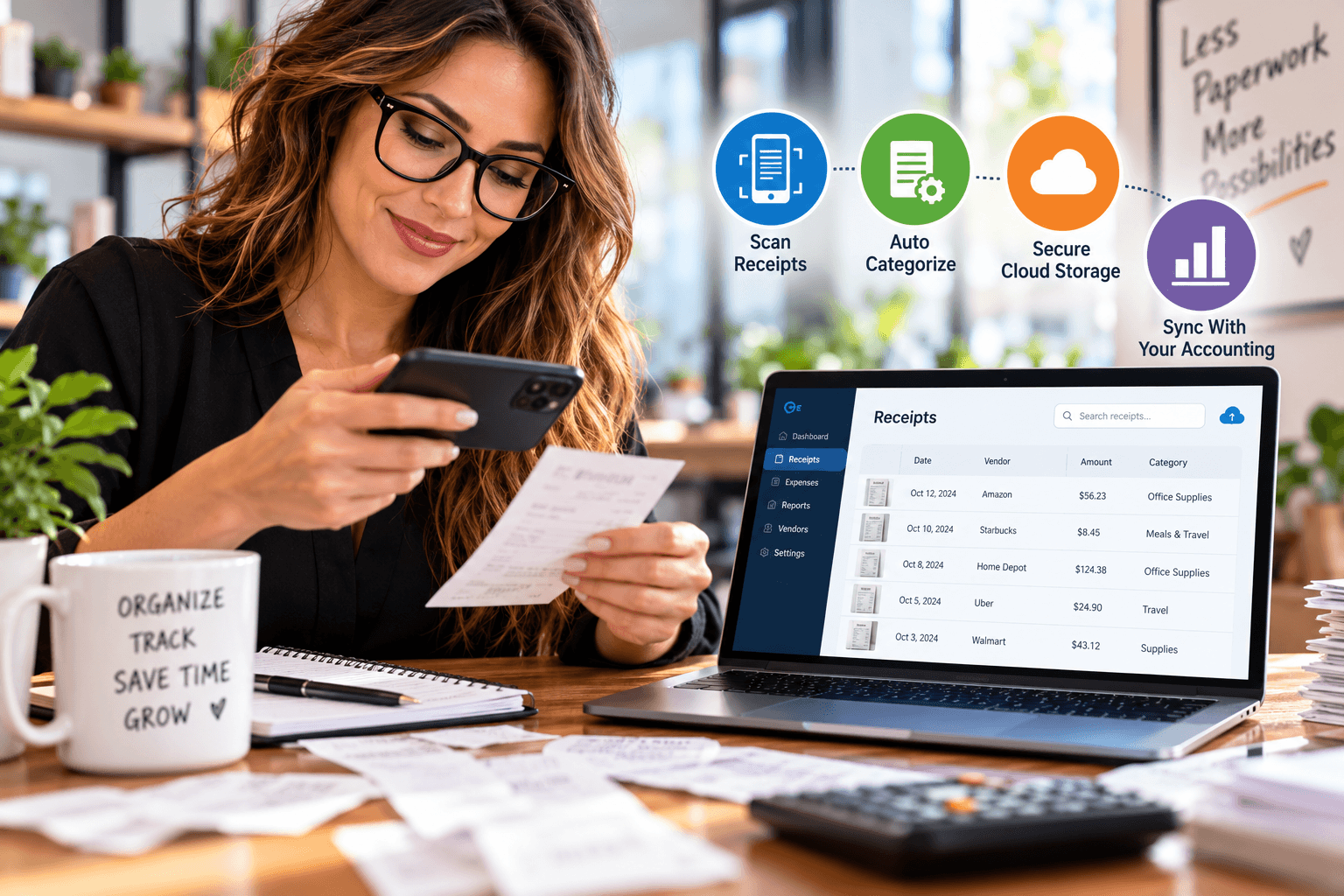
Digital receipt management platforms help small and midsize businesses capture, organize, store, and track receipts automatically—reducing manual errors, speeding up reimbursements, and keeping every record audit-ready. These systems combine mobile scanning, OCR data extraction, cloud storage, and accounting integrations into one streamlined workflow.
Here’s what I’ve learned after two decades of helping business owners clean up their books: nobody loses a deduction because they didn’t earn it. They lose it because the receipt vanished—into a glovebox, a jacket pocket, or an email inbox with 14,000 unread messages. As Founder and CEO of Complete Controller, I’ve watched businesses leave real money on the table simply because their receipt process was never built to scale. Let’s fix that.
What are digital receipt management platforms and how do they work?
- Digital receipt management platforms capture, extract, categorize, store, and connect receipt data to your accounting and expense workflows—using mobile scanning, OCR, cloud storage, and automated matching.
- Capture happens through mobile photos, email forwarding, or desktop uploads, so receipts enter the system the moment they’re created.
- Extraction uses OCR technology to pull vendor, date, amount, and tax data from images—no manual typing required.
- Organization applies categories, tags, and project codes so any record is searchable in seconds.
- Integration syncs everything with your accounting software, matching receipts to bank transactions for clean, verifiable books.

Why Digital Receipt Management Platforms Transform SMB Recordkeeping
Paper receipts fade. Inboxes overflow. Spreadsheets lie. Digital receipt management solves all three by centralizing every record in one searchable workspace—and the IRS confirms that electronic records are held to the same recordkeeping standards as paper, so digital receipt management done right is fully audit-acceptable.
Mobile capture for teams on the move
A receipt scanning app lets traveling employees, contractors, and field teams photograph receipts at the point of purchase. The receipt gets captured before it gets crumpled. One caution from experience: blurry photos, cropped totals, and glare kill extraction accuracy. Train your team to capture the full receipt in good light—it takes three extra seconds and saves hours.
OCR does the typing for you
OCR receipt capture uses optical character recognition to convert receipt images into machine-readable data—vendor, date, total, tax, payment method. It’s brilliant, but it’s not infallible. Faded thermal paper, handwritten tips, and multi-page receipts can trip it up. Always keep a human review step before data posts to your ledger. Automation should reduce repetitive work, not eliminate your controls.
Features to Compare Before You Choose a Platform
Not all platforms are built alike, and the cheapest plan often excludes the features you’ll actually need. Here’s where to focus your comparison.
Expense tracking gives you real-time spending visibility by employee, project, or department—no more waiting for month-end spreadsheet updates. A strong expense tracking platform for small business pairs clean category rules with bank-feed matching to catch duplicates and flag unusual spending fast.
Cloud storage keeps records accessible from anywhere, but security matters. The FTC’s guidance on protecting business information is your baseline for cloud receipt storage: limit access, enable multifactor authentication, verify backups, and document your retention and deletion rules.
Invoice management connects receipts to payable workflows and vendor records—critical if you handle recurring vendors or billable client expenses. Confirm the platform offers duplicate detection, or you’ll risk paying the same invoice twice.
Still chasing missing receipts? Let Complete Controller help you simplify expense tracking, organize financial records, and keep your books accurate with expert cloud bookkeeping. Less paperwork, more time to grow your business!
How Digital Receipt Management Platforms Automate Reimbursement
If your finance team spends more time chasing receipts than processing them, automation is your answer. Expense reimbursement workflows route employee submissions through policy review, approval, and payment with clear deadlines and spending thresholds built in. Automated expense reports then convert approved data into categorized reports with supporting documents attached—exactly what your month-end close and client billing depend on.
The key insight? Set your rules first: per-diem limits, approval thresholds, and submission deadlines. Automation enforces the policy you define. It can’t fix a policy you never wrote.
What Full Coverage Includes and What It Doesn’t
Smart receipt organization—searchable tags, vendors, projects, and audit history—means finding one document no longer requires a folder excavation. And as your business grows, digital document management software extends that control to invoices, contracts, and statements across your entire operation.
But let’s be honest about what isn’t automatic:
- Not included: Tax advice, guaranteed correct categorization, policy enforcement, or automatic audit acceptance.
- Compliance baseline: The IRS requires electronic systems to produce complete, accurate, accessible records—and supporting documents must be retained as long as they may be material to tax administration.
- Your job: Review material transactions, document business purpose, and maintain a written retention schedule.
Real-World Proof: SMB Receipt Automation in Practice
A growing SMB profiled by Reken.io replaced manual receipt collection and spreadsheet tracking with a mobile receipt scanner. Staff photographed receipts on smartphones; the system extracted vendor, amount, date, and category data automatically. The result: real-time spending visibility by department and vendor, reduced lost-document risk, and faster financial oversight. The lesson I’d underline from my own client work? Automation performs best when paired with consistent review and clear policies. Technology handles the volume—people handle the judgment.
Your Implementation Checklist Before You Commit
Rolling out a platform works best in order:
- Map your current process from purchase through storage, reconciliation, reimbursement, and retention.
- Define required fields—vendor, date, amount, tax, business purpose, category, and approver.
- Test everything: mobile capture, OCR accuracy, bank matching, accounting sync, and search.
- Train your team to submit receipts immediately, then set a weekly review cadence.
- Measure results: processing time, missing receipts, reimbursement turnaround, and close speed.
Conclusion
Digital receipt management platforms turn scattered paperwork into searchable, verifiable financial records—but only when capture tools, OCR automation, and cloud storage are paired with clear policies and human review. The best system isn’t the flashiest one; it’s the one your employees will use consistently and your finance team can trust completely. Ready to build a receipt process that actually scales with your business? Visit Complete Controller for expert guidance from the team that pioneered cloud-based bookkeeping and controller services.

Frequently Asked Questions About Digital Receipt Management Platforms
What are digital receipt management platforms?
They are software systems that capture, extract, organize, store, and connect receipt data to accounting and expense workflows using mobile scanning, OCR, and cloud storage.
How does OCR receipt capture work?
OCR (optical character recognition) converts receipt images into machine-readable text, extracting vendor, date, amount, and tax details automatically—though human review is still recommended before posting to your ledger.
Are digital receipts accepted for small-business tax records?
Yes. The IRS accepts electronic records as long as they are complete, accurate, and accessible—the same standards applied to paper records.
What should an SMB look for in a receipt scanning app?
Prioritize image quality handling, offline capture, OCR accuracy, accounting integrations, duplicate detection, and ease of use for employees in the field.
How can businesses automate expense reporting with receipts?
Set clear policies first, then use a platform that routes submissions through approval workflows and converts approved receipt data into categorized reports synced with your accounting system.
Sources
- IRS. (2026, October 3). What Kind of Records Should I Keep? Internal Revenue Service. https://www.irs.gov/businesses/small-businesses-self-employed/what-kind-of-records-should-i-keep
- IRS. How Should I Record My Business Transactions? Internal Revenue Service. https://www.irs.gov/businesses/small-businesses-self-employed/how-should-i-record-my-business-transactions
- IRS. (2026, October 9). Topic No. 305, Recordkeeping. Internal Revenue Service. https://www.irs.gov/taxtopics/tc305
- QuickBooks Canada. (2026, October 2). Receipt Scanner App for iOS & Android. Intuit. https://quickbooks.intuit.com/ca/receipt-scanner/
- QuickBooks Online Help. (2026, October 11). Upload Your Receipts to QuickBooks. Intuit. https://quickbooks.intuit.com/learn-support/en-us/help-article/import-transactions/upload-receipts-bills-quickbooks-online/L862MmZHnUSen_US
- Reken.io. (2026, August 17). How Reken.io Enabled a Growing SMB to Make Daily Finance “Fast, Visible, and Controlled.” https://reken.io/case-studies/how-reken-io-enabled-a-growing-smb-to-make-daily-finance-fast-visible-and-controlled
- Complete Controller. (2026, February 23). Digital Receipt Management Systems. https://www.completecontroller.com/digital-receipt-management-systems/
- Complete Controller. Mobile Business Management Apps. https://www.completecontroller.com/mobile-business-management-apps/
- Complete Controller. Small Business Bookkeeping: 9 Tips and Tricks. https://www.completecontroller.com/small-business-bookkeeping-9-tips-and-tricks/
- Complete Controller. Efficient Paperless Office Solutions. https://www.completecontroller.com/efficient-paperless-office-solutions/
- Wikipedia. Optical Character Recognition. https://en.wikipedia.org/wiki/Opticalcharacterrecognition
- FTC. Protecting Personal Information: A Guide for Business. Federal Trade Commission. https://www.ftc.gov/business-guidance/resources/protecting-personal-information-guide-business
 About Complete Controller® – America’s Bookkeeping Experts Complete Controller is the Nation’s Leader in virtual bookkeeping, providing service to businesses and households alike. Utilizing Complete Controller’s technology, clients gain access to a cloud platform where their QuickBooks™️ file, critical financial documents, and back-office tools are hosted in an efficient SSO environment. Complete Controller’s team of certified US-based accounting professionals provide bookkeeping, record storage, performance reporting, and controller services including training, cash-flow management, budgeting and forecasting, process and controls advisement, and bill-pay. With flat-rate service plans, Complete Controller is the most cost-effective expert accounting solution for business, family-office, trusts, and households of any size or complexity.



 Brittany McMillen