It’s not easy for individuals with a non-commerce background to identify the differences between bookkeeping and accounting. While you may observe some variation of the ways both accountants and bookkeepers appear related, there are some significant dissimilarities between the two functions. These could have a profound effect on not only the services provided for your business but also the cost that you incur in terms of hiring their services.
Bookkeepers are responsible for handling the records of everyday financial transactions, literally keeping the books. On the other hand, accountants could hold a further consultative role by providing counseling to the administration, performing audits, and handling financial reports.
Along with the responsibilities that coincide between accountants and bookkeepers, an accountant usually holds degrees and certifications for qualification. In contrast, bookkeepers might have a degree or diploma or none at all.
Bookkeepers vs. Accountants
Once you are indulged in searching for financial assistance, the way, you outline the search might be further significant compared to the findings of your investigation. If your business is functioning efficiently, has a visible course towards the next level, and already has an employee who possesses finance knowledge, only a little assistance would be required in terms of bookkeeping. In such circumstances, the person in the bookkeeper’s role would add the most value to the business.
The requirement is to concentrate on doing the math and organizing the volume of receipts into a meaningful idea. A knowledgeable bookkeeper would save both time and money by getting their head swiftly around the business structure. In terms of record-keeping, scrutinizing, and balancing, an accountant’s expertise would be wasted. The best usage of an accountant’s services would be making smart purchase decisions or securing better control over the cash flow to make the most out of investments.
Shifting Landscapes
It is interesting to know that since the advent of bookkeeping and accounting software, a few constituents of the accounting practices have been accumulated with the bookkeeping practices. For example, bookkeeping software is usually capable of producing financial statements. This capability of bookkeeping further diminishes a few customary boundaries between the methods of accounting and bookkeeping.
Similarities between Bookkeeping and Accounting
Accounting and bookkeeping might seem similar to an inexperienced individual because both accountants and bookkeepers deal with the financials. To adopt any of the fields, one must possess fundamental knowledge of accounting. Within smaller organizations, bookkeepers are often hired to manage more accounting practices rather than just record-keeping. In small businesses, bookkeepers also categorize and produce reports with the help of financial transactions. While in most circumstances, bookkeepers might not possess the formal qualifications essential to perform such tasks. Most of the accounting software these days have made classifying financial transactions convenient by remembering financial transactions and generating computerized reports. Similarly, an accountant also performs as a bookkeeper by recording the financial transactions for an organization.
How Do Businesses Figure Out Who They Need?
The debate associated with the comparison of a bookkeeper with an accountant is not easy to resolve because many businesses are not sure about their requirements. There have been significant dissimilarities between a bookkeeper and an accountant, and, in specific circumstances, differentiating between the two, in terms of specific business functions are concerned, is not as easy as it seems. More frequently than not, the decision relies on various factors that include the industry to which the business is related, the business’s need to maintain a large volume of fixed assets, the volume of inventory, and the number of employees.
Once a business has figured out its actual requirement, it will realize whether it needs bookkeeper or accountant services. Generally, bookkeepers are perfect in maintaining expenditures; however, hiring intermittent assistance from an accountant would assure an analytical overview of the business’s performance.
Final Note
Few organizations learn to manage their finances on their own. Furthermore, few choose to employ a professional so the administration can concentrate on the other functions of the business. No matter what option one selects, making investments in the business financials helps assist with the business’s growth.
About Complete Controller® – America’s Bookkeeping Experts Complete Controller is the Nation’s Leader in virtual bookkeeping, providing service to businesses and households alike. Utilizing Complete Controller’s technology, clients gain access to a cloud platform where their QuickBooks™️ file, critical financial documents, and back-office tools are hosted in an efficient SSO environment. Complete Controller’s team of certified US-based accounting professionals provide bookkeeping, record storage, performance reporting, and controller services including training, cash-flow management, budgeting and forecasting, process and controls advisement, and bill-pay. With flat-rate service plans, Complete Controller is the most cost-effective expert accounting solution for business, family-office, trusts, and households of any size or complexity.
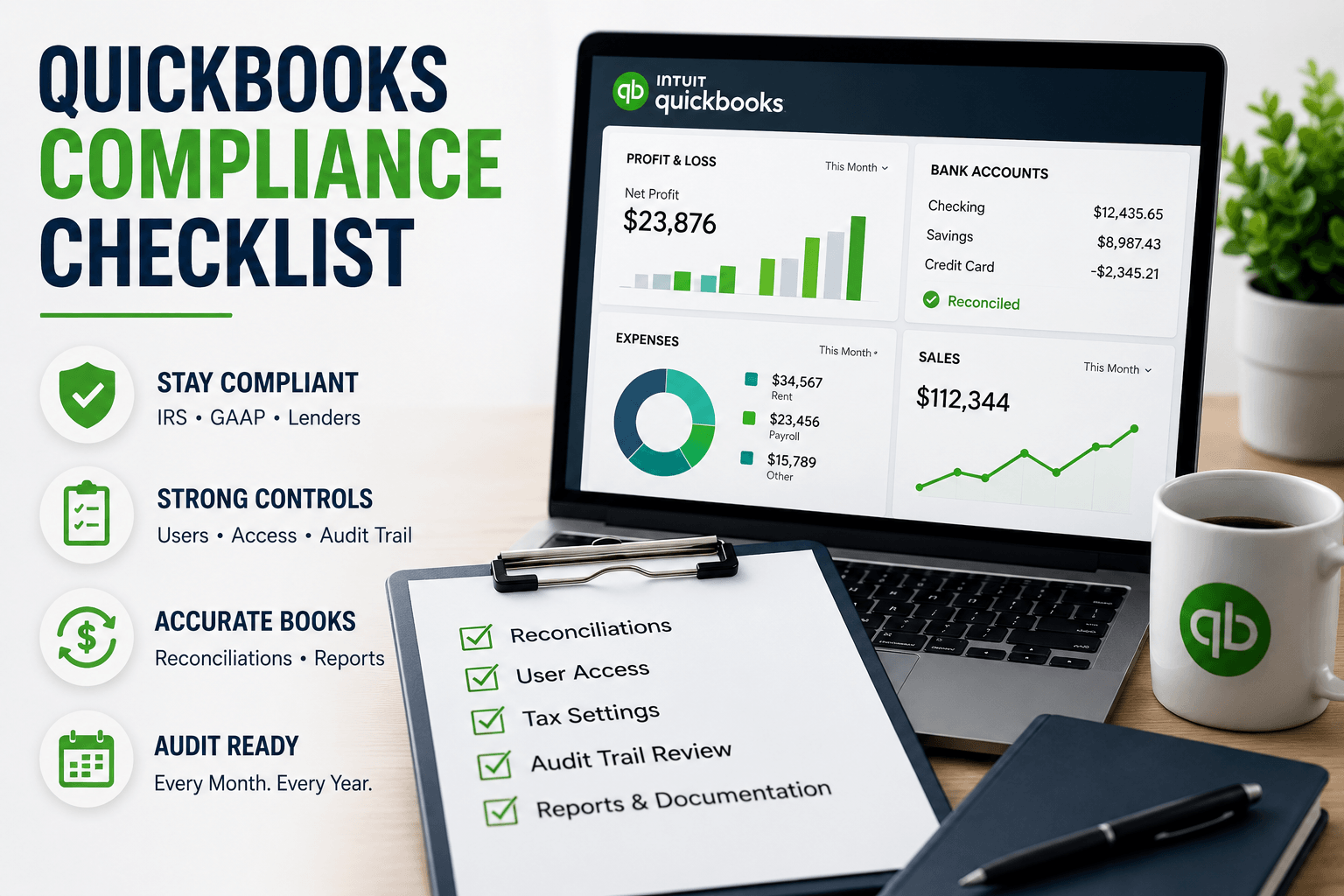
QuickBooks Compliance Checklist: Perfect Control Made Easy
A QuickBooks compliance checklist is a structured set of controls, settings, and recurring tasks that keeps your QuickBooks file audit-ready year-round—covering user permissions, audit trails, reconciliations, tax settings, and documentation so your books stay accurate and defensible to the IRS, auditors, and lenders. The right checklist combines correct setup (entity type, tax IDs, GAAP-aligned chart of accounts), strong internal controls (user roles, locked periods, audit trail reviews), and disciplined monthly, quarterly, and year-end routines that protect your business from costly errors and penalties.
After more than 20 years building Complete Controller and overseeing thousands of QuickBooks files across nearly every industry you can name, I can tell you the difference between a clean book and a compliant book comes down to one word: proof. The IRS, banks, and investors don’t care how confident you feel—they care what your records can show. In this article, I’ll walk you through the exact framework my team uses to turn QuickBooks into a compliance asset: how to map QuickBooks to IRS and GAAP standards, build a real internal control environment, lock down your data, and create a 90-day roadmap that takes you from reactive scrambling to continuous audit readiness.
What is a QuickBooks compliance checklist and how do you use it to stay audit-ready?
A QuickBooks compliance checklist is a repeatable framework for configuring QuickBooks, enforcing internal controls, and performing recurring tasks so you’re always audit-ready.
It starts with proper setup: entity type, tax IDs, GAAP-aligned chart of accounts, and correct sales tax and payroll configurations.
It builds in control: user roles, access restrictions, locked periods, and consistent audit trail reviews.
It enforces discipline: monthly reconciliations, exception reports, and source-document standards.
It keeps you current: QuickBooks tax updates, IRS requirements, GAAP changes, and annual reviews of your compliance posture.
The QuickBooks Compliance Basics Most Businesses Skip
Most small businesses treat QuickBooks like a glorified calculator. Compliance, though, is about provable structure—the kind that satisfies the IRS, your CPA, and any lender who asks for three years of clean financials on short notice.
Mapping QuickBooks to IRS requirements and GAAP accounting standards
Start with your foundation: a chart of accounts that mirrors GAAP accounting standards, the correct accounting method (cash vs. accrual) aligned to your tax filings, and clear revenue recognition workflows. Use classes and locations when you operate multiple business lines—it makes separate reporting painless.
On the IRS side, retention matters. The IRS says you must keep records long enough to prove the income or deductions on a return—at least 3 years for most returns, and up to 6 years if you underreport income by more than 25%. Build that into your QuickBooks data and document storage policy from day one.
The role of audit trail logs in QuickBooks audit readiness
Audit trail logs are your silent witness. Every change, deletion, and edit gets stamped with a user and timestamp—but only if each person has a unique login. Shared logins destroy accountability and gut your QuickBooks audit readiness before an auditor even arrives.
Review the audit trail weekly for unusual activity and monthly for deeper anomalies. Banks and IRS examiners look first at deleted or voided transactions and changes to reconciled periods.
QuickBooks Online compliance vs. Desktop: What really changes
QuickBooks Online compliance benefits from always-on tax tables, automatic backups, and detailed access logs. Desktop puts more responsibility on you—local backups, manual version updates, and stricter file security. Neither is more “compliant” by default; your process is what makes the difference.
Your Core QuickBooks Compliance Checklist (Daily, Monthly, Quarterly, Year-End)
A great compliance system runs on rhythm. Here’s how to structure yours.
Daily and weekly controls
Review bank feed transactions before adding them to the books.
Monitor undeposited funds and open invoices for irregularities.
Spot-check the audit log for after-hours edits or unusual user activity.
Reconcile every bank, credit card, and loan account—formal reconciliations, not just matched bank feeds.
Clear uncategorized transactions and “ask my accountant” entries.
Lock the month with a closing date and password.
Archive your P&L, Balance Sheet, and Cash Flow for your audit-readiness file.
Reconciliation isn’t busywork—it’s fraud prevention. According to the ACFE’s Occupational Fraud 2024: A Report to the Nations, organizations using account reconciliation as an anti-fraud control saw median fraud losses cut by 50%. That’s a staggering ROI for an hour of monthly work. (For more on this rhythm, see the importance of reconciling your accounting statements regularly.)
Quarterly review and regulatory tasks
Confirm QuickBooks tax updates are installed (critical for payroll tables).
Audit user access—remove former employees and confirm least-privilege roles.
QuickBooks year-end compliance checklist for accountants and owners
Reconcile every balance sheet account (not just bank). Clean AR/AP aging, address write-offs and unapplied credits, complete inventory valuation and fixed asset rollforwards, and verify payroll using Intuit’s year-end checklist for QuickBooks Online Payroll. Then export trial balance, general ledger, and key subledgers for your year-end file.
Messy books create expensive problems. See how Complete Controller helps businesses stay audit-ready year-round.
Locking Down Your QuickBooks File: Internal Controls That Prove You’re in Control
A compliant QuickBooks file has guardrails. Without them, your audit trail is just noise.
Designing user roles and permissions
Segregate duties wherever possible: the person who creates bills shouldn’t approve payments; the person who records deposits shouldn’t reconcile the account. For very small teams, compensating controls (like a monthly owner review) bridge the gap. Every user gets a unique login—no exceptions.
Building a defensible audit trail with source documents
Every significant entry needs a linked source document—invoice, bill, receipt, contract, or signed approval. Attach files directly in QuickBooks or use an integrated document management system. The Parmalat scandal—the Italian dairy giant that collapsed in 2003 after investigators uncovered hidden debt and fake bank confirmations—is the textbook case of what happens when source documents and independent verification are ignored. (See BBC’s Parmalat timeline.) That same principle scales down to a $2M small business.
Closing dates protect reconciled periods from quiet retroactive edits. Pair that with monthly exception reports—voided/deleted transactions, negative inventory, unusual journal entries—and you’ve built the backbone of continuous audit readiness.
Tax, Payroll, and Sales Tax: Turning QuickBooks Into a Compliance Engine
Tax compliance lives or dies on configuration. Get this section right and you’ll sleep better.
QuickBooks tax updates and IRS alignment
Verify you’re on the latest QuickBooks release, especially for payroll tax tables. Outdated tables cause under-withholding, and the IRS doesn’t care that your software was behind. Review your chart of accounts annually with your CPA to confirm tax categories match how returns are actually filed.
Payroll compliance inside QuickBooks
Validate employee and contractor data—tax IDs, addresses, classifications—well before year-end. Reconcile payroll expense and liability accounts every month. Document approvals for pay rate changes and bonuses; auditors love to sample these.
Sales tax compliance
Configure state and local rates correctly, manage multi-state nexus thoughtfully, and document exemption certificates for tax-exempt customers. Reconcile sales tax payable to filed returns each quarter—this is the single biggest gap I see in small business books.
Protecting Financial Data: QuickBooks Data Security as a Compliance Requirement
QuickBooks data security is compliance. The two aren’t separable anymore.
Security essentials for small businesses
Require strong passwords and multi-factor authentication for every user. Maintain off-platform backups for Desktop files. When evaluating cloud apps that integrate with QuickBooks, look for SOC 2 compliance—your control environment is only as strong as your weakest integrated vendor.
Access management and third-party apps
Limit access by role and necessity. Run an annual “app audit” to confirm each connected app is still needed, secure, and properly mapped. Poorly configured e-commerce or billing integrations are a stealthy way to break QuickBooks Online compliance.
From Reactive to Proactive: A 90-Day Roadmap
Checklists work best as living systems with deadlines and owners.
Days 1–30: Clean up the chart of accounts, reconcile the last 3–6 months, activate audit trail review, and set closing dates.
Days 31–60: Redesign user roles, document monthly and quarterly compliance tasks, and launch exception reporting.
Days 61–90: Run a mock audit—pull reports, audit trail exports, and source documents as if the IRS just called. Refine what was slow or missing.
I worked with a $3M tech services firm that received an IRS notice questioning payroll deposits and expense documentation. We rebuilt their chart of accounts to align with GAAP, tightened user access, formalized monthly reconciliations, and assembled a structured PBC folder from QuickBooks exports. The exam closed with no change—the agent specifically cited the clean audit trail and reconciliations.
Final Thoughts: Your QuickBooks File Is a Compliance Asset, Not a Liability
I’ve sat with too many business owners who lost financing, failed due diligence, or paid avoidable penalties because they assumed QuickBooks “handled compliance.” It doesn’t—your process does. Configure the software correctly, enforce controls, follow your recurring checklist, stay current on tax rules, and protect your data. Do those five things and you’ll be ready for any auditor, lender, or investor who comes knocking. For deeper foundations, our business bookkeeping essentials resource is a great companion read.
When you’re ready for expert help building this compliance framework or preparing for an audit, visit Complete Controller and let my team walk you through it step by step.
Frequently Asked Questions About QuickBooks Compliance Checklist
How do I make sure my QuickBooks file is compliant?
Use a QuickBooks compliance checklist that covers correct setup, monthly reconciliations, user permissions, locked periods, audit trail reviews, and source-document storage—then have a CPA review it annually for IRS and GAAP alignment.
How do you prepare QuickBooks for a tax audit?
Reconcile all balance sheet accounts, lock prior periods, clean AR/AP, run exception reports for voided and deleted transactions, export trial balance and general ledger, and assemble supporting invoices, receipts, and contracts in a structured PBC folder.
What goes into a QuickBooks year-end compliance checklist?
Full account reconciliations, AR/AP cleanup, inventory and fixed asset adjustments, payroll verification including W-2s and 1099s, sales tax payable reconciled to filed returns, and final financial statement review before closing the year.
How often should I reconcile accounts in QuickBooks?
At minimum, reconcile bank, credit card, and loan accounts monthly. High-volume or high-risk businesses should reconcile cash accounts weekly. Monthly reconciliation is a baseline audit expectation.
Does QuickBooks keep an audit trail of every change?
Yes. QuickBooks Online and most Desktop editions log every transaction change with user and timestamp—but only if each person has a unique login. Reviewing the audit trail regularly is essential to any compliance checklist.
About Complete Controller® – America’s Bookkeeping Experts Complete Controller is the Nation’s Leader in virtual bookkeeping, providing service to businesses and households alike. Utilizing Complete Controller’s technology, clients gain access to a cloud platform where their QuickBooks™️ file, critical financial documents, and back-office tools are hosted in an efficient SSO environment. Complete Controller’s team of certified US-based accounting professionals provide bookkeeping, record storage, performance reporting, and controller services including training, cash-flow management, budgeting and forecasting, process and controls advisement, and bill-pay. With flat-rate service plans, Complete Controller is the most cost-effective expert accounting solution for business, family-office, trusts, and households of any size or complexity.
Jennifer BrazerFounder/CEO
Jennifer is the author of From Cubicle to Cloud and Founder/CEO of Complete Controller, a pioneering financial services firm that helps entrepreneurs break free of traditional constraints and scale their businesses to new heights.
Brittany McMillen is a seasoned Marketing Manager with a sharp eye for strategy and storytelling. With a background in digital marketing, brand development, and customer engagement, she brings a results-driven mindset to every project. Brittany specializes in crafting compelling content and optimizing user experiences that convert. When she’s not reviewing content, she’s exploring the latest marketing trends or championing small business success.
Debt is the capital a businessman borrows from an outside source and agrees to return within a particular period along with the specific proportion of interest. The debt has a very negative impact on the business, but as a matter of fact, most startup businesses have to borrow finances to begin operation. Even well-established business setups have taken debts. The most common source of debt is banks, other companies, friends, and family. The term “leverage” is also used for debt.
Companies need to lend money while making huge purchases like equipment and heavy machinery etc. Debt is the real killer for a company. Your company’s reputation is ruined, suppliers don’t supply you on credit, and you may not be able to pay salary, bonuses, and insurance. You can have an overall drastic effect on business finances.
Here are a Few Strategies to Get Out of These Debts
Identify the areas where you are spending unnecessarily and from where you are digging your company into debts. Know the cost of raw material, labor, rent, etc. and how even a single penny can be saved. Cut down expenses by collecting credit from customers as soon as possible, by renting an office at minimum cost, using simple office furniture and phones, etc. The company’s equipment not in use should be sold out. Similarly, scrap should also be sold out instead of dumping.
Analyze whether hiring one individual on more salary is beneficial than giving benefits to two employees.
Re-Examine Your Budgets:
An increase in debts means that a company’s budget is ineffective. Reassess your budget and adjust accordingly. Revenue should be more than fixed costs, i.e., utility bills and rent, etc. in the budget. After allocating money to variable costs like manufacturing, etc., allocate a fixed portion of the budget to pay debts to avoid piling up of loans. Have a detailed discussion on monthly transactions. Bookkeeping will help you to review loss, profit, purchases, and sales.
Manage and Monitor Your Inventory Effectively:
Inventory is one of the significant elements where a company is spending too much. A few inventory tips should be adopted. Only necessary purchase items. Heavy equipment that can be borrowed on rent should never be purchased. Dead or excess inventory should be avoided. Dead items should be sold out or returned to the supplier, if possible.
Check Interest Rates on Credit Cards:
Interest fees on credit cards are a significant expense for companies. It would be best if you talked to your credit card issuing authority about low-interest rates. If you are an old customer and pay on time, then a credit card issuer may agree upon fewer rates.
Increase Revenue:
Efforts should be made to increase the revenue of the company. Revenue can be increased by using strategies to enhance productivity. These strategies may include capacity building and skill development of staff by training and knowledge, introducing new technologies, new marketing strategies to enhance sales, etc. Profits will be improved, which may be used to pay off debts.
Consolidatingloans is a swift method to cut interest rates. By combining various loans into one with lower interest, monthly expenses decrease without harming credit scores. This streamlined approach simplifies repayments, potentially saving money in the long run and providing financial relief. It’s an effective strategy for managing debt more efficiently and achieving excellent financial stability.
Bring In an Investor:
In most cases, there may be better options than relying on an investor, which involves sacrificing future profits. However, if burdened by debts, seeking an investor can provide crucial financial support for your business. Despite potential profit sharing, it could be a strategic move to alleviate immediate economic challenges and pave the way for future success.
About Complete Controller® – America’s Bookkeeping Experts Complete Controller is the Nation’s Leader in virtual bookkeeping, providing service to businesses and households alike. Utilizing Complete Controller’s technology, clients gain access to a cloud platform where their QuickBooks™️ file, critical financial documents, and back-office tools are hosted in an efficient SSO environment. Complete Controller’s team of certified US-based accounting professionals provide bookkeeping, record storage, performance reporting, and controller services including training, cash-flow management, budgeting and forecasting, process and controls advisement, and bill-pay. With flat-rate service plans, Complete Controller is the most cost-effective expert accounting solution for business, family-office, trusts, and households of any size or complexity.
Master Forecasting with Financial Statements for Business Success
Forecasting with financial statements transforms historical data from your income statement, balance sheet, and cash flow statement into predictive insights about future revenue, expenses, cash needs, and profitability—giving you the roadmap to make smarter business decisions and fuel sustainable growth.
After building Complete Controller and guiding hundreds of businesses through market uncertainties over the past two decades, I’ve witnessed firsthand how mastering this skill separates thriving companies from those that merely survive. The data backs this up: businesses that forecast regularly outperform their peers by 20-30% in both stability and growth metrics. This article breaks down the exact methods, tools, and strategies you need to turn your financial statements into powerful predictive engines—including the 90-day implementation plan we use with our clients and the common pitfalls that trip up even seasoned entrepreneurs.
What is forecasting with financial statements and how do you master it for business success?
Forecasting with financial statements predicts future performance by analyzing income statements (revenue/expenses), balance sheets (assets/liabilities), and cash flow statements (liquidity), grounded in historical trends and market data
The income statement reveals revenue patterns and expense relationships that project future profitability
Balance sheet analysis uncovers asset utilization trends and debt management needs for growth planning
Cash flow statements highlight liquidity cycles and working capital requirements to prevent shortfalls
Integration of all three statements creates comprehensive pro forma projections for scenario planning
Why Forecasting with Financial Statements Is Essential for Small Business Survival
Small businesses face unique cash flow challenges that make accurate forecasting critical for survival. Research shows that 82% of business failures link directly to poor liquidity planning—not lack of customers or bad products. Unlike large corporations with credit lines and cash reserves, SMBs operate on razor-thin margins where a single delayed payment can trigger a cascade of financial stress.
Your financial statements tell a story about your business’s health, but most entrepreneurs only read the past chapters. Income statements reveal seasonal revenue patterns that predict busy and slow periods. Balance sheets expose when equipment purchases or debt payments will strain cash. Cash flow statements show the gap between when you bill customers and when they actually pay—critical intelligence for planning payroll and vendor payments.
Common cash flow forecasting mistakes SMBs make
Ignoring seasonal patterns in cash flow statements, leading to overdrafts during predictable slow periods
Over-relying on income statements without balance sheet integration for working capital needs
Focusing only on revenue growth while missing the cash impact of accounts receivable aging
Failing to account for the timing difference between profit recognition and actual cash collection
From my experience at Complete Controller, clients who implement monthly statement reconciliations reduce their emergency funding needs by 25%. The key is consistency—set aside time each month to update your forecasts with actual results and adjust projections based on what you learn.
Step-by-Step Guide to Forecasting with Financial Statements
Building your first forecast doesn’t require an MBA or expensive consultants. Start by gathering your last 3-5 years of financial statements and defining clear objectives like 12-month revenue targets or cash reserve goals. This historical foundation provides the patterns and relationships you’ll project forward.
Week 1-4: Data prep and baseline forecast
Pull together your historical income statements, balance sheets, and cash flow statements, cleaning any errors or inconsistencies. Calculate your average revenue growth rate and expense percentages. For stable businesses, use the straight-line method: Future Revenue = Past Average + Growth Rate. Create your first pro forma income statement by applying these percentages to projected revenue.
Build your baseline cash flow forecast using the direct method: Cash In minus Cash Out equals Net Cash Flow. Track when customers typically pay (not just when you invoice) and when bills come due. This timing intelligence prevents the classic trap of being “profitable but broke.”
Week 5-8: Advanced modeling
Apply regression analysis to link business drivers to financial outcomes. For example: Sales = β(Marketing Spend) + Intercept. This formula helps you understand how changes in controllable factors impact results. Test three scenarios: base case (most likely), optimistic (best case), and pessimistic (worst case). Each scenario should adjust both revenue and expenses—don’t just change the top line.
Week 9-12: Review and tools
Integrate forecasting software like QuickBooks or cloud-based planning tools to automate calculations and track variances. Set up dashboards that compare actual results to forecasts monthly. Schedule quarterly forecast updates based on variance analysis—if actuals differ from projections by more than 10%, dig deeper to understand why.
Top Quantitative Methods for Forecasting with Financial Statements
Different forecasting methods suit different business situations and statement types. The table below compares the most effective approaches:
Method
Best For
Statement Focus
Pros
Cons
Straight-Line
Stable SMBs
Income
Simple, fast implementation
Ignores market changes
Moving Average
Seasonal sales
Cash Flow
Smooths volatility patterns
Lags behind trends
Regression (Simple/Multiple)
Driver-based planning
All statements
Reveals causal insights
Requires quality data
Time Series
Recurring revenue models
Income
Captures complex patterns
Demands statistical expertise
Regression analysis excels at linking balance sheet drivers to income projections, making it ideal for growth-stage companies. Time series methods work best for subscription businesses with predictable revenue streams.
Real-World Case Study: SaaS Startup’s Forecasting Transformation
A growing SaaS company struggling with cash crunches partnered with an outsourced CFO to implement driver-based EBIT forecasting. By analyzing historical statements and identifying key metrics like customer acquisition cost and churn rate, they built a regression model linking marketing spend to monthly recurring revenue.
The results transformed their business: monthly earnings predictions improved by 20%, enabling precise hiring decisions and successful funding rounds. Most importantly, they shifted from reactive scrambling to proactive planning—a transformation I’ve seen repeatedly with Complete Controller clients who commit to systematic forecasting.
Driver-Based Forecasting with Financial Statements for Strategic Growth
Driver-based forecasting connects your financial projections to the operational levers you actually control. Instead of simply extrapolating revenue trends, you model how specific actions impact financial outcomes. This approach transforms forecasting from a passive exercise into an active planning tool.
Key drivers by statement
Income Statement Drivers:
Revenue growth rate tied to sales headcount or marketing spend
Gross margin linked to supplier negotiations or product mix
Operating leverage from fixed cost absorption
Balance Sheet Drivers:
Accounts receivable days based on collection processes
Inventory turnover from supply chain efficiency
Debt service coverage from EBITDA growth
Cash Flow Drivers:
Operating cash conversion cycle
Capital expenditure timing and financing
Working capital changes from growth
At Complete Controller, we’ve found that tracking just 3-5 drivers per statement doubles forecast accuracy while keeping the process manageable. The magic happens when you connect these drivers across statements—showing how faster collections improve both balance sheet health and cash flow timing.
Tools and Software to Supercharge Forecasting with Financial Statements
The right tools can cut your forecasting time in half while improving accuracy. Excel works fine for basic projections using templates, but modern cloud platforms offer automation and scenario modeling that transform your capabilities.
Free vs. Paid tool comparison
Free Options:
Google Sheets templates for percent-of-sales forecasting
QuickBooks for integrated statement forecasting ($25+/month)
Xero with time series analysis ($20+/month)
Specialized platforms like Pigment or NetSuite for complex modeling
Complete Controller leverages cloud-based platforms that automatically pull data from your accounting system, update forecasts in real-time, and flag variances requiring attention.
Common Pitfalls in Forecasting with Financial Statements and How to Avoid Them
Even experienced finance professionals fall into forecasting traps that undermine accuracy and usefulness. The biggest culprit? Optimism bias—the human tendency to project hopes rather than probabilities. Combat this by building in reality checks and involving team members who’ll challenge rosy assumptions.
Poor integration between statements creates another major source of errors. Your balance sheet and cash flow must reconcile with income projections. If you forecast 50% revenue growth but don’t adjust working capital needs accordingly, you’re setting up for a cash crunch. Always cross-check that your statements tell a consistent story.
Forecasting quality checklist:
Validate all data sources before building projections
Stress-test with 20% variance scenarios
Include non-finance team input for market reality
Compare forecasts to actual results monthly
Document assumptions clearly for future reference
Conclusion
Mastering forecasting with financial statements equips your business with the predictive power to navigate uncertainty and capitalize on opportunities. From implementing driver-based models to leveraging the right tools, these strategies transform raw financial data into actionable business intelligence.
I’ve spent over 20 years helping businesses unlock this capability at Complete Controller, watching clients evolve from cash-strapped survivors to confident growth leaders. Start today by pulling your last quarter’s statements and building that first baseline forecast. For expert guidance on implementing these strategies in your business, visit Complete Controller and schedule a free consultation with our team.
Frequently Asked Questions About Forecasting with Financial Statements
What are the main financial statements used in forecasting?
The three primary statements are the income statement (showing revenue and expenses), balance sheet (displaying assets and liabilities), and cash flow statement (tracking actual cash movements).
What is straight-line forecasting with financial statements?
Straight-line forecasting projects future values by extending historical growth rates linearly from your statements—ideal for stable businesses with consistent performance patterns.
How often should you update financial forecasts?
Monthly updates work best for small businesses, with more comprehensive quarterly reviews when major changes occur. Always compare actual results to projections.
What is pro forma forecasting?
Pro forma forecasting creates projected versions of financial statements based on specific assumptions, allowing you to model different scenarios and plan accordingly.
Can small businesses do forecasting without expensive software?
Yes—start with Excel or Google Sheets using percent-of-sales methods from your historical statements. As you grow, invest in more sophisticated tools to save time and improve accuracy.
About Complete Controller® – America’s Bookkeeping Experts Complete Controller is the Nation’s Leader in virtual bookkeeping, providing service to businesses and households alike. Utilizing Complete Controller’s technology, clients gain access to a cloud platform where their QuickBooks™️ file, critical financial documents, and back-office tools are hosted in an efficient SSO environment. Complete Controller’s team of certified US-based accounting professionals provide bookkeeping, record storage, performance reporting, and controller services including training, cash-flow management, budgeting and forecasting, process and controls advisement, and bill-pay. With flat-rate service plans, Complete Controller is the most cost-effective expert accounting solution for business, family-office, trusts, and households of any size or complexity.
Jennifer BrazerFounder/CEO
Jennifer is the author of From Cubicle to Cloud and Founder/CEO of Complete Controller, a pioneering financial services firm that helps entrepreneurs break free of traditional constraints and scale their businesses to new heights.
Brittany McMillen is a seasoned Marketing Manager with a sharp eye for strategy and storytelling. With a background in digital marketing, brand development, and customer engagement, she brings a results-driven mindset to every project. Brittany specializes in crafting compelling content and optimizing user experiences that convert. When she’s not reviewing content, she’s exploring the latest marketing trends or championing small business success.
Expert Accounting Solutions for the Medical Industry
Medical industry accounting is the specialized practice of managing financial operations for healthcare providers, designed to navigate complex billing, regulatory compliance, and revenue optimization unique to the medical sector. This approach directly addresses the intersection of clinical operations and financial sustainability, transforming financial chaos into streamlined efficiency for doctors, clinics, and healthcare practices.
After two decades at the helm of Complete Controller, I’ve witnessed the transformation of hundreds of medical practices from financial overwhelm to operational excellence. The statistics are staggering: healthcare providers using specialized accounting services reduce administrative errors by 40% and capture an additional 25% in revenue within just six months. Through this guide, I’ll share the exact strategies that have helped our clients reclaim their time, reduce compliance risks, and build financially sustainable practices that thrive in today’s complex healthcare landscape.
What is medical industry accounting, and why does it matter?
Medical industry accounting encompasses financial management tailored to healthcare’s unique operational, regulatory, and billing complexities
Healthcare organizations require specialized accounting due to multiple revenue streams, including insurance reimbursements, patient payments, and government programs
Without proper medical accounting, practices face revenue leakage averaging 15%, compliance penalties up to $2 million per violation, and operational inefficiencies
Specialized accounting solutions ensure accurate revenue tracking, maintain regulatory compliance, and optimize cash flow management
The right accounting approach directly correlates with higher profitability, improved patient care delivery, and sustainable practice growth
The Unique Financial Challenges Facing Medical Practices
Healthcare providers operate within a financial framework, unlike any other industry. Medical practices must juggle delayed insurance reimbursements that can stretch 90 days, navigate multi-layered payer systems with varying requirements, and maintain compliance with stringent regulations, including HIPAA and the Affordable Care Act.
The complexity intensifies when you consider that healthcare claim denials reached 11.81% in 2024, marking a 2.4% increase from the previous year. Each denied claim costs approximately $118 to reprocess, contributing to $8.6 billion in annual administrative waste across the healthcare industry. These challenges demand specialized expertise that general accounting simply cannot provide.
Multi-source revenue streams
Medical practices manage revenue from diverse sources, each requiring distinct accounting protocols:
Private insurance carriers with unique billing codes and submission requirements
Medicare and Medicaid programs with specific compliance standards
Patient copayments and deductibles, which have risen 47% over the past decade
Specialty services and elective procedures with separate pricing structures
Grant funding and research revenue for academic medical centers
Ambulatory surgery centers exemplify this complexity, where a single coding error can trigger cascading claim denials. Our analysis shows that practices without specialized medical accounting experience revenue leakage exceeding 15%, primarily due to inadequate tracking across these fragmented payment sources.
Regulatory compliance burdens
Healthcare accounting demands alignment with evolving regulations that carry severe penalties. HIPAA violations alone range from $137 to $2 million per incident, yet 64% of small clinics lack dedicated compliance expertise. Medical accounting specialists embed compliance into daily operations through:
Automated audit trails for all financial transactions
Encrypted data management systems meeting HIPAA standards
Real-time updates on changing CMS billing codes
Documentation protocols that satisfy regulatory reviews
Quarterly compliance assessments to identify vulnerabilities
Delayed reimbursements and cash flow gaps
Insurance reimbursements typically take 30-90 days, creating significant cash flow strain while overhead costs mount daily. Average patient deductibles have reached $1,787 annually, making collection more challenging than ever. Specialized medical accounting addresses these gaps through predictive cash flow modeling, accelerated claims processing, and strategic reserve management that maintains operational stability during payment delays.
Core Components of Medical Practice Accounting
Effective healthcare financial management extends beyond basic bookkeeping to encompass specialized systems designed for medical operations. These components work synergistically to create a robust financial infrastructure that supports both clinical excellence and business sustainability.
Revenue cycle optimization
The patient-to-payment journey requires meticulous management at every touchpoint. Modern revenue cycle optimization includes eligibility verification before service delivery, real-time coding accuracy checks, and proactive denial management. One regional cardiology practice we worked with reduced denials by 45% through AI-powered coding tools that flag discrepancies before claim submission, recovering over $500,000 in previously lost revenue.
Key revenue cycle metrics tracked include:
First-pass claim acceptance rates
Days in accounts receivable
Denial rates by payer and reason code
Collection rates on patient balances
Net collection ratios compared to contracted rates
Activity-based cost management
Medical practices must move beyond traditional cost accounting to activity-based models that map expenses to specific services. This granular approach reveals that administrative redundancy accounts for 34% of typical practice expenses. By implementing activity-based costing, practices can identify cost drivers for each procedure type, optimize supply chain management, and negotiate better vendor contracts based on actual usage patterns.
Healthcare-specific financial reporting
Standard financial statements fail to capture the nuances of medical practice performance. Healthcare-specific reporting includes:
Profit and Loss Statements tailored to show revenue by payer mix, highlighting which insurance contracts deliver optimal reimbursement rates. These statements track supply costs as a percentage of procedure revenue, identifying when renegotiation becomes necessary.
Balance Sheets that properly categorize medical equipment depreciation schedules and account for the unique asset lifecycle of diagnostic technology. This specialized approach ensures accurate capital planning for equipment replacement.
Cash Flow Analysis incorporating reimbursement lag patterns and seasonal patient volume fluctuations. Practices using these specialized reports improve liquidity management by 30% on average.
Your Step-by-Step Roadmap to Accounting Transformation
Transitioning to expert medical accounting requires a systematic approach tailored to your practice’s unique needs and growth trajectory. This roadmap has guided dozens of our healthcare clients through successful financial transformations.
Phase 1: Comprehensive practice assessment
Begin with a thorough audit of current financial workflows. Document every touchpoint from patient registration through final payment collection. A Chicago orthopedic group discovered 28% of their expenses stemmed from manual data entry—inefficiencies they eliminated through strategic automation.
Assessment focus areas:
Current denial rates and root causes
Time spent on administrative tasks by clinical staff
Technology gaps in billing and collection processes
Revenue leakage points throughout the patient journey
Phase 2: Strategic technology integration
Select platforms that balance healthcare-specific functionality with user-friendly interfaces. The right technology stack typically includes specialized medical billing software integrated with practice management systems, automated insurance verification tools, and HIPAA-compliant cloud storage solutions.
Platform evaluation criteria:
Integration capabilities with existing EHR systems
Automated claim scrubbing and submission features
Real-time eligibility verification
Patient payment portal functionality
Comprehensive reporting dashboards
Phase 3: Implementation and optimization
Successful implementation follows a phased approach that minimizes disruption to patient care. Start with pilot programs in single departments before full deployment. One Florida multi-specialty clinic achieved 70% reduction in compliance-related labor while maintaining 100% audit success rates through careful implementation of automated HIPAA-compliant record-keeping systems.
Leveraging Technology: Automating Your Medical Practice Finances
Automation transforms medical accounting from a burden into a competitive advantage. Practices implementing comprehensive automation reduce denial reprocessing costs by 90% and accelerate claim resolution time by 45%, according to recent industry analysis.
Selecting healthcare-specific software
The medical accounting software landscape offers solutions for every practice size and specialty. Leading platforms include QuickBooks Healthcare for smaller practices, offering multi-payer billing and patient payment plan management. Larger organizations benefit from enterprise solutions like Epic or Cerner that integrate clinical and financial data seamlessly.
Critical software features:
Automated charge capture from clinical documentation
Real-time insurance eligibility verification
Denial tracking with root cause analysis
Patient estimation tools for upfront collections
Compliance monitoring and alert systems
Maximizing automation benefits
Beyond software selection, successful automation requires workflow redesign. Practices achieving optimal results implement automated appointment reminders linked to copay collection, electronic remittance advice processing, and AI-driven coding suggestions that reduce human error. These combined strategies typically yield 5-10% increases in net collections within the first year.
Understanding the Costs and ROI of Expert Medical Accounting
Investment in specialized medical accounting delivers measurable returns that extend beyond simple cost savings. Monarch Medical’s experience exemplifies this impact—after implementing outsourced accounting services and cloud-based ERP tools, they doubled revenue and tripled their workforce within 18 months.
Breaking down investment requirements
Medical accounting services range from $500 to $5,000 monthly, depending on practice size and service scope. Initial implementation costs include software licensing, staff training, and workflow optimization. However, practices typically recover these investments within 6-12 months through improved collections and reduced administrative costs.
Cost-benefit analysis factors:
Current staff time spent on financial tasks
Revenue lost to denials and underpayments
Compliance risk exposure and potential penalties
Growth limitations due to financial constraints
Opportunity costs of physician administrative time
Measuring tangible returns
Outsourcing revenue cycle management alone reduces days in accounts receivable by 20-30% and increases collections by 5-10%. Combined with specialized accounting expertise, practices report average profit margin improvements of 15-25% within two years. These gains fund expansion, technology upgrades, and enhanced patient services that drive long-term success.
Final Thoughts
Expert medical accounting solutions represent far more than number management—they’re the foundation for sustainable healthcare delivery in an increasingly complex financial landscape. By addressing unique challenges through specialized expertise, leveraging cutting-edge technology, and maintaining an unwavering focus on compliance, your practice can achieve the financial health necessary to fulfill its clinical mission.
Throughout my journey with Complete Controller, I’ve seen firsthand how the right financial partnership transforms overwhelmed practitioners into confident business leaders. Your dedication to patient care deserves equally dedicated financial support. I invite you to visit Complete Controller to discover how our tailored medical accounting services can help your practice thrive financially while you focus on what matters most—your patients’ health.
Frequently Asked Questions About Medical Industry Accounting
What makes medical accounting different from general business accounting?
Medical accounting handles unique complexities including multiple payer sources (insurance, Medicare, patients), strict HIPAA compliance requirements, specialized billing codes, and extended reimbursement cycles that can stretch 90 days or more.
How much should a medical practice budget for accounting services?
Practices typically invest $500-$5,000 monthly depending on size and needs. This investment usually pays for itself within 6-12 months through improved collections and reduced administrative costs.
Can small practices benefit from specialized medical accounting?
Absolutely. Small practices often see the greatest percentage improvements because they lack internal resources to manage complex billing and compliance requirements effectively.
What are the biggest financial mistakes medical practices make?
Common mistakes include inadequate denial management, poor patient collection processes, lack of financial reporting specific to healthcare metrics, and attempting to handle complex compliance requirements without specialized expertise.
How quickly can a practice see results from improved accounting?
Most practices experience measurable improvements within 90 days, including reduced denial rates and faster payment processing. Full transformation typically occurs within 6-12 months.
About Complete Controller® – America’s Bookkeeping Experts Complete Controller is the Nation’s Leader in virtual bookkeeping, providing service to businesses and households alike. Utilizing Complete Controller’s technology, clients gain access to a cloud platform where their QuickBooks™️ file, critical financial documents, and back-office tools are hosted in an efficient SSO environment. Complete Controller’s team of certified US-based accounting professionals provide bookkeeping, record storage, performance reporting, and controller services including training, cash-flow management, budgeting and forecasting, process and controls advisement, and bill-pay. With flat-rate service plans, Complete Controller is the most cost-effective expert accounting solution for business, family-office, trusts, and households of any size or complexity.
Jennifer BrazerFounder/CEO
Jennifer is the author of From Cubicle to Cloud and Founder/CEO of Complete Controller, a pioneering financial services firm that helps entrepreneurs break free of traditional constraints and scale their businesses to new heights.
Brittany McMillen is a seasoned Marketing Manager with a sharp eye for strategy and storytelling. With a background in digital marketing, brand development, and customer engagement, she brings a results-driven mindset to every project. Brittany specializes in crafting compelling content and optimizing user experiences that convert. When she’s not reviewing content, she’s exploring the latest marketing trends or championing small business success.
With laws simmering down against cannabis and cannabis cultivation, it has seen a popularity gain worldwide. The US is the latest to have major bans lifted in legalizing it, and, with the benefits it carries, the social orders are appreciative. Pharmaceutically, cannabis has been proven to help with insomnia, high blood pressure, diabetes, and many other disruptive conditions. The main reason cannabis effectively helps the mind relax the increased THC cannabinoid levels present in the plant. Tetrahydrocannabinol or THC is among the hundreds of chemicals found in high quantity in the cannabis plant called cannabinoids. THC is the most abundant and highly occurring chemical in it.
Cannabis cultivation is primarily for self-sufficiency in treating conditions such as depression, anxiety, and other psychological ailments. It also helps in physical diseases such as glaucoma, but its usage is often for leisure and recreation. Due to its demand, it is prone to regulatory costs and taxes, leading to the rates going up. Many enthusiasts or people in urgent need of large cannabis supplies resort to growing their own to get their supply without delay. Like all skills, it requires time and patience but, not to worry, the cannabis plant itself is resilient and can withstand severe temperatures. It can withstand a large range of climates. The cannabis cultivation process is simple and straightforward, which makes it easy for cultivation.
Starting Out: Choose Preferred Seed
Choosing from the wide range of strains available in the market can be dauntingly perplexing, but if you know what exactly you want, you are all set. Several hybrids can be recommended, but we’ll let you decide based on your personal experience. The ones you’ve tried and liked would be preferable because some strains are overwhelmingly potent for newbie users. The cannabis plant has been significantly researched starting, in modern times, with 1964 longsighted by an Israeli man named Raphael Moechoulam, a chemist by profession.
What to Know: The Basics
Cannabis cultivation requires an understanding of fundamentalinformation that enables anyone to harvest a satisfactory yield effectively.
Light
Like all plants, sunlight is needed for photosynthesis. It is ideally recommended to use 12/12 hours of light and dark. For example, with controlled light schedules, timers can be used indoors in a suitable place until you can expose it to its final growing place.
Where to Grow the Cannabis
Deciding where cannabis cultivation will occur will help determine many other vital aspects associated, such as its expense and costs—for example, choosing the soil and location. For indoor cultivation, proper lighting, fixtures, and other materials are required for proper greenhouse effects. Windy areas are not recommended. It is preferred that the plant is given dry and bright lit places for 12 hours and then 12 hours in dark and damp areas. Some people even use rock wool for cultivation as it carries nutrients.
Air Quality
Suffocating areas with low air quality disappoints the plant’s ability to produce THC laden resin and may even reduce its growth. An airy abode is an optimum requirement. Windy places can damage and break the cannabis plant in places. Also, outdoor cannabis cultivation does not harm the plant, but it will need regular tending. For indoors, the plant may face stressful conditions with low light, heaters or fires, and no air movement. Above all, bad air quality will hamper its ability to produce good growth.
Water
Without a proper watering schedule, no plant can survive. Water is the most important factor that will help your plants grow massively at a certain age. The higher a plant gets, the more water is needed to make sure your plants get enough nutrients. Outdoor cultivation can be more convenient, as rainfall does very well for cannabis plants with balanced water. Indoor cannabis cultivation requires personal delivery of water through various chosen means such as tap water checked for ph levels delivered on a timetable and schedule.
Temperature Requirements
The plant itself is resilient and can withstand high and low temperatures. Although, it is not immortal and will die with prolonged exposure to extreme temperatures. The plant is peculiar in its methods used under stressful conditions, however. A consistent temperature of about twenty-seven degrees centigrade is recommended for ideal conditions. Indoor heating and air conditioning can be set to a controlled state to produce excellent results.
Lights enormously affect the cannabis plant, so use them for cannabis cultivation carefully considering the amount of heat they produce. Cultivating outdoors is a little trickier if you do not understand the area well. Selecting the time of year with ideal conditions is suggested as it’s easier to tend the plant personally and avoid extreme temperatures.
Nutrients and Supplements for Growth
The need for growth is supplied with water, air, and nutrients that help it thrive. In addition to this, using everyday throwaways like banana peels and used tea bags can provide excellent nutrition to the cannabis plant. Composting is also a great way of creating prodigious soil. For cannabis cultivation, fertilizers are used in small quantities but are not mandatory as organic elements significantly increase the cost efficiency while maintaining a good chance of satisfactory yields.
Humidity and Its Effects
Humidity is a friend of the plant at certain stages of its life. But, unfortunately, it is impossible to control without setting up a small greenhouse. Especially indoors, the need to maintain humidity is important because the flowers have “sweat” generating on the trichrome during their humidity-craving time when the cannabis plants have blossomed later in their lives.
Using Lights
There is a wide range of solutions in cannabis cultivation for the choice of lights. There are manufacturers dedicated to making lights for growers and enthusiasts who are reasonably affordable. Also, since its legalization, there are manufacturers of grow cupboards for the die-hard cannabis fan. These cupboards are expensive but worth every penny.
These cupboards have fans, lights, timers, filters, chambers, and everything needed to begin cannabis cultivation. There are cheap lights out there that can be pretty effective in giving good results, such as CFL and LED panels. For cannabis plants, these are fairly cheap and can easily fit in a cupboard to grow some great buds. Lamps used by experienced cannabis cultivation experts and growers help by providing ample heat for the plant. But a small place can get too hot for a small plant.
Hatching Seedlings
The simplest way of germinating seeds is by using paper towels. Paper towels moistened with water are placed on a plate with the seeds between two paper towels placed in a dark and warm place. When the roots’ sprouts can be seen from the seeds, they are transferred to their place of growth. If you are using cannabis grow cupboards, planting the seed directly into it will be more efficient and friendlier for the plant, leading to easier cannabis cultivation.
Grown Plants
Indoor plants need more light for energy and require less night time. With an airy and spacious growing area, notorious soil, and lights that help it thrive, the plant will yield higher productivity. For those congested with low space, the plant can have a problem in their vegetative state. Outdoors situations differ as space is not normally a problem. The end of March to mid-May is the ideal time to cultivate, depending on your location. Like all plants, light is vital for cannabis, and summer offers the most cultivation time. Being farther away from the equator means that the vegetation time decreases.
Flowering or Budding
In the flowering phase of its life, cannabis cultivation pays off with its fragrance and aroma in the air. As the plant grows, the bud or flowers start showing, and in the following couple of months, these fragrances enhance and mature. When the flower blooms, the resins start showing strains with minuscule trichrome like puffballs. The pistils and leaf surfaces start to turn a shade darker due to the forming of resins. Over the weeks, multiplied flower clusters are visible in the cannabis plants, which lead to swollen flowers.
Harvesting
In harvesting, nutrients are ceased, and only water is provided to the plant to retain its natural flavors in this part of the cannabis cultivation. Now, covered with heavy swollen trichrome, it is ready to be harvested. Harvesting requires the plant to be matured by allowing it to dry it off after picking it. It takes about two weeks to get it completely ready by dehydrating them properly, leaving only a crunch. For curing this problem, store the buds in a jar and leave them for two or three weeks. Open the jar’s lid to allow the plant to breathe at least once a day and always use a dark and dry place for storing it. After curing it, it is ready for use.
About Complete Controller® – America’s Bookkeeping Experts Complete Controller is the Nation’s Leader in virtual bookkeeping, providing service to businesses and households alike. Utilizing Complete Controller’s technology, clients gain access to a cloud platform where their QuickBooks™️ file, critical financial documents, and back-office tools are hosted in an efficient SSO environment. Complete Controller’s team of certified US-based accounting professionals provide bookkeeping, record storage, performance reporting, and controller services including training, cash-flow management, budgeting and forecasting, process and controls advisement, and bill-pay. With flat-rate service plans, Complete Controller is the most cost-effective expert accounting solution for business, family-office, trusts, and households of any size or complexity.
Calculating Net Profit Margin: Boost Your Business Success
Calculating net profit margin involves dividing net income by total revenue and multiplying by 100 to get a percentage that reveals your business’s true profitability. This fundamental financial metric shows exactly how much profit you retain from each dollar of revenue after accounting for all expenses, taxes, and interest payments.
Over my 20 years as CEO of Complete Controller, I’ve helped thousands of businesses transform their profitability by mastering this crucial metric. The average net profit margin across industries is just 7.71%, but companies that actively monitor and optimize this number consistently outperform their competitors. In this guide, I’ll share the precise formula, practical calculation examples, and proven strategies to improve your margins based on real-world success stories from businesses we’ve helped transform their bottom line.
How do you calculate net profit margin and why does it matter?
Net profit margin equals net income divided by total revenue multiplied by 100, revealing true business profitability
This calculation shows how efficiently a company converts sales into actual profit after all expenses
Net profit margin provides a clearer performance indicator than revenue alone by accounting for cost structures
Industry benchmarks vary widely, with financial services averaging 26.94% while retail often operates at 2-5%
Regular margin analysis empowers strategic decisions about pricing, cost management, and growth investments
The Net Profit Margin Formula: A Step-by-Step Guide
The formula for calculating net profit margin is straightforward: Net Profit Margin = (Net Income ÷ Total Revenue) × 100. This simple equation transforms your financial data into a powerful performance indicator that measures how efficiently your business converts sales into actual profit.
Understanding this calculating net profit margin formula requires breaking down each component. Net income represents your bottom line—total revenue minus all expenses, including cost of goods sold (COGS), operating expenses, interest, and taxes. Total revenue encompasses all income generated from your business activities before any deductions.
Understanding the core components
The strength of net profit margin lies in its comprehensive nature. Unlike gross margin, which only accounts for direct costs, net profit margin factors in every expense your business incurs:
Net Income: Your total profit after subtracting all expenses
Total Revenue: All money generated from sales and services
Expenses: COGS, operating costs, interest payments, and taxes
This holistic approach makes net profit margin particularly valuable for comparing businesses of different sizes within the same industry.
Practical calculation example
Let’s walk through a real-world example to illustrate how net profit margin works:
This 27.5% margin means that for every dollar of sales, Alpha Company retains 27.5 cents as profit after covering all expenses—significantly outperforming the industry average of 7.71%.
Why Net Profit Margin Matters More Than Revenue
Revenue growth might make headlines, but net profit margin reveals the truth about your business’s financial health. A company with $10 million in revenue and a 15% net margin ($1.5 million profit) is financially stronger than one with $20 million revenue but only 3% margin ($600,000 profit).
High-margin businesses enjoy several distinct advantages in the marketplace:
Greater resilience during economic downturns
More capital for reinvestment and growth
Higher valuation multiples from investors
Increased flexibility in pricing strategies
Better ability to weather competitive pressures
The average net profit margin across all industries is 7.71%, with remarkable variations by sector. Financial services companies average 26.94%, while retailers often operate at 2-5% margins and farming businesses at just 2.47%.
Case study: Tech sector margin leadership
Apple maintained an impressive 25.99% net margin in Q1 2025 despite market volatility, while many competitors struggled to reach double digits. This premium margin resulted from Apple’s strategic focus on:
Premium product positioning and pricing power
Vertical integration of hardware and software
Supply chain optimization and economies of scale
High-margin services revenue growth
Disciplined R&D and marketing investments
This margin leadership translates directly to Apple’s ability to invest in innovation, maintain premium brand positioning, and weather economic fluctuations better than competitors with thinner margins.
Actionable Strategies to Improve Your Net Profit Margin
Boosting your net profit margin requires a systematic approach to both revenue enhancement and cost optimization. Small businesses should aim for the 10-20% range, as those achieving these targets show 22% higher survival rates than their peers.
Conduct regular expense audits: Review all expenses quarterly to identify unnecessary spending and negotiate better terms.
Optimize inventory management: Implement just-in-time inventory systems to reduce carrying costs and minimize waste.
Leverage technology: Automate repetitive tasks to reduce labor costs while improving accuracy.
Restructure debt: Refinance high-interest debt to lower monthly payments and improve cash flow.
Implement energy efficiency measures: Reduce utility costs through LED lighting, programmable thermostats, and energy-efficient equipment.
Revenue enhancement strategies
Increasing your net profit margin isn’t just about cutting costs—strategic revenue growth plays an equally important role:
Value-based pricing: Set prices based on customer-perceived value rather than cost-plus formulas
Product mix optimization: Focus marketing efforts on your highest-margin offerings
Upselling and cross-selling: Train staff to suggest complementary or premium products
Customer retention programs: It costs 5-25 times more to acquire new customers than retain existing ones
Strategic partnerships: Form alliances that reduce customer acquisition costs
By implementing these profitability ratio strategies, you can systematically improve your margins without sacrificing growth or customer satisfaction.
Better margins start with better clarity. Complete Controller delivers both.
Common Mistakes in Net Profit Margin Calculation (and How to Avoid Them)
Even experienced business owners make critical errors when calculating and interpreting net profit margins. These mistakes can lead to misguided strategic decisions and missed opportunities for improvement.
Misclassifying expenses
The most common calculation error involves improperly categorizing expenses. Some businesses inadvertently exclude certain costs when determining net income:
One-time expenses: These should be included for accurate period analysis
Owner compensation: Many small businesses underreport this expense
Depreciation and amortization: Non-cash expenses that still impact net profit
Interest expenses: Often overlooked, especially in owner-financed operations
To avoid these pitfalls, work with a qualified bookkeeper or accountant to ensure proper expense classification according to GAAP (Generally Accepted Accounting Principles).
Comparing apples to oranges
Net profit margins vary dramatically across industries, making cross-industry comparisons misleading. A 5% margin might be exceptional in grocery retail but poor in software development.
Instead, benchmark your performance against:
Historical company data to track improvement
Direct competitors of similar size
Industry averages for your specific sector
Your own strategic targets
This contextualized approach provides meaningful insights rather than potentially misleading comparisons.
Overlooking seasonal variations
Many businesses experience significant seasonal fluctuations that can distort margin calculations. Calculating margins only during peak periods creates an artificially optimistic picture, while low-season calculations may trigger unnecessary concern.
The solution is to track rolling 12-month margins alongside quarterly figures. This approach smooths out seasonal variations while still allowing you to identify important trends and patterns in your profitability.
The Complete Controller Approach to Net Profit Margin Analysis
At Complete Controller, we’ve developed a systematic approach to margin analysis that has helped thousands of businesses identify hidden profit opportunities. Our process goes beyond basic calculations to reveal actionable insights.
I remember working with a catering company that was struggling with consistently low margins around 5%. By implementing our comprehensive margin analysis, they identified key inefficiencies in their supplier relationships and labor scheduling. After renegotiating contracts and implementing automated scheduling, their net profit margin jumped to 12%—more than doubling their bottom line without increasing prices.
Our approach focuses on three key areas:
Granular revenue analysis: Breaking down profit margins by product line, customer segment, and sales channel to identify your most profitable business activities
Expense categorization and benchmarking: Comparing each expense category to industry standards to quickly spot outliers and opportunities
Trend analysis and forecasting: Using historical margin data to predict future performance and make proactive adjustments
This systematic methodology transforms financial data from a backward-looking record into a strategic planning tool that drives growth and profitability.
Advanced Margin Analysis Techniques
Taking your margin analysis to the next level requires more sophisticated approaches that reveal deeper insights about your business performance and opportunities for improvement.
Contribution margin analysis
While net profit margin looks at overall profitability, contribution margin analysis examines how individual products contribute to covering fixed costs:
Contribution Margin = Revenue – Variable Costs
This calculation reveals which products deliver the highest contribution toward fixed expenses and profit, helping you optimize your product mix and marketing focus.
Margin trend analysis
Historical margin data contains valuable patterns that can inform future strategy. Corporate profit margins historically fluctuate with economic cycles, falling to 11.3% in Q4 2022 (the lowest since 2017) before recovering to 11.14% by 2024.
Your own margin trends might reveal:
Seasonal patterns requiring inventory or staffing adjustments
Gradual margin erosion indicating pricing pressure or cost increases
Plotting your margins on a monthly or quarterly basis alongside key business initiatives helps identify which strategies most effectively drive profitability.
Net profit margin should be analyzed alongside other business profitability metrics to gain a complete financial picture:
Gross profit margin: Reveals efficiency in production and direct costs
Operating profit margin: Shows profitability before interest and taxes
Return on assets (ROA): Measures how efficiently assets generate profit
Return on equity (ROE): Evaluates profit relative to shareholder investment
Each metric offers a different lens through which to view your business performance, creating a more complete understanding of your financial health and opportunities.
Final Thoughts: From Calculation to Strategic Action
Understanding how to calculate your net profit margin is just the beginning—the real value comes from using this insight to drive strategic decisions that improve your business performance. By mastering this fundamental metric, you gain clarity about which aspects of your business truly contribute to your bottom line.
Remember that improving net profit margin is a continuous process, not a one-time event. The most successful businesses review their margins regularly, test different strategies, measure results, and continuously refine their approach.
If you’re ready to take your financial management to the next level, our team at Complete Controller can help you implement these strategies with customized solutions tailored to your specific business needs. Connect with us at to learn how our financial services can help you maximize your profitability and achieve sustainable growth.
FAQ
What’s the difference between gross profit margin and net profit margin?
Gross profit margin only subtracts cost of goods sold (COGS) from revenue, showing production efficiency. Net profit margin accounts for all expenses including operating costs, interest, and taxes, revealing true bottom-line profitability. While gross margin focuses on production efficiency, net margin measures overall business performance.
What is considered a good net profit margin for a small business?
For small businesses, a net profit margin between 10-20% is generally considered good, though this varies significantly by industry. Retail businesses might target 2-5%, restaurants 3-10%, manufacturing 10-15%, and professional services 15-25%. The key is comparing your margin to industry-specific benchmarks rather than overall averages.
How can I improve my net profit margin without raising prices?
You can improve net profit margins without price increases by optimizing supplier contracts, implementing energy efficiency measures, automating repetitive tasks, reducing inventory holding costs, renegotiating lease terms, minimizing employee turnover, improving operational efficiency, and focusing marketing efforts on high-margin products or services.
How often should I calculate my business’s net profit margin?
Calculate your net profit margin monthly to spot trends early, quarterly for more comprehensive analysis, and annually for strategic planning. During periods of rapid growth or economic uncertainty, weekly margin monitoring can provide valuable early warning signals about emerging financial challenges or opportunities.
Can a business with low net profit margins still be successful?
Yes, some successful businesses operate with relatively low net profit margins, particularly in high-volume industries like grocery retail (1-3%) or e-commerce (2-5%). These businesses succeed by generating substantial absolute profit through high sales volume, efficient operations, and careful cash flow management. However, low-margin businesses typically require greater operational efficiency and scale to remain viable.
About Complete Controller® – America’s Bookkeeping Experts Complete Controller is the Nation’s Leader in virtual bookkeeping, providing service to businesses and households alike. Utilizing Complete Controller’s technology, clients gain access to a cloud platform where their QuickBooks™️ file, critical financial documents, and back-office tools are hosted in an efficient SSO environment. Complete Controller’s team of certified US-based accounting professionals provide bookkeeping, record storage, performance reporting, and controller services including training, cash-flow management, budgeting and forecasting, process and controls advisement, and bill-pay. With flat-rate service plans, Complete Controller is the most cost-effective expert accounting solution for business, family-office, trusts, and households of any size or complexity.
Jennifer BrazerFounder/CEO
Jennifer is the author of From Cubicle to Cloud and Founder/CEO of Complete Controller, a pioneering financial services firm that helps entrepreneurs break free of traditional constraints and scale their businesses to new heights.
Brittany McMillen is a seasoned Marketing Manager with a sharp eye for strategy and storytelling. With a background in digital marketing, brand development, and customer engagement, she brings a results-driven mindset to every project. Brittany specializes in crafting compelling content and optimizing user experiences that convert. When she’s not reviewing content, she’s exploring the latest marketing trends or championing small business success.
Many bookkeeping software solutions are more alike than they are different, in terms of features. Standard components include overall ledger management, invoicing, and payment processing. Every association has different requirements and needs. They can be customized for their size, kind of employees and clients, and the particular industry. For these reasons, no system can offer perfect functionality out-of-the-box. If you need a lifeline when it comes to processing payroll—and avoiding the feared delinquent payroll tax—not to worry. Plenty of small business owners struggle with those same problems: you’re not the only one. Check out these top-notch payroll-focused accounting tools listed below.
WagePoint
WagePoint is a simple online payroll application designed for small businesses in North America. Managing payroll is essential for small and mid-sized companies, and WagePoint gets the work done quickly and easily. WagePoint can manage government remittances/reporting, direct deposits, and all year-end reporting for hourly and salaried workers. WagePoint is an intuitive, easy to use, web-based payroll software. It is perfect for small businesses seeking to pay their employees or contractors while remaining compliant with IRS regulations. It is an ideal app for companies in a wide range of industries.
Thousands of small businesses use WagePoint, and it offers an easy-to-use interface that allows establishments to set up the app in a few hours. The salesperson offers a service called “Switch It” – for businesses with more than ten employees, to help them switch over their existing payroll system to WagePoint.
Gusto
Gusto (previously named ZenPayroll) is a completely featured payroll, welfare administration, and compliance management platform. It has been designed to assist mainly small businesses. Gusto provides tools to manage core HR needs, such as time tracking, hiring, onboarding, and training. With devoted online accounts, employees can fill out their details into the system and track all paperwork in one chief place. Companies can mechanize their payroll operations by scheduling payment and benefits release. Payments can be made via direct bank deposit or through check. The solution automatically delivers electronic payslips to an employee’s inbox upon completing the transaction.
Employees even choose to make charitable donations to their association of choice directly from their paychecks. The solution mechanically calculates, pays, and files a company’s local, state, and federal payroll taxes. Some of the additional features include custom reporting, multiple pay rates, multiple pay schedules, and third-party calendar integrations.
SurePayroll
SurePayroll is a complete online payroll solution for every business. On top of that, SurePayroll has also created an administration platform in its payroll software called One-Click Payroll. It simplifies all of the procedures related to payroll in just a few seconds without bargaining accuracy and reliability.
The bookkeeping software comes with an interactive, customizable dashboard. Another highlight of the system is that it supports multiple payroll types and calculates and delivers payroll taxes. Many businesses choose SurePayroll to handle their payroll processes because of its extensive payroll-processing tools and unparalleled recordkeeping. SurePayroll is built to streamline the payroll process with its fantastic tools and excellent third-party integrations. It is a reliable option for any business looking to get software that will make payroll faster yet very accurate and reliable.
With SurePayroll accounting software, workers can quickly check their payroll information, including paychecks, vacation leaves, pay stubs, etc. They can also do all of these via their smartphones, tablets, and other mobile devices. The system also takes care of taxes by automating the processes while maintaining compliance with its payroll services. Customer support is also credible—the software fields knowledgeable and responsive support staff and easy access to the support center.
Conclusion
When choosing the best bookkeeping payroll software for your business, aside from critical features, consider these other accounting aspects: ease of use, compatibility, integration, and security. More importantly, it would be best if you prefer a cloud-based software model.
About Complete Controller® – America’s Bookkeeping Experts Complete Controller is the Nation’s Leader in virtual bookkeeping, providing service to businesses and households alike. Utilizing Complete Controller’s technology, clients gain access to a cloud platform where their QuickBooks™️ file, critical financial documents, and back-office tools are hosted in an efficient SSO environment. Complete Controller’s team of certified US-based accounting professionals provide bookkeeping, record storage, performance reporting, and controller services including training, cash-flow management, budgeting and forecasting, process and controls advisement, and bill-pay. With flat-rate service plans, Complete Controller is the most cost-effective expert accounting solution for business, family-office, trusts, and households of any size or complexity.
Cash registers are in almost every store around the world. Today’s modern POS systems are relatively powerful and do just about everything. Still, you need a process to handle and account for all of the store’s cash. To prevent mishandling and implement other safeguards, these internal controls are vital. This crucial process must be reliable and create operational efficiency and assurance of reliable accounting records. Not only does mishandling of cash cost the business, but it is also one of the main contributors to shrinkage and loss in the store. Theft is the second common cause, and it is made possible through an improper procedure of controls.
Cash registers play an essential role in counting money, reconciling receipts, and balancing the drawer, accounting for all of the day’s transactions. Modern POS systems even offer step-by-step instructions that will balance the cash drawer for employee guidance. Many store policies are created to facilitate further a cash management system that would ally in many areas. Cashiers have to make sure that everything adds up. Otherwise, things can go downhill quickly.
How to Balance a Cash Register
At the start of each shift, individuals are responsible for counting the contents of a register to ensure the exact amount of cash present, as the cashier will be held accountable at the end of their shift. At the end of their shift, the contents must be counted again and given a comparative glance to make sure everything is balanced. The register is balanced at the end of each shift to ensure that money has amounted correctly, none has been stolen, and no mistakes have occurred. In some stores, another employee must be present when the cash register is balanced. When all of the proper checks and processes have been accomplished, the cash will go to the person who will deposit it into the bank.
Why is it Important to Balance a Cash Register?
Not only does balancing the cash register bring equilibrium to the cashier, but it also gives further insight into how the money flows in or out. The cash register acts as a monitoring system of money movement, and. If any is missing unexpectedly, it may indicate theft or carelessness. The key to success is being precise and providing accurate data regarding the cash flow. Regarding safety, a considerable amount of money is never kept in the register. A minimum amount is kept ensuring safety in case of burglary or theft. Avoid keeping too much cash on the floor as it can be dangerous and prone to theft. Also, an entire sales report can be pulled up instantly during any part of the shift. Documentation makes the cash drawer safe from mistakes and maladministration, so it always favors the business.
Using Point-of-Sale Cash Register Software
You may think of point-of-sale systems as just ordinary cash registers, but they’re evolving to do much more. They can integrate with mobile devices and cloud services and satisfy the software and hardware requirements of users. Also, you can use them with back-end accounting systems and credit card payment processors.
Point-of-sale systems now integrate more seamlessly with other back-end applications such as customer relationship management and inventory management. While there are several kinds of payment processing solutions available, including credit card readers and various new mobile payment methods, the POS systems we reviewed are full-on cash registers. This means they communicate with back-end accounting software and can handle multiple kinds of payments.
If you use point-of-sale cash register software, it can help you accurately account for the cash in your register while also making the check-out process streamlined for your business.
About Complete Controller® – America’s Bookkeeping Experts Complete Controller is the Nation’s Leader in virtual bookkeeping, providing service to businesses and households alike. Utilizing Complete Controller’s technology, clients gain access to a cloud platform where their QuickBooks™️ file, critical financial documents, and back-office tools are hosted in an efficient SSO environment. Complete Controller’s team of certified US-based accounting professionals provide bookkeeping, record storage, performance reporting, and controller services including training, cash-flow management, budgeting and forecasting, process and controls advisement, and bill-pay. With flat-rate service plans, Complete Controller is the most cost-effective expert accounting solution for business, family-office, trusts, and households of any size or complexity.
Business expenses are part of the daily routine when it comes to running a company. Whether it’s utility bills or buying inventory, you need to spend the money to make it. Tracking these expenses helps you understand your spending behavior, cut costs, and plan tax times.
Suppose you have lost a week of precious time sorting through credit card charges and paper receipts to figure out how many of your purchases were business expenses. In that case, it’s time to step up your organizational capabilities and devise a system for tracking the expenses in real-time. Here are a few ideas that will help you develop a better expense management system.
Create a Separate Business Bank Account
Often, many sole proprietorship businesses have not made it a priority to segregate their personal and business accounts, resulting in a lot of confusion. Separating your business and personal accounts should be a top priority for any business. This is so that business-related purchases and payments will move through a separate account from the beginning, making it easier to track business expenses later. The use of business credit or checking account is preferable in this regard. The business account will also build up a separate business credit score, considered an essential factor by banks and other businesses to measure risk. Maintaining a good credit score will ensure that you are eligible for business loans and other services.
Use Online Tools to Track Expenses as they Occur
There are many online tools on the market that are quite handy and easy to use for everyone. You don’t have to be an expert to use these bookkeeping tools that cater to most of your accounting needs, such as tracking expenses. As soon as you get a receipt, the information can be put into the software, which can then be accessed at any given time. The expenses will automatically add up and show various other trends compared to your sales or income, which significantly improves decision-making. Because you have access to updated information about business expenses at all times, you are in a better position to strategize for the business according to your current situation.
You can set up alerts to remind you to pay future expenses before they are due, and you’ll be able to print out the entire calendar for reference as tax time approaches. Some of these online tools, such as Google Calendar, can synchronize with your phone, enabling tracking business expenses on the go.
Hire a Bookkeeping Expert
One way to track expenses and handle all accountingtasks efficaciously is to hire an expert. As a business owner, it can be hard to keep a check on all of the accounting tasks, among other essential business requirements. Having a professional manage your bookkeeping needs will ensure that everything is on track when handling the finances. The right accountant will offer an honest valuation of your business finances and suggest a solid plan to reduce expenses. A bookkeeper that can help you stay out of trouble with the IRS is most certainly worth the investment.
Consider your Employee Costs
When tracking your other business expenses, don’t forget to include labor expenses. Ensure that you are correctly tracking the cost of wages, benefits, overtime, and additional expenses related to your employees. By accurately determining the costs of maintaining a workforce, you will be able to decide if they need better incentives or if you are overspending the budget. Whatever the case, tracking business expenses will undoubtedly help you with better decision-making regarding the management of your labor force.
Conclusion
When it comes to running a business, it is important to track business expenses for many reasons. You will need to understand them for everything from financing to preparing your business taxes. These expenses need to be accurate and well documented to be useful in all aspects of your business’s financial health.
About Complete Controller® – America’s Bookkeeping Experts Complete Controller is the Nation’s Leader in virtual bookkeeping, providing service to businesses and households alike. Utilizing Complete Controller’s technology, clients gain access to a cloud platform where their QuickBooks™️ file, critical financial documents, and back-office tools are hosted in an efficient SSO environment. Complete Controller’s team of certified US-based accounting professionals provide bookkeeping, record storage, performance reporting, and controller services including training, cash-flow management, budgeting and forecasting, process and controls advisement, and bill-pay. With flat-rate service plans, Complete Controller is the most cost-effective expert accounting solution for business, family-office, trusts, and households of any size or complexity.







 About Complete Controller® – America’s Bookkeeping Experts Complete Controller is the Nation’s Leader in virtual bookkeeping, providing service to businesses and households alike. Utilizing Complete Controller’s technology, clients gain access to a cloud platform where their QuickBooks™️ file, critical financial documents, and back-office tools are hosted in an efficient SSO environment. Complete Controller’s team of certified US-based accounting professionals provide bookkeeping, record storage, performance reporting, and controller services including training, cash-flow management, budgeting and forecasting, process and controls advisement, and bill-pay. With flat-rate service plans, Complete Controller is the most cost-effective expert accounting solution for business, family-office, trusts, and households of any size or complexity.