


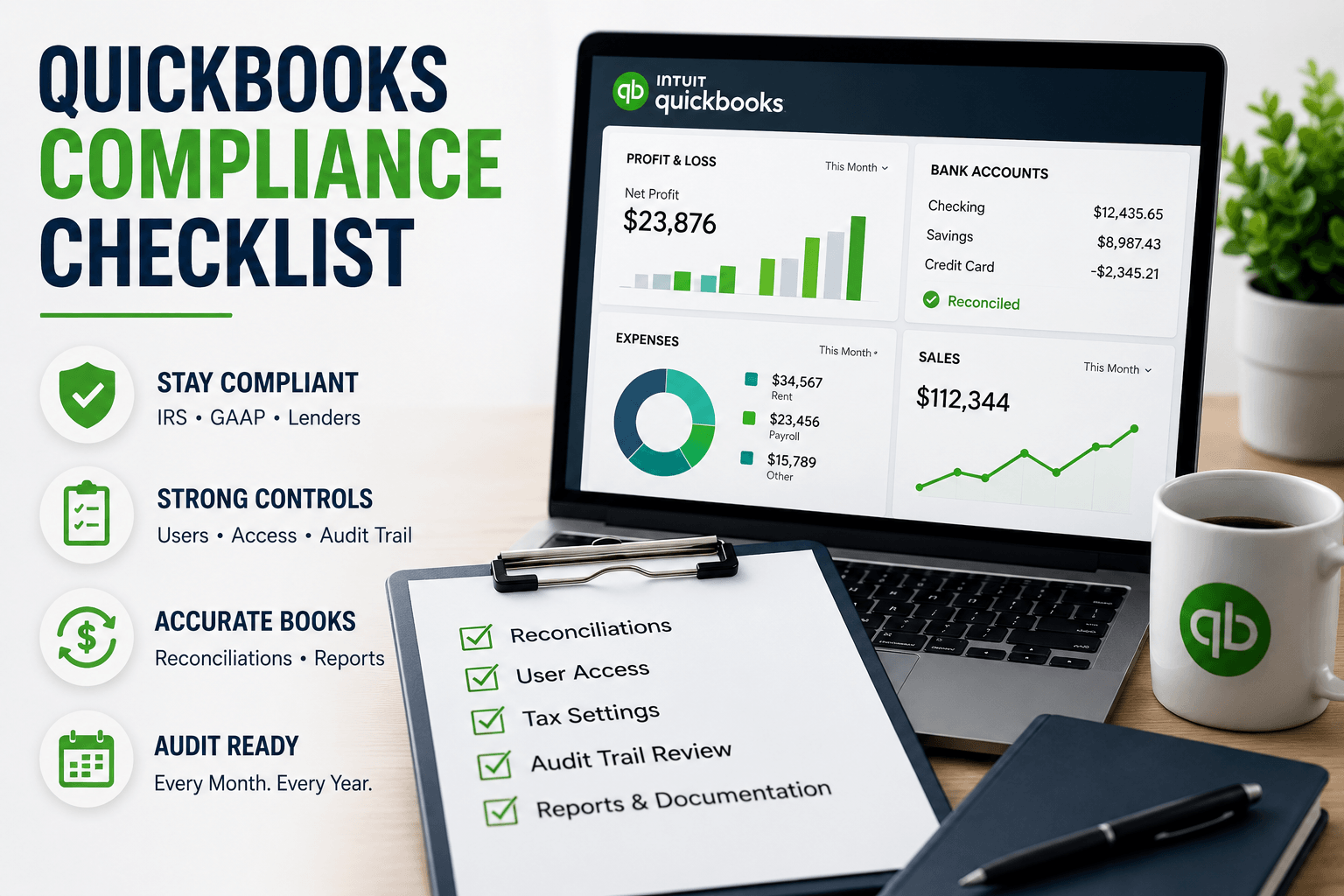
QuickBooks Compliance Checklist:
Perfect Control Made Easy
A QuickBooks compliance checklist is a structured set of controls, settings, and recurring tasks that keeps your QuickBooks file audit-ready year-round—covering user permissions, audit trails, reconciliations, tax settings, and documentation so your books stay accurate and defensible to the IRS, auditors, and lenders. The right checklist combines correct setup (entity type, tax IDs, GAAP-aligned chart of accounts), strong internal controls (user roles, locked periods, audit trail reviews), and disciplined monthly, quarterly, and year-end routines that protect your business from costly errors and penalties.
After more than 20 years building Complete Controller and overseeing thousands of QuickBooks files across nearly every industry you can name, I can tell you the difference between a clean book and a compliant book comes down to one word: proof. The IRS, banks, and investors don’t care how confident you feel—they care what your records can show. In this article, I’ll walk you through the exact framework my team uses to turn QuickBooks into a compliance asset: how to map QuickBooks to IRS and GAAP standards, build a real internal control environment, lock down your data, and create a 90-day roadmap that takes you from reactive scrambling to continuous audit readiness.

What is a QuickBooks compliance checklist and how do you use it to stay audit-ready?
- A QuickBooks compliance checklist is a repeatable framework for configuring QuickBooks, enforcing internal controls, and performing recurring tasks so you’re always audit-ready.
- It starts with proper setup: entity type, tax IDs, GAAP-aligned chart of accounts, and correct sales tax and payroll configurations.
- It builds in control: user roles, access restrictions, locked periods, and consistent audit trail reviews.
- It enforces discipline: monthly reconciliations, exception reports, and source-document standards.
- It keeps you current: QuickBooks tax updates, IRS requirements, GAAP changes, and annual reviews of your compliance posture.
The QuickBooks Compliance Basics Most Businesses Skip
Most small businesses treat QuickBooks like a glorified calculator. Compliance, though, is about provable structure—the kind that satisfies the IRS, your CPA, and any lender who asks for three years of clean financials on short notice.
Mapping QuickBooks to IRS requirements and GAAP accounting standards
Start with your foundation: a chart of accounts that mirrors GAAP accounting standards, the correct accounting method (cash vs. accrual) aligned to your tax filings, and clear revenue recognition workflows. Use classes and locations when you operate multiple business lines—it makes separate reporting painless.
On the IRS side, retention matters. The IRS says you must keep records long enough to prove the income or deductions on a return—at least 3 years for most returns, and up to 6 years if you underreport income by more than 25%. Build that into your QuickBooks data and document storage policy from day one.
The role of audit trail logs in QuickBooks audit readiness
Audit trail logs are your silent witness. Every change, deletion, and edit gets stamped with a user and timestamp—but only if each person has a unique login. Shared logins destroy accountability and gut your QuickBooks audit readiness before an auditor even arrives.
Review the audit trail weekly for unusual activity and monthly for deeper anomalies. Banks and IRS examiners look first at deleted or voided transactions and changes to reconciled periods.
QuickBooks Online compliance vs. Desktop: What really changes
QuickBooks Online compliance benefits from always-on tax tables, automatic backups, and detailed access logs. Desktop puts more responsibility on you—local backups, manual version updates, and stricter file security. Neither is more “compliant” by default; your process is what makes the difference.
Your Core QuickBooks Compliance Checklist (Daily, Monthly, Quarterly, Year-End)
A great compliance system runs on rhythm. Here’s how to structure yours.
Daily and weekly controls
- Review bank feed transactions before adding them to the books.
- Monitor undeposited funds and open invoices for irregularities.
- Spot-check the audit log for after-hours edits or unusual user activity.
Monthly QuickBooks compliance checklist (core controls)
- Reconcile every bank, credit card, and loan account—formal reconciliations, not just matched bank feeds.
- Clear uncategorized transactions and “ask my accountant” entries.
- Lock the month with a closing date and password.
- Archive your P&L, Balance Sheet, and Cash Flow for your audit-readiness file.
Reconciliation isn’t busywork—it’s fraud prevention. According to the ACFE’s Occupational Fraud 2024: A Report to the Nations, organizations using account reconciliation as an anti-fraud control saw median fraud losses cut by 50%. That’s a staggering ROI for an hour of monthly work. (For more on this rhythm, see the importance of reconciling your accounting statements regularly.)
Quarterly review and regulatory tasks
- Confirm QuickBooks tax updates are installed (critical for payroll tables).
- Run a QuickBooks compliance checklist for sales tax reporting: verify rates, check nexus changes, reconcile sales tax payable to filed returns.
- Audit user access—remove former employees and confirm least-privilege roles.
QuickBooks year-end compliance checklist for accountants and owners
Reconcile every balance sheet account (not just bank). Clean AR/AP aging, address write-offs and unapplied credits, complete inventory valuation and fixed asset rollforwards, and verify payroll using Intuit’s year-end checklist for QuickBooks Online Payroll. Then export trial balance, general ledger, and key subledgers for your year-end file.
Messy books create expensive problems. See how Complete Controller helps businesses stay audit-ready year-round.

Locking Down Your QuickBooks File: Internal Controls That Prove You’re in Control
A compliant QuickBooks file has guardrails. Without them, your audit trail is just noise.
Designing user roles and permissions
Segregate duties wherever possible: the person who creates bills shouldn’t approve payments; the person who records deposits shouldn’t reconcile the account. For very small teams, compensating controls (like a monthly owner review) bridge the gap. Every user gets a unique login—no exceptions.
Building a defensible audit trail with source documents
Every significant entry needs a linked source document—invoice, bill, receipt, contract, or signed approval. Attach files directly in QuickBooks or use an integrated document management system. The Parmalat scandal—the Italian dairy giant that collapsed in 2003 after investigators uncovered hidden debt and fake bank confirmations—is the textbook case of what happens when source documents and independent verification are ignored. (See BBC’s Parmalat timeline.) That same principle scales down to a $2M small business.
For deeper guidance on internal controls and prevention, our fraud detection and prevention guide walks through the playbook.
Period locking and exception reporting
Closing dates protect reconciled periods from quiet retroactive edits. Pair that with monthly exception reports—voided/deleted transactions, negative inventory, unusual journal entries—and you’ve built the backbone of continuous audit readiness.
Tax, Payroll, and Sales Tax: Turning QuickBooks Into a Compliance Engine
Tax compliance lives or dies on configuration. Get this section right and you’ll sleep better.
QuickBooks tax updates and IRS alignment
Verify you’re on the latest QuickBooks release, especially for payroll tax tables. Outdated tables cause under-withholding, and the IRS doesn’t care that your software was behind. Review your chart of accounts annually with your CPA to confirm tax categories match how returns are actually filed.
Payroll compliance inside QuickBooks
Validate employee and contractor data—tax IDs, addresses, classifications—well before year-end. Reconcile payroll expense and liability accounts every month. Document approvals for pay rate changes and bonuses; auditors love to sample these.
Sales tax compliance
Configure state and local rates correctly, manage multi-state nexus thoughtfully, and document exemption certificates for tax-exempt customers. Reconcile sales tax payable to filed returns each quarter—this is the single biggest gap I see in small business books.
Protecting Financial Data: QuickBooks Data Security as a Compliance Requirement
QuickBooks data security is compliance. The two aren’t separable anymore.
Security essentials for small businesses
Require strong passwords and multi-factor authentication for every user. Maintain off-platform backups for Desktop files. When evaluating cloud apps that integrate with QuickBooks, look for SOC 2 compliance—your control environment is only as strong as your weakest integrated vendor.
Access management and third-party apps
Limit access by role and necessity. Run an annual “app audit” to confirm each connected app is still needed, secure, and properly mapped. Poorly configured e-commerce or billing integrations are a stealthy way to break QuickBooks Online compliance.
From Reactive to Proactive: A 90-Day Roadmap
Checklists work best as living systems with deadlines and owners.
- Days 1–30: Clean up the chart of accounts, reconcile the last 3–6 months, activate audit trail review, and set closing dates.
- Days 31–60: Redesign user roles, document monthly and quarterly compliance tasks, and launch exception reporting.
- Days 61–90: Run a mock audit—pull reports, audit trail exports, and source documents as if the IRS just called. Refine what was slow or missing.
I worked with a $3M tech services firm that received an IRS notice questioning payroll deposits and expense documentation. We rebuilt their chart of accounts to align with GAAP, tightened user access, formalized monthly reconciliations, and assembled a structured PBC folder from QuickBooks exports. The exam closed with no change—the agent specifically cited the clean audit trail and reconciliations.
Final Thoughts: Your QuickBooks File Is a Compliance Asset, Not a Liability
I’ve sat with too many business owners who lost financing, failed due diligence, or paid avoidable penalties because they assumed QuickBooks “handled compliance.” It doesn’t—your process does. Configure the software correctly, enforce controls, follow your recurring checklist, stay current on tax rules, and protect your data. Do those five things and you’ll be ready for any auditor, lender, or investor who comes knocking. For deeper foundations, our business bookkeeping essentials resource is a great companion read.
When you’re ready for expert help building this compliance framework or preparing for an audit, visit Complete Controller and let my team walk you through it step by step.

Frequently Asked Questions About QuickBooks Compliance Checklist
How do I make sure my QuickBooks file is compliant?
Use a QuickBooks compliance checklist that covers correct setup, monthly reconciliations, user permissions, locked periods, audit trail reviews, and source-document storage—then have a CPA review it annually for IRS and GAAP alignment.
How do you prepare QuickBooks for a tax audit?
Reconcile all balance sheet accounts, lock prior periods, clean AR/AP, run exception reports for voided and deleted transactions, export trial balance and general ledger, and assemble supporting invoices, receipts, and contracts in a structured PBC folder.
What goes into a QuickBooks year-end compliance checklist?
Full account reconciliations, AR/AP cleanup, inventory and fixed asset adjustments, payroll verification including W-2s and 1099s, sales tax payable reconciled to filed returns, and final financial statement review before closing the year.
How often should I reconcile accounts in QuickBooks?
At minimum, reconcile bank, credit card, and loan accounts monthly. High-volume or high-risk businesses should reconcile cash accounts weekly. Monthly reconciliation is a baseline audit expectation.
Does QuickBooks keep an audit trail of every change?
Yes. QuickBooks Online and most Desktop editions log every transaction change with user and timestamp—but only if each person has a unique login. Reviewing the audit trail regularly is essential to any compliance checklist.
Sources
- Zenskar. (2026). “How to Make Your Books Audit Ready and Organised in 2026.” https://www.zenskar.com/blog/books-audit-ready
- Glencoyne. (2024). “QuickBooks Audit Preparation: Extract and Organize Your Records for a Streamlined Review.” https://www.glencoyne.com/guides/quickbooks-audit-prepare-organize
- Webgility Blog. (2023). “QuickBooks Audit Trail Guide: How to Track Every Change.” https://www.webgility.com/blog/quickbooks-audit-trail
- Intuit. “DCAA Compliance Checklist: 10 Steps for Success.” QuickBooks Time-Tracking Resources. https://www.quickbooks.intuit.com/time-tracking/resources/dcaa-compliance-checklist/
- Intuit. “Year-End Checklist for QuickBooks Online Payroll.” QuickBooks Learn & Support. https://quickbooks.intuit.com/learn-support/en-us/help-article/payroll/year-end-checklist-quickbooks-online-payroll/L8ljkFylPUSen_US
- Internal Revenue Service. (2025). “How Long Should I Keep Records?” https://www.irs.gov/businesses/small-businesses-self-employed/how-long-should-i-keep-records
- Internal Revenue Service. “Recordkeeping.” https://www.irs.gov/businesses/small-businesses-self-employed/recordkeeping
- Internal Revenue Service. “Sales Tax.” https://www.irs.gov/businesses/small-businesses-self-employed/sales-tax
- Association of Certified Fraud Examiners (ACFE). (2024). “Occupational Fraud 2024: A Report to the Nations.” https://www.acfe.com/report-to-the-nations/2024
- BBC News. (December 23, 2003). “Timeline: Parmalat Scandal.” http://news.bbc.co.uk/2/hi/business/3347775.stm
- Financial Accounting Standards Board (FASB). “GAAP Accounting Standards.” https://www.fasb.org/
- Complete Controller. “Importance of Reconciling Your Accounting Statements Regularly.” https://www.completecontroller.com/importance-of-reconciling-your-accounting-statements-regularly/
- Complete Controller. “Business Bookkeeping Essentials.” https://www.completecontroller.com/business-bookkeeping-essentials/
- Complete Controller. “Fraud Detection Prevention.” https://www.completecontroller.com/fraud-detection-prevention/
 About Complete Controller® – America’s Bookkeeping Experts Complete Controller is the Nation’s Leader in virtual bookkeeping, providing service to businesses and households alike. Utilizing Complete Controller’s technology, clients gain access to a cloud platform where their QuickBooks™️ file, critical financial documents, and back-office tools are hosted in an efficient SSO environment. Complete Controller’s team of certified US-based accounting professionals provide bookkeeping, record storage, performance reporting, and controller services including training, cash-flow management, budgeting and forecasting, process and controls advisement, and bill-pay. With flat-rate service plans, Complete Controller is the most cost-effective expert accounting solution for business, family-office, trusts, and households of any size or complexity.




 Brittany McMillen
Brittany McMillen
Brittany McMillen