


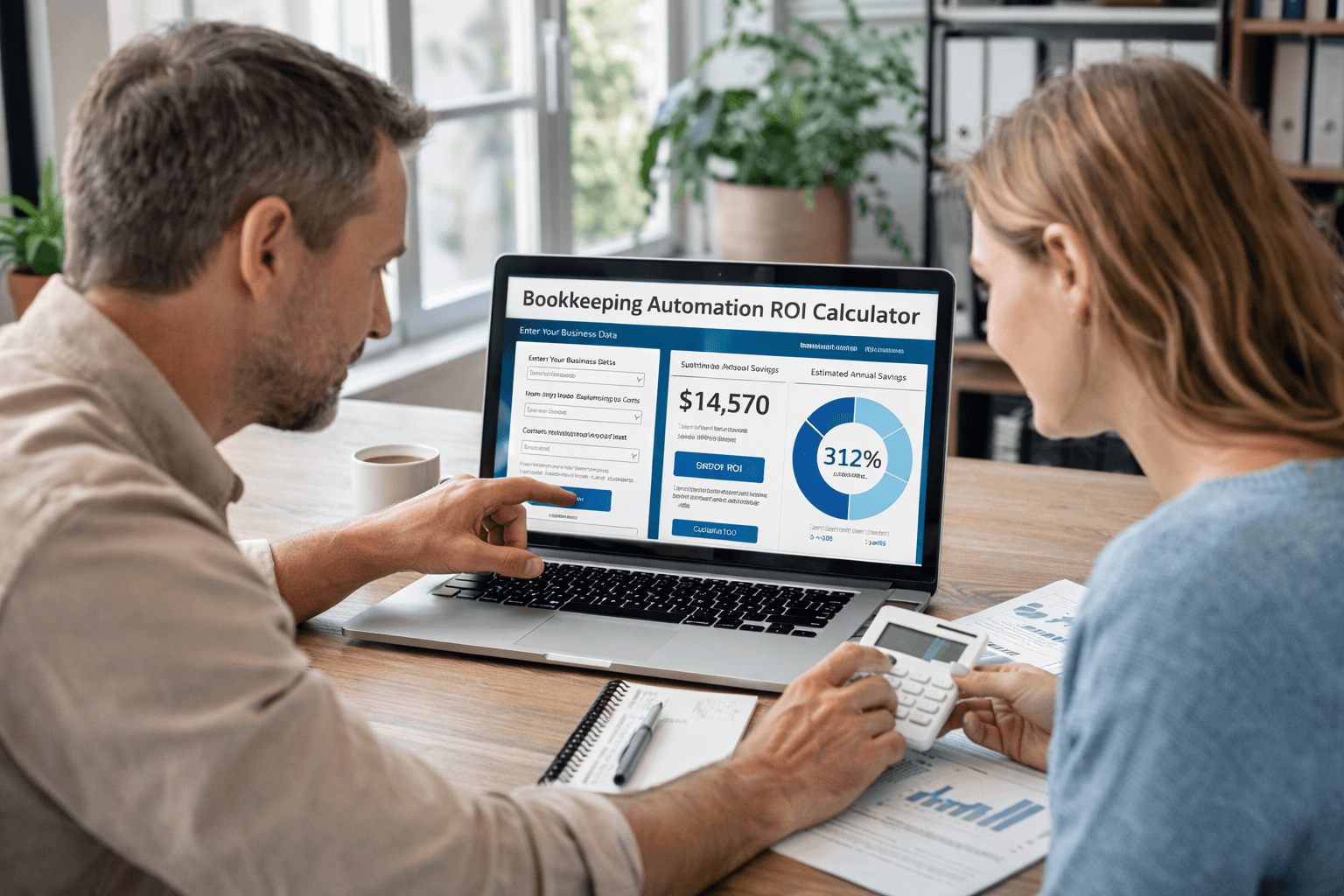
Bookkeeping Automation ROI Calculator:
See Your Savings
A bookkeeping automation ROI calculator is an interactive tool that estimates the financial return on your investment in automated bookkeeping software by measuring time savings, error reduction, and cost decreases against implementation and software expenses. Most small business owners find that their ROI becomes positive within 3–6 months, with annual savings ranging from $50,000 to $450,000 depending on business size and complexity.
After spending over two decades helping small businesses manage their finances, I’ve seen the same pattern repeat: business owners spend 10–15 hours per week on manual bookkeeping tasks they could eliminate entirely. What shocked me most wasn’t the wasted time—it was how few knew the exact financial impact of that waste. That’s why I’m breaking down how to use a bookkeeping automation ROI calculator, what it actually reveals about your business, and how to move from “interesting concept” to real, measurable savings.

What is a bookkeeping automation ROI calculator, and why should you use one?
- A bookkeeping automation ROI calculator measures the financial benefit of adopting automated bookkeeping by comparing software costs against labor, error, and processing-time savings
- It reveals the exact dollar amount you’re losing to manual bookkeeping—something most business owners have never quantified
- The calculator shows when you’ll break even and start seeing pure profit from automation
- It gives you confidence in investment decisions by removing guesswork and presenting hard numbers
- Small businesses typically see 150–200% ROI in the first year, meaning every $1 spent returns $1.50–$2 in value
Understanding the Bookkeeping Automation ROI Calculator: Core Metrics Explained
Knowing what a calculator measures is different from knowing how it works. A true bookkeeping automation ROI calculator breaks down your business’s unique financial picture. According to a 2025 Goldman Sachs survey, 68% of small businesses are already using AI technologies, with another 9% planning to adopt it within the next year—demonstrating that automation adoption is mainstream and trusted by business leaders.
How the Bookkeeping Automation ROI Calculator Actually Works
The tool captures five key metrics: labor hours saved from eliminated data entry, error reduction savings from fewer mistakes, software consolidation savings from replacing multiple tools, processing time savings from faster month-end closing, and compliance cost reductions from audit-ready records. When totaled, these savings are divided by annual software costs, implementation fees, and training expenses to produce your ROI percentage.
Key Metrics the Bookkeeping ROI Calculator Measures
Direct Savings Components include labor savings from data entry reduction, invoice processing acceleration, and reconciliation automation—typically running $25,000–$35,000 annually for businesses with 20+ transactions daily. Error reduction savings (preventing costly mistakes, rework, and compliance penalties) average $8,000–$15,000 yearly. Software consolidation savings (replacing multiple tools with one unified system) range from $12,000–$20,000. Processing time savings (faster closing cycles and reporting) add another $5,000–$10,000.
Cost Components include annual software fees typically ranging from $500–$2,000 per month depending on features and invoice volume. Implementation costs (setup, data migration, integration) run $2,000–$10,000 one-time. Training costs for staff range from $500–$3,000 depending on team size and complexity.
How to Calculate Bookkeeping Automation ROI for Small Businesses: A Step-by-Step Framework
Many guides skip the mechanics. Here’s the exact process—with real numbers from typical small businesses.
Quantify your current labor costs
Start by calculating how many hours your team (or you) spend weekly on manual bookkeeping tasks: data entry, invoice processing, bank reconciliation, expense categorization, report generation, and month-end closing. Small and medium enterprises typically spend 15-20 hours per week on manual bookkeeping tasks. By implementing automation, these businesses reduce this time investment by approximately 80%, directly correlating to annual savings of over 300 hours—equivalent to more than eight full work weeks.
Multiply weekly hours by 52, then by your average hourly labor cost (including payroll taxes and benefits). Most businesses with $500K–$5M in annual revenue spend 200–500 hours yearly on manual bookkeeping, translating to $15,000–$40,000 in pure labor cost.
Calculate error-related costs
Identify mistakes from manual bookkeeping in the past 12 months: duplicate invoice entries, miscategorized expenses, reconciliation errors, late payment penalties, compliance fines, and audit costs. Many businesses underestimate this—missed early-payment discounts alone can cost 2–3% of AP volume annually. Add estimated risk cost: regulatory penalties for improper tax categorization, potential audit expenses, and customer disputes from billing errors.
Assess software and tool consolidation savings
Audit your current software stack: accounting software, invoicing tools, payroll platforms, bank feeds, expense tracking apps. Add annual subscription costs for each. Most small businesses pay for 5–8 overlapping tools doing similar work. Automated bookkeeping consolidates these into one platform, often eliminating 3–4 redundant subscriptions.
Calculate processing time improvements
Estimate current cycle times: How long does month-end close take? How long to generate a balance sheet? How long to process 100 invoices? Industry data shows that manual invoice processing costs between $14 and $20 per invoice when accounting for labor, overhead, and error correction. With automation, this cost drops to approximately $0.50 per invoice—representing a 78% reduction in hard labor costs.
Automation cuts these dramatically—bank reconciliation drops from hours to minutes, invoice processing accelerates 80%, and closing cycles compress by 50–70%. Convert time savings to dollar value using your team’s loaded hourly rate. You can calculate time savings from bookkeeping automation by tracking reconciliation improvements specifically.
Total annual savings and compare to costs
Sum all savings categories. Subtract total annual software costs, amortized implementation costs (one-time costs divided by expected years of use, typically 3–5 years), and training costs. The result is your net annual benefit. Divide net benefit by total implementation cost to get ROI percentage using standard accounting software ROI calculator methods.
Example: $50,000 annual savings ÷ $20,000 total investment = 250% ROI in year one.
Real-World Case Study: How a Retail Chain Achieved 200% ROI with Automated Bookkeeping
A mid-sized retail business with 15 locations and $3.2M in annual revenue was processing invoices manually across three different locations. Their bookkeeping process involved scanning receipts, manually entering data into spreadsheets, then uploading to their accounting software—a process consuming 25 hours weekly. The company implemented an automated bookkeeping system with integrated AP automation and OCR (optical character recognition) technology.
Results within six months: Labor hours dropped from 25 weekly to 4 weekly. Error rate fell from 3.2% to 0.3%. Month-end closing compressed from 8 days to 3 days. They captured $18,000 in early-payment discounts previously missed. Total year-one savings: $145,000. Total investment (software, implementation, training): $35,000. ROI: 414%—every $1 invested returned $4.14 in value.
This isn’t unique. Multiple companies implementing Ramp Bill Pay AP automation report similar results: REVA reduced invoice processing time from 15-20 minutes per invoice to under 3 minutes (over 80% reduction), while The Second City cut invoice processing time in half and achieved $40,000 in annual savings. Across industries, accounting automation ROI calculator data shows similar patterns when businesses combine AP automation with bookkeeping automation.
At Complete Controller, we’ve helped hundreds of businesses achieve 200%+ ROI through smart automation. Let’s calculate your potential savings.

The Hidden Benefits: Why Standard ROI Calculators Miss Critical Savings
Beyond the numbers that appear in a bookkeeping efficiency calculator, five major benefits don’t show up in basic calculations but transform your bottom line. According to SCORE, business owners spend more than 20 hours per month handling financial tasks including accounting and invoicing—representing $36,000 annually in pure opportunity cost for entrepreneurs whose time is valued at $150 per hour.
Improved cash flow and early-payment discounts
Automated invoice processing gives visibility into payables weeks earlier, allowing teams to capture early-payment discounts (typically 2–3% for paying within 10 days instead of 30). For a $2M annual payables volume, this alone saves $40,000–$60,000 yearly. Traditional bookkeeping cost savings calculator tools miss this because it requires behavioral change (accelerated payment decision-making), not just automation. Understanding accounts payable automation ROI helps optimize your cash conversion cycle for maximum savings.
Reduced late fees and compliance penalties
Automated payment reminders and audit trails minimize late payments to vendors and tax authorities. Missed quarterly tax payments, even by a few days, trigger penalties. One audit or compliance fine (easily $5,000–$25,000) erases years of software savings. This indirect ROI is massive but often unmeasured.
Scalability without headcount
As your business grows from $1M to $5M revenue, manual bookkeeping requires proportional team growth. Automation scales without adding staff. A business processing 500 invoices monthly can add 50% more without hiring—something a calculate time savings from bookkeeping automation framework must address. Companies with outsourced accounting functions grow revenue 28% faster than those handling accounting in-house.
Improved decision-making speed
Real-time dashboards replace monthly reports. CFOs and founders see cash position, aging receivables, and expense trends instantly, enabling faster strategic decisions. This competitive advantage is priceless but hard to quantify.
Employee satisfaction and retention
Bookkeeping teams spend most of their time on repetitive, ungratifying work. Automation eliminates the drudgery, allowing them to focus on analysis, reconciliation review, and strategic projects—work that feels meaningful. Lower turnover saves recruitment and training costs (typically $15,000–$40,000 per employee replacement).
Choosing Between DIY and Outsourced Bookkeeping Automation: What ROI Changes
An often-overlooked factor in calculating bookkeeping automation ROI calculator results is whether you implement automation in-house or partner with an outsourced provider. Each path delivers different ROI, and understanding automated bookkeeping ROI requires assessing partner economics.
DIY Automation Implementation
Upfront costs include software licenses ($500–$2,000/month), implementation and integration work ($2,000–$10,000), staff training ($500–$3,000), and internal IT support for troubleshooting. Your team manages day-to-day operations but owns the learning curve.
Savings: You capture 100% of labor reductions. Processing time improvements and error reduction flow directly to your bottom line. Risks include implementation delays, staff resistance, incomplete adoption, and ongoing maintenance consuming internal resources. Hidden costs emerge when systems don’t integrate smoothly or training is inadequate.
ROI timeline: 6–12 months to positive ROI, but full benefits take 12–18 months as teams master the system.
Outsourced Bookkeeping Automation
Upfront costs include similar software fees plus provider fees (typically 15–25% of bookkeeping costs, or $1,000–$3,000/month for small businesses). Implementation is faster because the provider handles setup and integration.
Savings: You avoid hiring dedicated bookkeeping staff. Instead, an experienced firm monitors your automated systems and handles exceptions. This hybrid model (automation + expert oversight) typically costs 40–50% less than in-house bookkeeping while delivering higher accuracy.
ROI timeline: 3–6 months—faster because the provider’s experience accelerates implementation and adoption. You see ROI immediately from eliminated in-house staff costs.
Real-world comparison: A business with $2M revenue paying $4,000/month for in-house bookkeeper salaries and software might pay $2,000/month for outsourced automated bookkeeping with expert oversight, netting $24,000 yearly in pure salary savings plus improved accuracy and compliance. ROI: 300%+ in year one.
Critical Factors Affecting Your Bookkeeping Automation ROI Calculator Results
Not all businesses see the same ROI. Understanding what influences your specific outcome prevents disappointment and reveals optimization opportunities.
Business Size and Invoice Volume
Smaller businesses (< $1M revenue, < 100 invoices/month) see lower absolute savings but higher ROI percentages because fixed software costs represent a larger portion of their budget. A solo business paying $1,000/month for automated bookkeeping might save $500/month in reduced accounting fees—a 50% direct return. Larger businesses process 1,000+ invoices monthly, so absolute savings reach $8,000–$15,000/month, but ROI percentages feel lower due to higher base costs.
Current Process Maturity
- Businesses using spreadsheets and manual data entry see dramatic ROI (often 200%+)
- Businesses already using accounting software but with some manual processes see moderate ROI (100–150%)
- Businesses already partially automated see smaller but still positive ROI (50–100%), as they’re optimizing rather than transforming
Industry and Regulatory Complexity
Healthcare practices and financial services firms benefit from higher ROI because automation dramatically reduces compliance risk and audit workload. Retail and e-commerce see moderate ROI focused on operational efficiency. Real estate firms with complex multi-property bookkeeping see high ROI from consolidated reporting.
Internal Adoption Rate
The highest-ROI implementations occur when teams embrace automation rather than resist it. Poor adoption (staff continue manual workarounds) can reduce ROI by 30–50%. Clear change management, training, and leadership support are critical. Among tax and accounting professionals, 68% report feeling excited or hopeful about the future of generative AI in their industry—reflecting a major shift in the profession’s technology adoption mindset.
Integration Ecosystem
Businesses that integrate automation with existing CRM, payroll, and sales systems see cumulative ROI benefits (data flows seamlessly, duplicate entry eliminated). Standalone implementations see lower ROI because manual data bridges still exist.
Step-by-Step Bookkeeping Automation ROI Calculation: Your Implementation Roadmap
Understanding ROI is one thing; implementing it successfully is another. Here’s the exact roadmap most successful businesses follow.
Assessment and baseline (Weeks 1–2)
Document your current bookkeeping workflow: Who does what? How many hours weekly? What tools are used? How accurate are current records? Calculate baseline labor costs using realistic loaded hourly rates (salary + benefits + payroll taxes = typically 1.35x base salary). The U.S. Bureau of Labor Statistics provides detailed guidance to estimate cost savings using automated bookkeeping software based on true employer costs.
Identify current error rates and associated costs from past audit findings or reconciliation mistakes. Log every bookkeeping task for two weeks, then extrapolate annually.
Software selection and cost modeling (Weeks 2–4)
Evaluate 3–5 automation platforms against your specific needs: invoice volume, integration requirements, reporting capabilities, and user interface preferences. Request demos focused on your actual workflows, not generic features. Calculate total cost of ownership including software, implementation, and ongoing support.
Build your ROI model using conservative estimates—it’s better to under-promise and over-deliver. Factor in standard accounts payable automation ROI benefits from early payment discounts (typically 2/10 net 30 terms).
Implementation and training (Weeks 4–12)
Start with your highest-volume, lowest-complexity processes first. This builds confidence and proves the concept before tackling complex workflows. Train power users first, then expand to the full team. Document new processes clearly—automation only works when everyone follows the system.
Monitor adoption daily during the first month. Address resistance immediately with additional training or process adjustments. Celebrate early wins publicly to build momentum.
Optimization and scaling (Months 3–6)
After three months, reassess your workflows. Which automations deliver the most value? Where do manual workarounds persist? Fine-tune integrations between systems to eliminate remaining data silos. Add advanced features like automated approval workflows or custom reporting once basic automation runs smoothly.
Track actual ROI monthly against your projections. Most businesses find they underestimated savings—particularly in error reduction and processing speed improvements.
Conclusion: Your Next Steps Toward Automated Bookkeeping Success
A bookkeeping automation ROI calculator isn’t just a planning tool—it’s your roadmap to transforming how your business handles financial data. The numbers are compelling: most small businesses see 150–200% ROI within the first year, with savings growing as you scale. But the real value extends beyond dollars saved to hours reclaimed, errors eliminated, and strategic insights gained.
Whether you choose DIY implementation or partner with experts, the key is starting your automation journey with clear metrics and realistic expectations. Calculate your baseline costs, evaluate your options carefully, and implement systematically. The businesses thriving today aren’t the ones clinging to manual processes—they’re the ones bold enough to embrace automation and reap the rewards.
Ready to see what automation could save your business? Visit Complete Controller for expert guidance from the team that pioneered cloud-based bookkeeping and controller services. We’ll help you navigate the automation landscape and achieve the ROI your business deserves.

Frequently Asked Questions About Bookkeeping Automation ROI Calculator
How long does it take to see positive ROI from bookkeeping automation?
Most small businesses achieve positive ROI within 3–6 months of implementing bookkeeping automation. Businesses that outsource their automated bookkeeping often see returns faster (3–4 months) because they immediately eliminate in-house bookkeeping salaries. DIY implementations typically take 6–12 months to reach positive ROI as teams learn the new systems.
What’s the average ROI percentage for bookkeeping automation in the first year?
Small businesses typically see 150–200% ROI in their first year of bookkeeping automation, meaning every dollar invested returns $1.50–$2.00 in value. Businesses with high transaction volumes or complex manual processes often see even higher returns—sometimes exceeding 400% ROI when they capture benefits like early payment discounts and eliminated compliance penalties.
Which businesses benefit most from using a bookkeeping automation ROI calculator?
Businesses processing 20+ invoices daily, spending 10+ hours weekly on manual bookkeeping, or managing $500K+ in annual revenue see the highest ROI from automation. Service businesses, retail operations with multiple locations, and any company experiencing rapid growth particularly benefit because automation scales without adding headcount.
What costs should I include when calculating bookkeeping automation ROI?
Include both one-time and ongoing costs: software licensing fees ($500–$2,000/month), implementation costs ($2,000–$10,000), staff training ($500–$3,000), integration expenses, and any consulting fees. Don’t forget to factor in the time cost of internal resources during implementation—typically 20–40 hours of staff time over the first three months.
Can very small businesses (under $500K revenue) achieve positive ROI from bookkeeping automation?
Yes, even businesses under $500K in revenue can achieve positive ROI, though the approach differs. These businesses often see 50–100% ROI by eliminating outsourced bookkeeping fees or reducing owner time spent on finances. The key is choosing right-sized solutions—not every small business needs enterprise-level automation. Many find that basic automation combined with quarterly expert reviews delivers the best ROI for their size.
Sources
- Insights Consultancy. (January 6, 2026). Bookkeeping Automation Saving 320 Hours Per Year. https://insightsconsultancy.home.blog/2026/01/06/bookkeeping-automation-saving-320-hours-per-year/
- CoreIntegrator. Invoice Processing: Automation Cost and Savings Analysis. https://coreintegrator.com/invoice-processing-cost-savings-analysis/
- Thomson Reuters. (2025). How are different accounting firms using AI in 2025? https://tax.thomsonreuters.com/blog/how-do-different-accounting-firms-use-ai-tri/
- Fox Business. (2025). Small business AI adoption jumps to 68% as owners plan significant workforce growth 2025. https://www.foxbusiness.com/economy/small-business-ai-adoption-jumps-68-owners-plan-significant-workforce-growth-2025
- Ramp. 7 accounts payable automation success stories and case studies. https://ramp.com/blog/accounts-payable/ap-automation-case-studies
- HBK. The Hidden Cost of DIY Accounting: Why Entrepreneurs Should Focus on Growth not Spreadsheets. https://hbkcpa.com/insights/the-hidden-cost-of-diy-accounting-why-entrepreneurs-should-focus-on-growth-not-spreadsheets/
- Complete Controller. Accounting Outsourcing Economics. https://www.completecontroller.com/accounting-outsourcing-economics/
- Complete Controller. Importance of Reconciling Your Accounting Statements Regularly. https://www.completecontroller.com/importance-of-reconciling-your-accounting-statements-regularly/
- Complete Controller. Mastering the Cash Conversion Cycle. https://www.completecontroller.com/mastering-the-cash-conversion-cycle/
- U.S. Bureau of Labor Statistics. Employer Costs for Employee Compensation. https://www.bls.gov/news.release/ecec.toc.htm
- Wikipedia. Cash Discount. https://en.wikipedia.org/wiki/Cash_discount
- Wikipedia. Return on Investment. https://en.wikipedia.org/wiki/Returnoninvestment
 About Complete Controller® – America’s Bookkeeping Experts Complete Controller is the Nation’s Leader in virtual bookkeeping, providing service to businesses and households alike. Utilizing Complete Controller’s technology, clients gain access to a cloud platform where their QuickBooks™️ file, critical financial documents, and back-office tools are hosted in an efficient SSO environment. Complete Controller’s team of certified US-based accounting professionals provide bookkeeping, record storage, performance reporting, and controller services including training, cash-flow management, budgeting and forecasting, process and controls advisement, and bill-pay. With flat-rate service plans, Complete Controller is the most cost-effective expert accounting solution for business, family-office, trusts, and households of any size or complexity.




 Brittany McMillen
Brittany McMillen
Brittany McMillen