


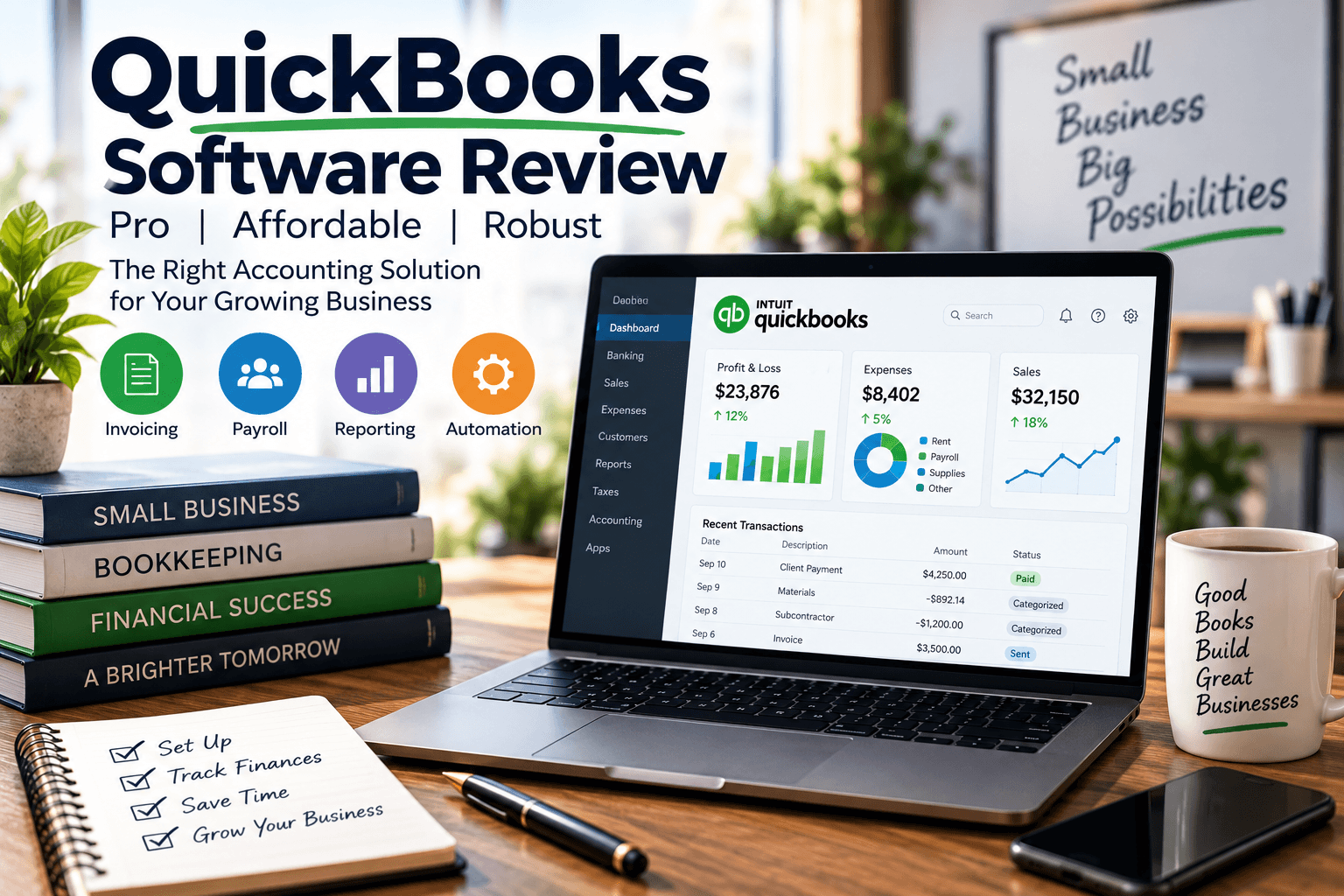
QuickBooks Software Review:
Pro, Affordable, Robust
QuickBooks software review verdict: QuickBooks remains one of the strongest accounting platforms for small and midsize businesses because it blends a deep feature set, a broad app ecosystem, and accessible pricing into one system that handles invoicing, payroll, bank reconciliation, and daily bookkeeping with confidence. The right choice comes down to your size, workflow, and whether you need cloud collaboration through QuickBooks Online or the desktop-level inventory power of QuickBooks Desktop.
In over 20 years running Complete Controller, I’ve had a front-row seat to hundreds of QuickBooks rollouts across nearly every industry you can name, and I’ll tell you this straight: the software is powerful, but the magic happens when the plan matches the business, not the other way around. Here’s a data point that stops me every time I share it—QuickBooks Online holds roughly 80% market share in the small business cloud accounting space, according to DMR research. In this article, I’ll walk you through pricing, features, the Online vs. Desktop debate, a real case study, and a decision framework so you can pick the plan that actually fits your operation—and stop paying for tools you don’t use.
What is a QuickBooks software review and why does it matter?
- QuickBooks software review means evaluating QuickBooks on features, pricing, usability, scalability, and fit for your business.
- QuickBooks dominates the small business accounting market because it scales from solo freelancers to growing teams that need payroll, reporting, and multi-user access.
- The most important question is not “Is QuickBooks good?” but “Is QuickBooks Online or QuickBooks Desktop the right fit?”
- Cloud-first Online plans win on collaboration; Desktop still holds ground for advanced inventory and legacy workflows.
- A strong review gives you real tradeoffs and a clear recommendation by business type—not marketing fluff.

QuickBooks Review: Is It Really Worth It for Small Businesses?
QuickBooks is worth it for most small businesses because it eliminates hours of manual bookkeeping, centralizes your financial data, and covers the core accounting workflow in one platform. But “worth it” hinges on whether you actually use what you’re paying for.
The businesses that get the most value are the ones that treat QuickBooks as an operating system for their finances, not a filing cabinet. If invoicing, reconciliation, and reporting are core to how you run the company, QuickBooks pays for itself quickly.
QuickBooks software review for small businesses
- QuickBooks Online is usually the best fit for small businesses needing remote access, accountant collaboration, and predictable monthly pricing.
- QuickBooks Desktop still wins for businesses with deep inventory needs or industry-specific editions.
- The platform delivers real value only when paired with disciplined bookkeeping—see our 9 bookkeeping tips for small businesses for the habits that make it work.
- Early-stage founders often start with spreadsheets and outgrow them fast once payroll and reporting get real.
How I evaluate QuickBooks in practice
When a client asks me if QuickBooks is right for them, I ask three questions: Who needs access? How complex is your inventory? What does your month-end close look like? Those three answers usually make the decision obvious.
I also weigh the subscription cost against the hours saved on invoicing, reconciliation, and reporting. If your accountant can work efficiently inside the system without workarounds, you’re in good shape.
QuickBooks Pricing, Plans, and What You Actually Get
QuickBooks pricing varies by product family. QuickBooks Online uses monthly subscriptions, while QuickBooks Desktop typically uses annual pricing or licensing—especially for the Enterprise tier.
The honest truth? The “cheapest” plan often isn’t the most affordable. If a lower-tier plan slows down your invoicing or forces manual workarounds, you’re losing money on labor even while saving on software.
QuickBooks pricing: what businesses should budget for
- QuickBooks Online is more accessible upfront thanks to monthly billing and easy upgrades.
- QuickBooks Desktop carries a higher annual commitment but delivers more power in advanced tiers.
- Costs climb when you add payroll, payment processing, hosting, or extra user licenses.
- Always factor in setup, data migration, training, and support—not just the sticker price.
How to choose between QuickBooks plans
Choose your plan based on users, workflow complexity, and reporting needs—not price alone. Here’s how I sort it:
- Simple Start — Freelancers and very small businesses with basic invoicing.
- Essentials or Plus — Businesses managing bills, team access, projects, or light inventory.
- Advanced or Enterprise — Companies needing stronger controls, higher user counts, and deep operational reporting.
- Payroll add-on — Include this in your cost comparison from day one if you have employees.
QuickBooks Features Review: What Makes the Platform Feel Robust
QuickBooks feels robust because it covers the full accounting workflow—invoicing, expenses, bank feeds, reconciliation, reporting, payroll, and integrations—all in one place.
For a deeper look at how the platform stacks up against competitors, Forbes Advisor’s comparison breaks down the tradeoffs nicely.
QuickBooks features that matter most in real use
- Invoicing — One of QuickBooks’ strongest daily features. This matters because Xero’s Small Business Insights found the average small business was paid 37 days late in FY2024. Faster invoicing directly protects cash flow.
- Payroll — Keeps employee and contractor payments inside your accounting system.
- Bank reconciliation — A major strength; catches errors early and validates transactions fast.
- Reporting — Only valuable if you actually review it monthly, not just at tax time.
- Integrations — Critical for CRM, e-commerce, and payment connections.
QuickBooks bank reconciliation review
QuickBooks handles reconciliation well because bank feeds and transaction matching slash manual entry. The system works best when you categorize consistently and reconcile on a schedule—learn more about the discipline behind it in our guide to reconciling your accounting statements regularly.
Best accounting software for freelancers
Freelancers love QuickBooks for invoicing, mileage tracking, expense capture, and tax-ready categorization. QuickBooks Online is the practical pick for solo operators who work from anywhere. If you only need basic invoicing with zero reporting, simpler tools may serve you better—but the moment you add recurring retainers or multiple clients, QuickBooks starts earning its keep.
QuickBooks Desktop vs Online: Which Version Is Better?
QuickBooks Online generally wins for accessibility, collaboration, and integrations, while QuickBooks Desktop still holds ground for advanced inventory and specialized workflows.
QuickBooks Online vs QuickBooks Desktop comparison
| Category | QuickBooks Online | QuickBooks Desktop |
| Access | Cloud-based, any device | Installed locally or hosted |
| Collaboration | Strong multi-user | Less flexible |
| Pricing model | Monthly subscription | Annual / license-based |
| Integrations | Broad app ecosystem | Fewer integrations |
| Inventory | Adequate for most SMBs | Stronger in advanced tiers |
| Best for | Remote teams, freelancers | Complex desktop workflows |
Practical decision rules
- Choose QuickBooks Online if your team works remotely or your accountant needs access.
- Choose QuickBooks Desktop if you need advanced inventory or legacy desktop workflows.
- App-heavy businesses benefit from Online’s ecosystem.
- Neither version is universally superior—it’s about use case.
Real-World Case Study: QuickBooks in Action
A powerful case study from Intuit shows how Kimberley Manufacturing Pty Ltd transformed manual, paper-heavy workflows using QuickBooks Online Advanced.
- Outcome: A 75% reduction in finance-related workload, moving from five staff to two.
- Impact: 25–30% more time freed for higher-value work.
- Bonus: They allocated 60–70% of direct project costs accurately to COGS, boosting profitability visibility.
The lesson? Software value isn’t just speed—it’s cleaner visibility and smarter decisions.
How to Choose QuickBooks by Business Type
For service businesses
Best for invoicing, retainers, time tracking, and project profitability. QuickBooks Online is usually the smoother pick.
For product businesses
Best when inventory and margins need constant tracking. Consider Desktop for advanced fulfillment. A great example: EcoScraps, a fast-growing compost and soil company that used QuickBooks to scale before landing a deal on ABC’s Shark Tank (Season 5). Fast growth demands tight bookkeeping systems—see how businesses graduate from spreadsheets to CRMs when volume takes off.
For firms with payroll and multiple users
Payroll shines when integrated with accounting. Multiple users need permissions and controls—informal approvals will produce messy books no matter how strong the software is. The IRS recordkeeping guidelines are a good baseline for building those controls.
Conclusion
From where I sit, QuickBooks is powerful because it’s both broad and practical—it serves freelancers, growing service firms, and complex operations if you match the plan to the workflow. The smartest next move is comparing QuickBooks Online vs QuickBooks Desktop against your users, inventory needs, payroll requirements, and month-end close process.
Start with the workflow, not the brand name, then map the cost against the hours it will save. If you want expert help choosing the right accounting path for your company, visit Complete Controller and let my team guide you.

Frequently Asked Questions About QuickBooks Software Review
Is QuickBooks good for small businesses?
Yes, QuickBooks is a strong option because it covers invoicing, expenses, reconciliation, payroll, and reporting in one system that scales with your growth.
What is the difference between QuickBooks Online and QuickBooks Desktop?
QuickBooks Online is cloud-based and better for collaboration and remote access, while QuickBooks Desktop is installed locally and often stronger for advanced inventory and complex workflows.
How much does QuickBooks cost?
Pricing depends on the product and plan. QuickBooks Online uses monthly subscriptions starting affordably, while Desktop and Enterprise use annual pricing structures with higher upfront commitments.
Is QuickBooks easy to use?
Yes, especially QuickBooks Online, though there’s a learning curve for accounting setup and reconciliation. Most owners get comfortable within a few weeks.
Does QuickBooks handle payroll and bank reconciliation?
Yes, QuickBooks supports both, and they’re two of the biggest reasons businesses choose the platform over lighter alternatives.
Sources
- Business News Daily. (April 21, 2026). “Intuit QuickBooks Accounting Software Review 2026.” https://www.businessnewsdaily.com
- Forbes Advisor. (August 12, 2026). “QuickBooks Online vs. Desktop (2026 Comparison).” https://www.forbes.com/advisor
- NerdWallet. (July 26, 2021). “QuickBooks Online vs. Desktop: Which Is Right for Your Business?” https://www.nerdwallet.com
- TechRadar. (August 3, 2021). “QuickBooks bookkeeping software review.” https://www.techradar.com
- The Sage Next. (June 8, 2023). “QuickBooks Desktop vs Online 2026: Compare and Move.” https://thesagenext.com
- Intuit QuickBooks. (July 22, 2025). “Case Study: Save Time & Boost Profitability with QuickBooks.” QuickBooks Australia. https://quickbooks.intuit.com/au
- Smith, Craig. (2024). “Accounting Software Market Share.” DMR. https://expandedramblings.com/index.php/accounting-software-statistics/
- Xero. (FY2024). “Xero Small Business Insights (SBI).” https://www.xero.com/us/xero-small-business-insights/
- ABC/Disney. (Accessed 2026). “EcoScraps.” Shark Tank. https://abc.com/shows/shark-tank/cast/ecoscraps
- Internal Revenue Service. “Recordkeeping.” IRS Small Businesses & Self-Employed. https://www.irs.gov/businesses/small-businesses-self-employed/recordkeeping
- U.S. Small Business Administration. “Accounting.” SBA Business Guide. https://www.sba.gov/business-guide/manage-your-business/keep-your-business-going/accounting
 About Complete Controller® – America’s Bookkeeping Experts Complete Controller is the Nation’s Leader in virtual bookkeeping, providing service to businesses and households alike. Utilizing Complete Controller’s technology, clients gain access to a cloud platform where their QuickBooks™️ file, critical financial documents, and back-office tools are hosted in an efficient SSO environment. Complete Controller’s team of certified US-based accounting professionals provide bookkeeping, record storage, performance reporting, and controller services including training, cash-flow management, budgeting and forecasting, process and controls advisement, and bill-pay. With flat-rate service plans, Complete Controller is the most cost-effective expert accounting solution for business, family-office, trusts, and households of any size or complexity.



 Brittany McMillen
Brittany McMillen
Brittany McMillen