


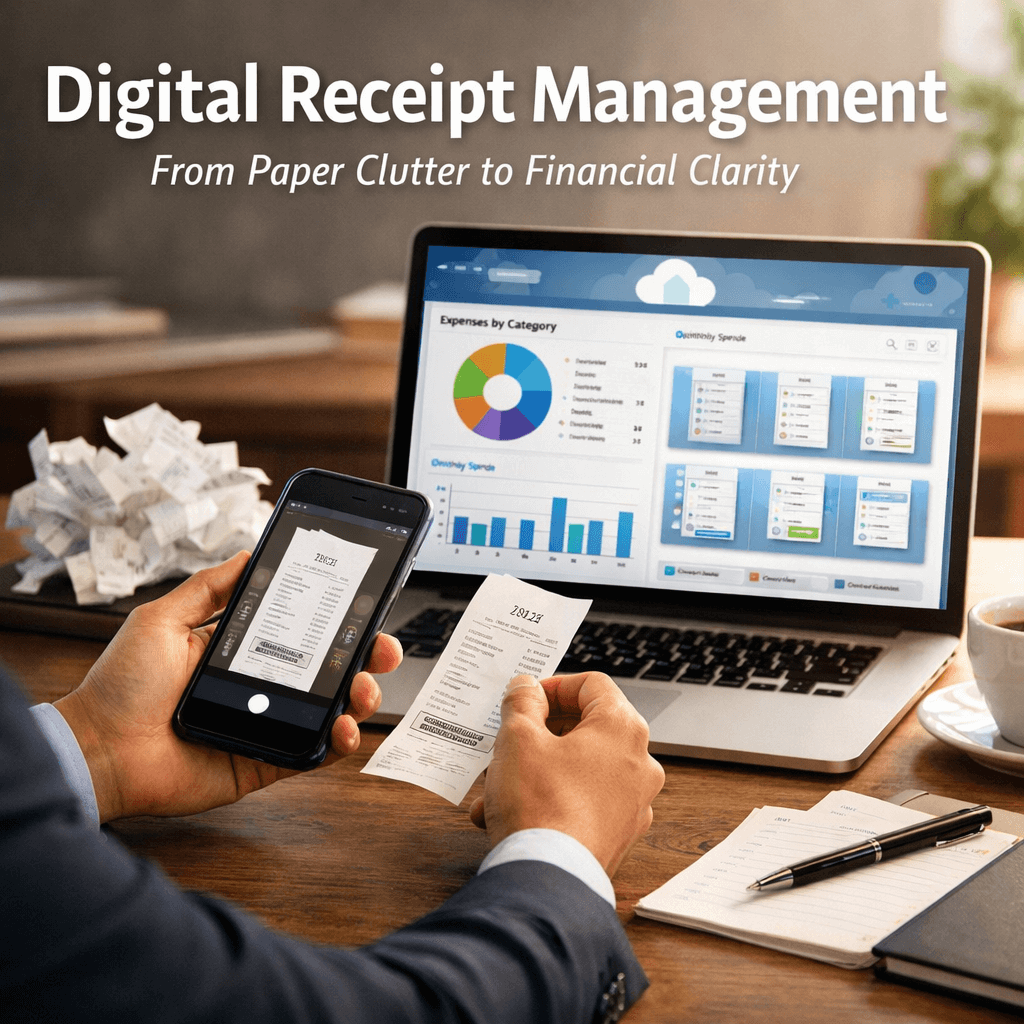
Digital Receipt Management Systems:
Cut Paper, Save Time
Digital receipt management systems are cloud-based platforms that automatically capture, store, organize, and retrieve electronic receipts—eliminating paper, reducing errors, and streamlining expense tracking for businesses of all sizes.
Over the past two decades working with hundreds of small and midsize businesses, I’ve watched entrepreneurs drown in paper receipts scattered across desks, filing cabinets, and shoeboxes. The frustration is real—lost receipts, audit nightmares, delayed reimbursements, and countless hours wasted on manual data entry. But here’s what changed everything: when Complete Controller began implementing digital receipt management systems for our clients, we saw a dramatic shift. One client cut their expense processing time by 65%, another eliminated their most common audit finding in a single quarter. Today, I’m sharing exactly how these systems work, why they’re non-negotiable for modern businesses, and how to implement them without disrupting operations.

What are digital receipt management systems, and why should you care?
- Digital receipt management systems are cloud-based platforms that automatically capture, store, and organize receipts electronically, replacing paper-based processes entirely.
- They use OCR (optical character recognition) and AI to extract key data—vendor, amount, date—automatically and categorize expenses in real time.
- Receipts are indexed, searchable, and retrievable instantly from any device, enabling remote-first teams and distributed businesses.
- These systems integrate directly with accounting software like QuickBooks, Xero, and other platforms to eliminate redundant data entry.
- Secure, encrypted cloud storage ensures compliance with tax requirements, audit standards, and regulations like GDPR and SOX.
Why Digital Receipt Management Systems Are Essential in 2026
Manual receipt management isn’t just inefficient—it’s a liability. Businesses handling hundreds or thousands of expense receipts monthly face significant operational drag: time lost to data entry, errors that cascade into financial reporting problems, compliance gaps that invite audit penalties, and fraud risks from misplaced or duplicate receipts. When companies implement digital receipt software, the transformation is immediate and measurable.
Real-time expense visibility drives better decision-making. Finance teams gain up-to-date dashboards that support accurate cash flow monitoring, spending pattern analysis, and informed budget decisions. Rather than waiting weeks for receipts to arrive, managers see expenses as they occur, enabling faster approvals and reimbursements.
Audits demand complete, accurate documentation—and paper systems fail this test. Every receipt in a digital system is time-stamped, categorized, and stored in a secure, searchable repository. The system automatically maintains seven-year retention standards, meaning auditors can retrieve any document instantly without digging through boxes. This level of transparency reduces audit time significantly and strengthens compliance with financial regulations increasingly favoring digital record-keeping.
How Digital Receipt Management Systems Actually Work
The process is straightforward but powerful. Employees capture receipts via mobile app or web portal at the point of purchase. The system’s receipt OCR technology automatically extracts merchant name, amount, date, and line-item details. AI-powered algorithms then categorize expenses according to company policy, match receipts to transactions, and flag duplicates or policy violations. Approved receipts sync directly to accounting software, populating expense reports, general ledgers, and financial statements without manual intervention. This end-to-end automation eliminates data entry errors, accelerates approvals, and creates an auditable digital trail.
Receipt scanning software represents the capture stage of the process. Mobile apps use device cameras to photograph physical receipts, while web portals accept document uploads. Advanced systems support batch uploads for high-volume users. The scanned image is instantly OCR’d, extracting structured data (vendor, amount, date, tax amount) with 95%+ accuracy.
The intelligence layer transforms image data into actionable information. It recognizes handwritten and printed text, even on damaged or faded receipts, and structures that data for downstream processing. Modern OCR uses machine learning to improve accuracy over time, learning from corrections and company-specific nuances (common vendor abbreviations, internal naming conventions, etc.).
The Financial Impact: Cost Savings and ROI Calculations
Many businesses hesitate to adopt digital systems without understanding the math. Here’s what the data shows: e-receipt management solutions typically pay for themselves within 6 to 18 months through operational savings alone.
Labor costs drop dramatically when you eliminate manual receipt handling. Mid-size companies typically spend 20–30 hours per month processing paper receipts—that’s $8,000–$15,000 in annual labor expense. Digital systems reduce this to 2–3 hours monthly for exception handling.
Shortened approval workflows accelerate employee reimbursements from 14 days to 3 days on average. Employees spend less time chasing payments, reducing operational overhead and increasing satisfaction. Your team focuses on productive work instead of expense report follow-ups.
Automated validations—timestamp verification, duplicate detection, policy rule checking—cut expense fraud by 70–80%. When receipt reconciliation tools flag suspicious patterns instantly, you catch problems before they become costly mistakes. Additionally, audit-ready records eliminate the need for last-minute scrambles to locate missing documentation, saving accountant time at $150–$300/hour.
Real-time visibility into spending patterns enables better budget forecasting. Companies catch overspending before it becomes a problem, redirect resources strategically, and optimize tax planning with accurate, current data.
Case study: How a 50-person tech startup saved $40k annually
A Sacramento-based software firm with 50 employees was losing approximately $2,100 per month to manual receipt management: 25 hours of accounting labor, delayed reimbursements creating employee friction, and an average of one missed audit finding annually (costing $8,000 in remediation). After implementing Complete Controller’s digital receipt management integration with their existing QuickBooks setup, within three months they had:
- Reduced monthly receipt-processing labor to 3 hours
- Cut reimbursement cycle from 10 days to 2 days
- Achieved zero audit findings for the first time in five years
Annual savings: $40,000+ in labor, improved cash flow, and eliminated compliance risk.
If your team is still buried in paper, it’s time to upgrade. Explore Complete Controller.

Security, Compliance, and the Trust Factor
One concern I hear repeatedly from founders: “Is my financial data safe in the cloud?” The answer is yes—when implemented correctly. Modern cloud-based receipt management and expense tracking software exceeds the security standards of most physical filing systems.
Cloud receipt storage employs military-grade encryption (AES-256) both in transit and at rest. Multi-factor authentication (MFA) restricts access to authorized personnel only. Role-based permissions ensure that employees see only their own receipts, while finance teams access everything with audit logging enabled.
Leading platforms are SOX-compliant, GDPR-ready, and automatically maintain records for seven-year retention windows as required by tax authorities. Automated backup and disaster recovery ensure business continuity even in catastrophic scenarios. The IRS explicitly accepts digital records that meet their standards for secure compliant digital receipt storage for tax audits.
Machine learning algorithms continuously monitor for suspicious patterns: duplicate receipts, policy violations, time-stamping anomalies. Every action—upload, approval, correction, export—is logged with user identity and timestamp, creating an unbreakable audit trail.
Best Digital Receipt Management Systems for Small Businesses
Choosing the right platform depends on your business size, accounting software, and specific workflows. Rather than a simple feature list, here’s how to evaluate options:
Integration capability is non-negotiable. Can the system connect seamlessly with your existing accounting software? Tight integrated receipt management with accounting software eliminates the “sync nightmare” and ensures receipts flow automatically into your general ledger without manual intervention. Loose integrations create new bottlenecks.
High-travel teams benefit from mobile-first apps with offline capability. Desk-bound teams may prefer web portals. The best platforms support both equally. Your receipt tracking software should adapt to how your team actually works, not force new workflows.
Early-stage companies should avoid enterprise-tier pricing for features they’ll never use. Look for pricing that scales with transaction volume, not just headcount. Most range from $10–$100/month depending on volume and features.
Implementation is where most projects fail. Platforms offering hands-on setup support, team training, and ongoing customer success guidance outperform self-service alternatives every time.
Overcoming Resistance: A Practical Implementation Roadmap for SMBs
Transitioning from paper to digital isn’t about flipping a switch—it’s about managing change thoughtfully. In my experience, the smoothest implementations follow this timeline:
Month 1: Pilot Phase
Start with one department (sales, operations) or one cost center. Let them capture receipts digitally for 30 days while existing processes continue. This builds confidence, surfaces technical issues, and generates internal advocates. By the end of month one, pilot users should report saving 5–8 hours per week.
Month 2: Integration and Training
Connect the system to your accounting platform. Run parallel entry for one full accounting cycle—digital system AND traditional process running side-by-side. This proves accuracy and builds trust. Conduct team training, establishing clear workflows, approval hierarchies, and policy rules. Address concerns directly: “Will I lose my receipts?” (No—they’re more secure.) “Will I need to change how I expense?” (Minimally.)
Month 3: Full Rollout and Optimization
Sunset the paper process entirely. Establish exception protocols (emergency receipts lost in transit, non-digital invoices requiring manual capture). Monitor for adoption resistance and course-correct quickly. By month three, you’re capturing 85%+ of receipts digitally, audit-ready.
Once the foundation stabilizes, unlock advanced features: expense receipt automation that pre-approves receipts meeting policy criteria, receipt archiving systems that compress old records while maintaining searchability, and advanced spend analytics revealing cost-saving opportunities.
The Sustainability and Cultural Shift
Beyond the financial case, electronic receipt solutions represent a cultural evolution. Companies cutting paper reduce environmental impact: a mid-size firm processing 10,000 receipts monthly saves approximately 250 trees annually by going digital. This resonates with modern talent—employees increasingly prefer working for environmentally conscious companies. Additionally, reducing paper eliminates physical clutter, freeing office space and improving team morale.
Common Mistakes That Derail Digital Receipt Implementation
Throughout my years helping businesses make this transition, I’ve seen predictable failure patterns:
- Underestimating change management creates adoption failure. Rolling out new software without training or building internal advocates means users revert to paper, defeating the purpose. Invest time in explaining the “why” behind the change.
- Selecting systems without accounting software integration is a recipe for data silos. If receipts don’t flow automatically into QuickBooks or Xero, you’ve created a second job, not eliminated one. Always verify integration depth before committing.
- Ignoring legacy receipt backlogs creates compliance gaps. A proper implementation includes a one-time digitization of critical legacy records (current year, prior year for audit readiness). Don’t leave historical data stranded in filing cabinets.
- Setting overly rigid policies drives circumvention. If your expense policy is too restrictive—requiring receipts for items under $25, for example—users work around the system entirely. Digital systems work best with reasonable, enforceable policies.
- Neglecting ongoing adoption management kills momentum. New systems require monitoring. Regular check-ins with users, celebrating early wins, and addressing friction points maintain momentum. Ignore it, and adoption slips backward within months.
Your Next Step Forward
Digital receipt management isn’t just a tech upgrade—it’s operational leverage. It builds the structure your company needs to grow without adding friction.
When your team is buried in manual entry, that’s time pulled away from forecasting, client service, and expansion. A misplaced receipt isn’t just an inconvenience—it’s a potential compliance issue waiting to appear at the worst possible moment. And slow reimbursements? They quietly erode trust and morale.
Clarity in your expense process protects your time, your accuracy, and your people.
The math is clear: businesses implementing comprehensive receipt OCR and data extraction software for expense reports consistently achieve ROI within 6-18 months. The operational improvements—faster closes, better visibility, reduced fraud—transform how finance teams function. Most importantly, you’re building a scalable foundation that grows with your business.
Ready to cut the paper and reclaim your time? Visit Complete Controller for expert guidance from the team that pioneered cloud-based bookkeeping and controller services. We’ve helped hundreds of businesses make this transition smoothly—let us show you exactly how to implement digital receipt management without disrupting your operations.

Frequently Asked Questions About Digital Receipt Management Systems
What exactly is a digital receipt management system, and how does it differ from basic cloud storage?
A digital receipt management system is purpose-built for expense management, using OCR and AI to automatically extract, categorize, and reconcile receipt data. Basic cloud storage (Google Drive, Dropbox) simply stores images without extracting or organizing data. A digital system turns receipts into structured financial data; cloud storage just keeps pictures.
How much does a digital receipt management system typically cost, and what’s the ROI timeframe?
Pricing ranges from $10–$100/month depending on transaction volume and features. Most systems pay for themselves within 6–18 months through labor savings, reduced errors, and faster reimbursement cycles alone. ROI accelerates if you factor in fraud prevention and audit cost reduction.
What happens to receipts older than seven years? Are they automatically deleted?
No. Compliant systems maintain permanent archives, though access may be restricted or records compressed for cost efficiency. Tax law requires seven-year retention, but most platforms exceed this requirement for business continuity and historical reference.
Can a digital receipt system integrate with QuickBooks, Xero, or other accounting software?
Yes—integration is standard for leading platforms. Receipts sync automatically to your general ledger, categorized and ready for reconciliation. Verify tight integration during platform selection; loose integrations create workarounds that undermine the value.
What security measures protect my receipts and financial data in the cloud?
Leading systems use AES-256 encryption, multi-factor authentication, role-based access controls, and SOX/GDPR compliance. Audit trails log every action. Cloud systems are typically more secure than physical filing cabinets, which lack encryption, MFA, and disaster recovery.
Sources
- [1] Ramp. The Ultimate Guide to Expense Management Automation. https://ramp.com/blog/expense-management-automation
- [2] Nanonets. (2024). Receipt Management Software: A Complete Guide. https://nanonets.com/blog/receipt-management-software/
- [3] Transparency Market Research. Digital Receipts Market to Hit USD 9.15 Billion by 2035. https://www.transparencymarketresearch.com/digital-receipts-market.html
- [4] Shoeboxed. How Digital Receipt Management Systems Work. https://www.shoeboxed.com/
- [5] Klippa. Receipt OCR: How Optical Character Recognition Transforms Receipt Processing. https://www.klippa.com/en/blog/information/receipt-ocr/
- [6] Association of Certified Fraud Examiners. Report to the Nations on Occupational Fraud and Abuse. https://www.acfe.com/
- [7] Yokoy. The ROI of Automated Expense Management. https://www.yokoy.io/blog/roi-expense-management/
- [9] GetApp. (2024). Employee Expense Reimbursement Statistics and Trends. https://www.getapp.com/
- [10] Internal Revenue Service. How Long Should I Keep Records? https://www.irs.gov/businesses/small-businesses-self-employed/how-long-should-i-keep-records
- [11] National Institute of Standards and Technology. FIPS 197: Advanced Encryption Standard (AES). https://nvlpubs.nist.gov/nistpubs/FIPS/NIST.FIPS.197.pdf
- [14] Expensify. Receipt Scanning Technology and Accuracy Rates. https://www.expensify.com/
- [16] SAP Concur. Duplicate Expense Detection and Prevention. https://www.concur.com/
- [17] Chrome River. Expense Fraud Prevention Through Automation. https://www.chromeriver.com/
- [18] Association of Certified Fraud Examiners. Asset Misappropriation: The Most Common Fraud Scheme. https://www.acfe.com/
- [19] BlackLine. Month-End Close Automation and Audit Readiness. https://www.blackline.com/
- [20] QuickBooks. Accounting Software Integration for Receipt Management. https://quickbooks.intuit.com/
- [21] PwC. Global Economic Crime and Fraud Survey. https://www.pwc.com/
- [22] Certify. Employee Expense Report Benchmark Study. https://www.certify.com/
- [23] ABBYY. OCR Accuracy Benchmarks for Financial Documents. https://www.abbyy.com/
- [24] Forrester Research. The Total Economic Impact of Automated Expense Management. https://www.forrester.com/
- [26] Tesseract OCR. Machine Learning Enhancement for Character Recognition. https://github.com/tesseract-ocr/
- Complete Controller. Fraud Detection and Prevention. https://www.completecontroller.com/fraud-detection-prevention/
- Complete Controller. Importance of Reconciling Your Accounting Statements Regularly. https://www.completecontroller.com/importance-of-reconciling-your-accounting-statements-regularly/
- Complete Controller. Efficient Paperless Office Solutions. https://www.completecontroller.com/efficient-paperless-office-solutions/
- Wikipedia. Optical Character Recognition. https://en.wikipedia.org/wiki/Opticalcharacterrecognition
- Complete Controller Case Study Archive. (2025). Sacramento Tech Startup Digital Receipt Implementation.
- Sarbanes-Oxley Act. (2002). Public Company Accounting Reform and Investor Protection Act. https://www.sec.gov/
- Xero. Cloud Accounting Software Integration. https://www.xero.com/
- NetSuite. ERP and Receipt Management Integration. https://www.netsuite.com/
- FreshBooks. Small Business Accounting and Receipt Tracking. https://www.freshbooks.com/
- General Data Protection Regulation (GDPR). EU Data Protection Framework. https://gdpr.eu/
 About Complete Controller® – America’s Bookkeeping Experts Complete Controller is the Nation’s Leader in virtual bookkeeping, providing service to businesses and households alike. Utilizing Complete Controller’s technology, clients gain access to a cloud platform where their QuickBooks™️ file, critical financial documents, and back-office tools are hosted in an efficient SSO environment. Complete Controller’s team of certified US-based accounting professionals provide bookkeeping, record storage, performance reporting, and controller services including training, cash-flow management, budgeting and forecasting, process and controls advisement, and bill-pay. With flat-rate service plans, Complete Controller is the most cost-effective expert accounting solution for business, family-office, trusts, and households of any size or complexity.




 Brittany McMillen
Brittany McMillen
Brittany McMillen